Here at ThatHelpfuldad.com, my readers know I try to share practical solutions to real life problems. Today’s tip is along those lines – if you often find yourself wanting an easy to use, low-cost cordless screwdriver then I’d recommend you get the Black+Decker 4V Max Roto-Bit Electric Screwdriver.
Why do I recommend this RotoBit? Because it’s easy to use, charges quickly, holds a charge long, and is super cheap. That’s a ‘quad-fecta’ anyone would like, right?
Here’s a quick vid so you can see the little Roto-Bit in action…
Black+Decker Roto-Bit 4V Max Screwdriver
See the RotoBit on Amazon
What about that Weird Handle?
I wasn’t sure if I’d like the ‘gun handle’ format of the RotoBit but I gotta say that, after using it, I totally love it. This gun handle grip makes is comfortable to hold AND I can get a bit of extra power behind when I driving in a screw.
The RotoBit Screwdriver comes with 8 Bits that store INSIDE the handle
Roto-Bit Description
Here’s the official description from Black+Decker “The BLACK+DECKER 4V Roto-BIT Storage Screwdriver features 4V Lithium power that holds a charge up to 18 months. This screwdriver has a rotating bit cartridge that stores bits and provides easy accessibility – and also includes 8 bits for a wide variety of tasks. An on-board magnet holds extra screws, freeing up your hands for other tasks, and it has an LED light which illuminates your work surface. Backed by BLACK+DECKER’s 2 year warranty.”
Like I said above, it holds a charge for a loooooong time!
Will this Roto-Bit change your life?
Probably not. This isn’t deep, life-changing wisdom today and it sure ain’t rocket science, but hey, if you need an electric screwdriver that offers a good price to value, then you can’t go wrong with this one.
As I always say on this blog, I’m just an Average Joe like you, but when I find something that works I wanna share it with my friends. If you have a similar product you like better let me know in the comments. Thanks
Foosball is a game that hooks you as a fan from the first time you play it. Do you remember your first time? Was it playing foosball at a local sports bar, or perhaps with your buddies in college, or maybe it was way back when you were still a kid and you got lucky enough to find an open table while you’re grandpop was up at the bar getting ‘one for the road’ (if you grew up in the 70’s you know what I mean). Somehow, somewhere, you found foosball and you’ve been loving it ever since.
“Friends” Season 1, Episode 12 – Monica Rules!
So now you want to get your own foosball table and share the experience with your friends and family. The problem is that there are so many options and you don’t know where to start, right? That where we can help. At ThatHelpfulDad we provide honest reviews about family friendly products.
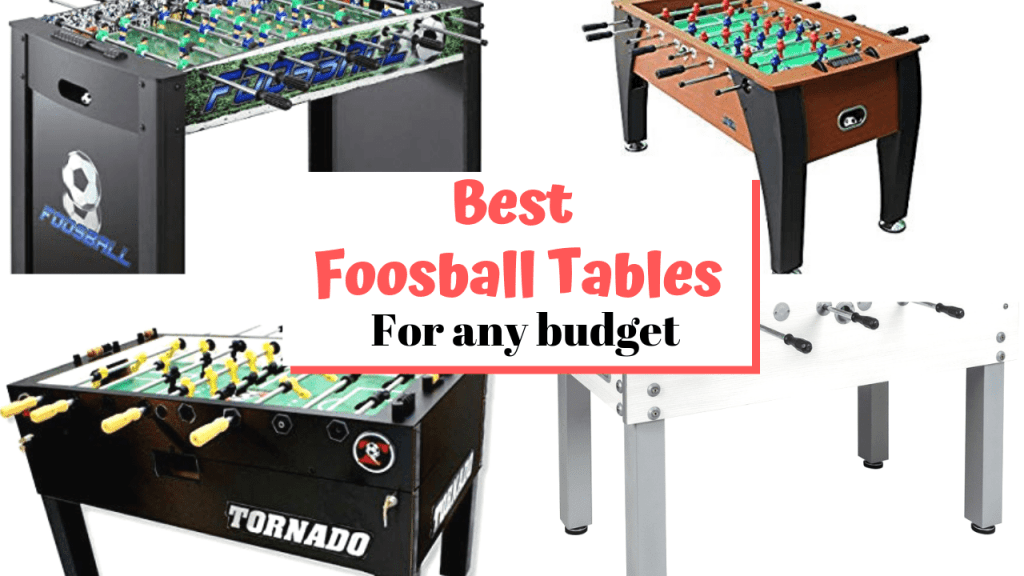
What you’ll find here are our recommendations for the best foosball tables for any budget: from first time foosball starter tables perfect for kids, through classic looking models designed for that game room you’re designing, all the way to more rugged commercial grade models, outdoor models that can withstand the elements, and even a semi-pro model.
We’ve got a pick that’s perfect for YOU. So let’s go.
In a Hurry? A Summary of Top Picks
If you don’t have time to read this entire article and just want to know the models we’re recommending, this list will help. Each of these selections are either well-known brands, consistently highly recommended models, and/or highly rated (4+ stars) on Amazon – many of these picks meet ALL 3 of those requirements. As always, we want to be disclose that we are an official Amazon Affiliate and you can learn more about this on our Trust Guarantee Page.
[amazon table=”9407″]
[amazon table=”9409″]
Best overall value for the money for MOST people/situations
KICK 55″ Legend Foosball Table. This model is great for most situations – it’s durable, has a classic wood style, comes from a well-known brand, is consistently highly rated, offers counterbalanced men, the ability to change player configuration (including using just 1 goalie), and even comes with a lifetime warranty (at last check). For the price you can’t go wrong here – click here to see the Kick on Amazon now.
Best Foosball Tables for Any Budget – Full Article
For the Noobs – What is Foosball?
Foosball is essentially a table top version of what the rest of the world called ‘Football” and the US “Soccer.” The goal is to get a small round ball into the net (i.e. the ‘goal’) of your opponent, thus scoring a point for your side. You move the ball by using a series of knobs attached to long tubes which run are inserted into the small game players that ‘kick’ the ball across the table. Whichever side scores the most goals wins. Here’s a popular YouTube video so you can see for yourself…
How to Play Foosball Vido
Why is the game called “Foosball?”
A quick history lesson – the game of foosball was invented in Spain in the 1890s (at least according to Wiki) and first patented by an enterprising Brit name Harold Thornton in 1921.
So why is it called “Foosball” – because pretty much everyone else in the world calls the game the US knows as ‘soccer’ by the name of “Football.” To capitalize on the popularity of this sport, the story goes that Thornton simply morphed the name of his game by 1 letter – by replacing that ‘t’ with an ‘s’ a new legend in arcade and bar gaming was born!
How to Shop for a Foosball Table
Before you spend any money on a new foosball table you’ll want to answer these questions:
1-What’s your budget?
There’s no sense even looking at high priced models with all the bells and whistles if you’re budget is less than $1,000. HOWEVER, that doesn’t mean you still can’t get a great table.
Let’s keep this simple (assuming you are playing indoors, don’t have many requirements in terms of special features, and have the space to fit the following tables) then…
You want a traditional standalone model at this price point, get the Hathaway Playoff 4′ Foosball Table. BTW this model is awesome for kids and adults just starting out. It’s well made, fun to play, and has held up well for my kids over the years.
If you can swing the $600-ish, you can’t go wrong with our overall best value for the money table with the KICK 55″ Legend Foosball Table.
If you have more than $600 to spend, then keep reading because other factors will matter.
2-How big is your space? Are you playing outdoors? Etc.
If you need/want to be mobile and transport the game around from room to room, you’ll want a tabletop model. Again we go back to the Roar and Rally tabletop foosball model.
If you don’t have the space for a full size model (56″), then go with a smaller version such as Kick 55″ or the Hathaway 48″.
If you want a full size table with ‘regulation’ dimensions then you’ll want to look for a 56″ (length) x 30″ (width) x 36″ (height) model. The Tornado Sport Foosball Table is a great example in this class.
WHO are you buying for and what’s the expected level of usage?
If you’re buying this for your kids and/or it’s your starter table, why spend a bunch of money, just go with the Hathaway 48″ if money is tight or the Kick 55″ Legend Foosball if you want a bit more in terms of durability, features, and overall appearance.
If you’re buying for a man cave or game room set up, then appearance and budget will matter. In this case, you’ll need to answer the other question on this list to decide.
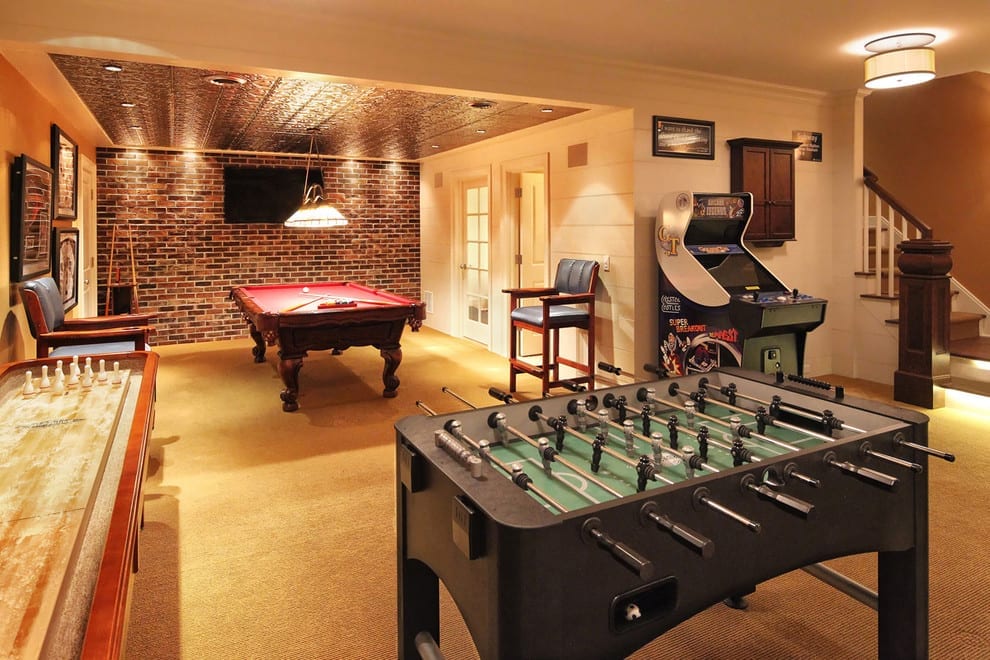
Foosball Tables are a must for your ‘well-equipped’ Game Room
Features related to materials of the cabinet, playing surface, and overall design/appearance may or may not matter to you and will likely be directly related to your intended use, the room you’re putting it in, and your budget. Here’s some things to consider:
Cabinet Materials – you’re looking at solid wood or steel for the high end tables, MDF/composite for mid-range models (which is most models), or particle board (think IKEA) for lower end tables. For most people, it will be MDF/composite which is a fiberboard that is highly common in mid-range furniture and sports equipment and gets coated on the outside to be transformed into the desired appearance. It’s not rocket science here and I wouldn’t get hung-up on this too much…
Just accept that cabinet material it’s basically budget-dependent and spend your decision-analysis time on other factors.
Playing surface – unless you’re looking for a semi-pro or competitive level of foosball table, most people don’t need to worry about this either. Common surfaces for playing on are melamine or laminate. Both are smooth and fast and will meet the intended use of most players. Laminate over solid wood is a higher end option and unlikely to be needed by the general public. That said, if it’s on one of the tables you’re looking at, go for it.
Rods & Grips – This one does matter.
Don’t buy a table with plastic rods and tiny grips unless your budget won’t budge.
Ideally you can get steel rods with grips that fit adult hands (assuming you’re buying for adults) and with grips that don’t keep popping off (read Amazon reviews to see if this is a complaint). This shouldn’t be a problem for the tables on our recommended list but if you deviate pay attention to rods and grips.
Most tables will have steel rods with decent grips and you’ll be fine.
If you’re looking for competition play or higher end models, look for hollow rods – the lighter weight vs traditional steel will give slightly faster spin which equals more power on your shots. Hollow rods may offer slightly more durability too – assuming you are not overly rough with them.
Design – if you’re going for a certain ‘look’ then obviously this will quickly narrow your choices.
If you want that ‘arcade’ feel I’d direct you back to the ESPN arcade foosball table.
If you want a great looking classic model with a wood cabinet then get the Kick Legend or Tornado Sport.
If you want space-age and the budget allows go for Garlando G-5000.
Garlando G-5000
Are you looking for certain ‘Special Features?”
Now we’re getting into minute details that will mostly only apply to higher end users.
Do the # of Goalies matter to you?
Many of the basic tables will have 2 or 3 goals on the back line – that’s fine for most people
But if you want more of a challenge, or you’re playing for certain tournaments you’ll likely want a table with 1 goalie or a table that allows you to change the configuration.
For most players this may seem ‘duh, that’s obvoius’ but if you’re buying a table for kids or families pay attention.
What we’re talking about here is how the rod extends through the cabinet – specifically into the OPPONENT’s side. As you play the game, you’ll be pushing and pulling on the rods on your side and if you don’t have telescoping rods, then for every action you take on your side to push/pull, it will cause that same reaction into your opponents area (i.e. your rods will push into or be pulled out of the opposite side). If you have younger kids near the table and they don’t know to be aware of their opponent’s rods coming at them, this could lead to a dangerous poke.
Telescoping rods will slide into a casing on the opposite side so the rod doesn’t extend into the opponent area – poking problem solved.
Do you want the ability to Change Players/Configurations?
Basically do you want to be able to remove the rods to change out the players/teams to something different (say the Manchester United Team or the national team of your choice) and/or change configuration/placement of players on the rods?
This is a cool ‘nice to have’ feature and will really help to make the table your own personal masterpiece if that’s something you’re in to.
Here are some examples of what’s available by way of player type or team customization….
This one is kind of obvious – you need to have a level surface on which to put your foosball table. If it’s not level, you’ll want to be able to level it out.
Most tables give you some type of level levelers so I wouldn’t spend a lot of time here. Just confirm your table has this feature – again most do.
Do you want a specific kind of Ball Return?
Does it matter to you where does the ball go after a goal is scored? This feature is is ‘ball return.’
Your options for ball return are back end return, single side return, or dual side return.
Most tables will have back end return (basically when a ball goes through the net it will end up on the back of the table in front of the player who just gave up the goal. That’s fine for most people’s needs.
More competitive players will want SIDE RETURN.
This is especially useful for people that practice by themselves (after all you don’t want to keep walking around the table to the other side to get the ball do you?)
That’s why higher end and top of the line tables have side return – some even have DUAL side return.
Do you want Specific Dimensions?
if you have restrictions on size, you’ll want a certain size so pay attention to the dimensions when you shop.
if you’re looking for tourney play, you’ll need to pay closer attention to dimensions of the table (again look for 56L x 30W x 36H).
For most people, it will simply be a matter of making sure the table will fit AND that you have enough room on EACH SIDE for the rods to be pulled all the way out.
Most people won’t need to worry about this feature but serious foosballers will care about it.
Basically this situation occurs when the head AND the foot of the foosball player is balanced with equal weights – the benefit of this is that you can set your normally VERTICAL players into a STABLE HORIZONTAL position to open up pathways for passes and shots. If you play a lot, you’ll know the importance of this because it allows you to keep your front lines open WITHOUT having to hold onto the handle – the result is faster passing without obstruction, and more goooooooaaaaaals!
Do you want a foosball table Certified for Tourney Play?
if you want a table that is ‘tourney’ certified, that means you’ll need to look for specific dimensions (56L x 30W x 36H). Don’t mess around here, just go for one of these two and play on!
Get your own foosball table, practice your skills, and before you know it, this could be you…
An unstoppable Foosball Shot?
Best Foosball Tables for every budget – The Tables
Here’s a final recap of our best foosball tables for every budget, every situation….
[amazon table=”9407″]
[amazon table=”9409″]
Best Foosball Tables – Conclusion
Well, friends, that was our list of the best foosball tables. Did we miss a foosball table or brand that you really like? Do you have one of these tables and want to share your thoughts? Let us know what you think in the comments below.
If you’re looking for honest reviews about the best snorkel masks for kids and families this article and video can help you. We’ll demo three different types of snorkel mask sets and give you our reviews and recommendations on the best snorkel mask sets for kids and families.
Share this pic with a friend so they can read this article too
Whether you live in Florida like us and can go swimming all year round or whether you’re looking for a snorkel mask set because you’ve got a beach vacation, cruise trip, or just planning to spend time in the backyard pool, this review can help you. In our video we’ll demo and review a snorkel mask with fins, a full face mask snorkel mask, and even a snorkel mask set for toddlers too.
Best Snorkel Mask Demo and Reviews
In this video you’ll see demos of 3 different kinds of snorkel masks. You’ll also get the perspective of Jax (9 years old), JeeHo (4 years old), and me (let’s just say 40+ years old – haha).
Video Table of Contents
Use these links to skip ahead in the vid
Jax Demo of Full Face Snorkel Mask: 0:40
Jax Demo of Toddlers Snorkel 01:40
Jax Demo of Snorkel Set with Flippers 02:20
Toddler Demo of Kids Snorkel mask 03:23
Dad’s Demo of Full Snorkel Set with Fins 03:58
Dad’s Demo of Full Face Snorkel Mask 05:00
Dad’s choice of products and WHY 5:35
Jax’s choice of products and WHY 06:40
Dad’s further thoughts on the Full Face Mask 07:51
What Makes a Good Snorkel Mask?
Here’s what we looked for in deciding what type of snorkel mask to buy:
Is it easy to breathe? One of the things I love about the US Divers Full Face Snorkel Mask is that you can breathe through your nose AND your mouth. This provides awesome flexibility and makes it more comfortable to snorkel underwater without coming up for a break longer. That means more underwater sights to see!
Is it comfortable? If the snorkel mask straps are too tight or don’t feel right, or if the snorkel mask itself rubs your face the wrong way then you won’t want to wear it very long.
Is it easy to adjust? Let’s face it, you WILL have to fiddle with strap on your snorkel mask. Knowing that, you’ll want to pick a snorkel mask whose straps are easy to move. This is especially true on snorkel masks for kids.
Can you see good under water? Kind of important, right? I mean obviously you want a snorkel mask that allows you to see good – but that’s easier said than done. If you choose a mask that fogs up too easily or has a limited view, then you won’t see much. That’s another reason why I am a fan of the full face snorkel masks. You can see so much so clear!
Is it a good value for the money? When we’re trying to find the best snorkel masks for kids and families, we’re clearly NOT looking for ‘professional’ models. With that in mind, we want something that is easy on the pocketbook. Pretty much everything you see on the page should be in the $25-50 price range.
We chose the US Divers Brand and we are really pleased with this brand. In my opinion the US Divers Brand offers some of the best snorkels masks for kids and family, however let’s face it, there are other options.
Here are some lists of highly rated snorkel sets currently selling on Amazon for you to check out.
Well, what’s it gonna be? Did you make a choice on the best snorkel masks for YOUR family? If so, let us know in the comments below – especially if there is a set you really liked.
Are you shopping for a video doorbell? Do you have it narrowed it down to either the Nest Hello or one of the Ring Video Doorbells? Are you stuck trying to decide which is the best video doorbell?
If you answered ‘yes’ to these questions, then this article is for you. We’ll give you all the key tips you need to make a decision in the battle of Nest vs Ring!
Table of Contents
Video Doorbells from Nest and Ring – Available Options
Key Tips for Deciding between Nest vs Ring
Links to Learn More
Editor’s Note: TheMoneyCraft.com is a companion site of ThatHelpfulDad.com. We’re pleased to be able to share TMC’s great content with our readers too.
Current Options for Video Doorbells
We’re not going to spend a lot of time in this section describing all the features and benefits of the video doorbells from Nest and Ring because that info is readily available elsewhere and if you’re reading this article, it’s likely you already know all the basics about the products and instead are looking for the tips you need to make a buying decision. However, we still need to at least clarify the products being discussed in this article.
Here are the video doorbells we’re talking about – click on the pics to learn more about each one.
Ring Doorbell V1
Ring Doorbell V2
Ring Doorbell Pro
Nest Hello
Ring Doorbells vs Nest Hello – How to Decide?
This is the KEY section of this article. Use these questions to make a final decision as to which video doorbell is best for YOUR family.
Is PRICE your #1 deciding factor?
If so, the decision is easy. Pick the Ring Video Doorbell V1 – it’s usually $99 or less which is far less than the other options. The Ring Video Doorbell V1 will give you most of the key features of the other options.
Is VIDEO CLARITY important?
Although the Ring Video Doorbell V2 and Ring Video Doorbell Pro offer 1080P HD Video, many reviewers and consumers have found that the Nest Hello’s HDR video is actually superior to the Ring Models. If Video Clarity is most important to you, then pick the Nest Hello.
Do you need Easy Installation WITHOUT Hardwiring?
If your current doorbell is not hardwired (i.e. connected to electrical wires) and/or you don’t want to hardwire your video doorbell, then you will NOT want to choose the Nest Hello or Ring Doorbell Pro because both of these require hardwiring. If you’re looking for a simple plug and play option – choose the Ring Video Doorbell V1 or Ring Doorbell V2 – both offer the option to use either batteries or hardwiring.
Is Night Vision Important?
Do a search for “Night Vision Nest vs Ring” and you’ll see lots of examples of how Nest offers superior night vision video. If this is important to you, pick the Nest Hello.
Is a Video Cloud Storage Service Pricing Important?
Ring has the edge here in terms of price and storage. Ring starts at $3/month and gives you up to 2 months of storage, while Nest’s plan (called Nest Aware) starts at $5/mo and only 5 days of storage. Both can be upgraded for more cameras and longer times, but in general Ring is the lower cost option. In this case, choose any of the Ring options.
Is Smart Home Connectivity Important?
This was the most important deciding factor for my family. Since we had multiple Google Products and the Nest Thermostat and other connected smart devices, the Nest Hello was the best choice for us. However if you are an Amazon family with Echos and Alexa devices then get one of the Ring devices.
Yes it’s true that you can (currently) use Nest Hello with Alexa-enabled devices, and Ring video doorbells with Google Assistant devices, don’t forget the Nest is owned by Google and Ring is owned by Amazon and these two giant companies don’t get along.
You’ll get the easiest compatibility and most features if you pair your Nest with Google smart devices and your Ring with Amazon Alexa devices.
Where to Buy the Nest Hello or Ring Video Doorbell
Because of the Amazon vs Google battle, you can’t get the Nest Hello from Amazon, but you can find it at the Google Store, Best Buy, Target, Walmart’s Jet.com, and more.
The Ring is even easier to find – all 3 Ring video doorbells are always available on Amazon. You can find them at Best Buy and other stores, too, however the best prices are on Amazon so check there first.
Best Kamado Grill Tables – Unless you built a custom kitchen and had a stand-alone kamado installed, I’m guessing that when you first bought your Big Green Egg, Kamado Joe, Primo, or similar kamado-style grill you probably got it ‘in the nest.’ That was fine for awhile, but now I’m guessing you’ve discovered the nest just doesn’t give you enough work space to grill like you want to. Am I right? You probably also want something that looks a bit cooler too. Are we on the same page yet? And maybe you want something that has a bottle opener so you can drink a few brews while you’re grillin’. Sound about right?
@ Posh Patios – Gotta love those waterfall additions!
OK, so maybe you don’t need the waterfalls, but you get the idea…
Why do you want a Kamado Grill Table?
A table for your kamado will give more space to cook, more space for your accessories, more space for everything!
We’re Here to Help
On this page we’re going to recommend kamado grill tables for every budget.
You don’t have to spend thousands to get a great table for your kamado – you just have to know what you want.
Here’s how we’re gonna break it down.
[lwptoc]
Easy Share this image to Facebook or Pinterest
All of the tables on this page are high quality items, but there is one caveat…
Be sure that you confirm that the kamado you have (ex. Big Green Egg Large or Kamado Joe Big Joe II) will actually fit the table you order. You’ll usually see this in the product description or else in the Q&A with the manufacturer. It’s not hard to verify – just take the extra 5 minutes and do it so you can buy with confidence.
I. Best Kamado Tables for < $750
Let’s face it, owning a kamado and being able to afford all the accessories you want is enough to bankrupt anybody, right? So if money is a bit tight, you might think you can’t afford a kamado table – think again. Here are some great options for really affordable prices.
In fact, our #1 most-recommended option is actually in this price range!
If you want a metal or stainless steel cart…
If money is really tight, you might consider the Titan Great Outdoors kamado table – if your kamado fits, this could be a nice option to get more space. This table is made from aluminum.
Most custom kamado grill tables are made from wood (usually cypress, pine, or cedar). Prices go way up depending on how you want to customize things, but for most people (especially if this is your first kamado table), we think the JJ George Kamado Tables are a cut above the rest. Most of the JJ George kamado tables are:
Made from red cedar wood;
Already coated with clear spar-urethane coat so they’re ready for years of outdoor use.
Come equipped with caster/wheels so you can still move them around.
Consistently highly rated on Amazon.
Made in the USA
These 5 features are sometimes hard to find on kamado tables for twice the price – yet JJ George kamado tables include them standard. Better yet, JJ George has custom kamado tables pre-cut for most major kamado brands. And some of their tables even include a free cover – that’s about a $50-100 value depending on the size of the table and one less thing you have to worry about.
Because of all these features, we believe the JJ George Kamado Tables are the best value for most people who don’t need a lot of customizations.
Here are some examples our favorite JJ George kamado tables…
Click the pic to learn about the Big Green Egg Kamado Table by JJ George
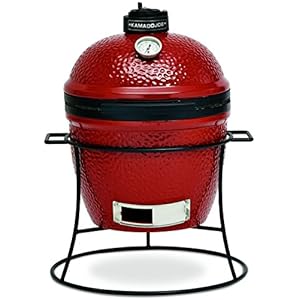
Now you can finally have a custom table for your KJ Junior!
JJ George Kamado Joe Junior Cart
II. Best Kamado Tables for $750 – $1500
In this price range we’re now talking about tables that are sometimes more costly than the kamado grill itself. That’s a problem for most people, however if you have the money, the benefit of spending a bit more is you’ll usually be able to…
Get more customization options (doors, handles, logos, inlays, etc)
Get a larger size table
Have a wider variety of woods to choose from.
Have it delivered already fully-built.
Get that bottle cap opener!
Up in this range, you may benefit from checking Etsy – you’ll find a lot of woodworkers there who are doing some cool things with kamado tables. The three big names on Etsy for kamado tables are RusticWoodWorx, Mr2WoodWorking, and McVeyMadeWoodWorx.
I’ve personally purchased from RusticWoodWorx and I can tell you they do quality work. Ask for Janet and tell them “Mike Stoppa sent you.” Here’s one of the tables they did for me…
Mike’s KJ Table
The great thing about buying on Etsy is that you can do LOTS of customization. The bad thing is that it will cost you quite a bit, it will take a bit of time, and you’ll also probably have to pay $200-500 in shipping or more. But, if you can afford it, you’ll likely love it.
Meanwhile, if you don’t need something quite as macked out as Etsy offered and/or you don’t want to wait a month to get it, then consider these options from Amazon…
If you want a Stainless Steel Table…
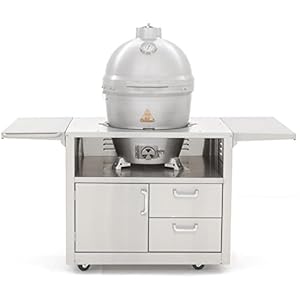
RMP has a couple in this category. They are as follows (with the main difference being the upper work space)…
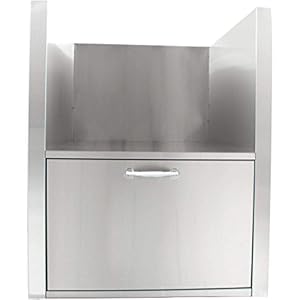
Alternatively, if you are looking for something a bit more permanent and perhaps designing a BBQ Island, you may want a kamado sleeve. If so, the Blaze Brand kamado sleeve is a quality option.
If you’re a big spender and/or want lots of customizations and/or you just have a larger grill (read Kamado Joe Big Joe, Big Green Egg XL, Kamado Kamodo, etc) then this is the category for you.
I’m going to again refer you to Etsy because you’ll find some great work in this price range, but if you wanna buy something faster here’s one from Amazon…
Outside of that, if you’re going to spend this much money, you may want to just design an outdoor kitchen and/or island grill station. Check out our giant selection of Island Outdoor Kitchens here…
More Kamado Accessories
Well, that about wraps up this article. If there’s a custom kamado table we missed that YOU really like, let us know in the comments below.
Meanwhile, here’s a couple more articles you may enjoy…
Announcing the new Kamado Joe DoJoe Pizza Accessory! In this article we’ll talk why you may want the DoJoe, see how it compares to cooking on a pizza stone or the Pizza Porta, watching a vid or two that showcases the DoJoe, and finding out how much the KJ DoJoe costs and where you can buy one.
In a Hurry? – KJ DoJoe Quick Look
If you don’t want to read the reviews and tips about the new Kamado Joe DoJoe because you already know you want one and you just want to check pricing and availability we’ve got you covered.
Here’s a quick look at the Kamado Joe DoJoe…
Kamado Joe DoJoe Article Table of Contents
[lwptoc]
I. Pizza on a kamado grill?
If you’re like me, then cooking a wood-fired pizza on your KJ is nothing new – heck it’s probably one of the reasons you bought your kamado, right? After all the crispy crust, bubbling cheese, and hint of smoke are the trademarks of a kamado grilled pizza and the cravings for good wood-fired pizza never dies.
Who wouldn’t want more of this?
But do we really need yet another Pizza accessory for our KJ?
I’d wager you’ve been cooking wood fired pizzas on your kamado for years, right? If so, then you’re probably using a pizza stone or a Pizza Porta, right? Both of these are great pizza accessories for your kamado so let’s take a look at each and then see how they compare to the new Kamado Joe DoJoe. It could be that you don’t need a DoJoe…then again, maybe you do?
II. Using a Pizza Stone for kamado pizzas
If you’re currently cooking pizzas on a pizza stone then I’ll bet you have one something like this right?
If you have a pizza stone, please know that I’m NOT here to knock the Kamado Joe pizza stones because I have one too and they work great. I’ve made countless pizzas on my KJ pizza stone such as this pepperoni, mushroom, and garlic classic style…
Cooking a pizza on a pizza stone in your KJ is “Kamado Pizza 101” and I mean that in a positive sense.
Master the pizza stone on your kamado and you’ll never go hungry – unless of course you want to make more than one pie.
Then you’ve gotta deal with a few challenges, including:
Maintaining your temps vs lifting the lid to check your pizza.
Dealing with the high heat temps (550-750+) depending on your method and being on guard against a dangerous backdraft/flashback.
Because of these issues, some have opted for the Pizza Porta accessory…
III. Using a Pizza Porta for kamado pizzas
The Pizza Porta was a first-of-its-kind pizza accessory for your kamado that converted your ceramic grill into a pizza oven. The Pizza Porta looks like this…
The Pizza Porta works by closing off the kamado chimney so you can retain the heat and keep the dome hot. The Pizza Porta door lets you control airflow for temperature control and most importantly…
Cook the top of your pizza the same rate as the bottom!
The Pizza Porta is a quality kamado pizza accessory and for years it was the best way to use your kamado to make a number of pizzas faster and more consistently vs a typical pizza stone.
Until the Kamado Joe DoJoe…
IV. Meet the Kamado Joe DoJoe
Now there is a new entrant into the market – the Kamado Joe DoJoe. To give us an introduction to the DoJoe let’s check out Kamado Joe‘s very own John Setzler talk about this exciting new tool…
Here are a couple more vids about the product…
APM Group DoJoe First Look
BBQ EC DoJoe Demo
I’m sure looking at those vids about the DoJoe has your mouth watering right? Let’s look at the key benefits of the Kamado Joe DoJoe…
V. Kamado Joe DoJoe Benefits & FAQ’s
If you’re considering purchasing the KJ DoJoe here’s what you’ll want to know…
The Key Features/Benefits of the DoJoe are:
The DoJoe is an authentic Kamado Joe product so you know it will fit your KJ.
The DoJoe is made of durable cast-aluminum.
The DōJoe transforms your Kamado Joe into a best-in-class pizza oven.
The distinctive wedge shape of the DōJoe makes maintaining steady temperatures even over the course of hours.
Using the DoJoe allows you to easily see and monitor their pizza as they cook. That means no more lifting the lid or looking thru the top!
The DoJoe has dedicated supports for the Kamado Joe Heat Deflectors and Kamado Joe Pizza Stone to ensure optimum distances between these accessories thus guaranteeing perfect crust and crisp toppings!
FAQ’s related to the Kamado Joe
Does the Kamado Joe DoJoe fit a Big Green Egg? The KJ Classic DoJoe should fit the BGE Large and the KJ Big Joe DoJoe should fit the BGE XL.
What temps can the DoJoe maintain? According to Kamado Joe the DoJoe should easily keep you in the 400-700F range.
Does the DoJoe have a door like the Pizza Porta? No, the DoJoe doesn’t have a door like the Pizza Porta but the DoJoe wedge design is different and supposedly doesn’t require a door – much like a typical wood fired pizza oven also doesn’t have a door.
Reviews of the Kamado Joe DoJoe
At LordoftheGrills.com we believe in providing you links to reviews and product discussions from other quality sites. Here are some helpful reviews from other BBQ sites that talk about the Kamado Joe DoJoe…
VI. Kamado Joe DoJoe – How Much Does it Cost and How Can You Buy One?
Are you ready to buy your Kamado Joe DoJoe and make some awesome wood-fired pizzas? If so, check out the latest prices on the DoJoe and pick one up today…
Big Green Egg Accessories – Are you a new Big Green Egg Egghead? If so this article can help you. We’ll discuss which accessories are the best to buy right away so you can speed up your learning curve and make the most of your cooks on the BGE.
On this page you’ll see the Top 10 “Must Have” Accessories for your Big Green Egg — specially curated for Egg newbies.
Best Accessories for Big Green Egg
Editor’s Note: This article is part of our series focused on the “Best Accessories for the Big Green Egg.” Besides this “Top 10 List,” we also have articles about the Best Big Green Egg Cookbooks, Best Cooking Surfaces for the BGE, Best Lump Charcoal, Fire Supplies, Cooking Tools, and many more.
Be sure to check out our Big Green Egg Brand shop as well – where you can see all the Big Green Egg Brand products we carry in our store.
[lwptoc]
1-Big Green Egg Accessories – The EGGspander
The Big Green Egg ‘EGGspander’ is a “Flexible Cooking System” and it is the #1 “Must Have” accessory for the Big Green Egg in our opinion.
Why?
Because using a Flexible Cooking System like the EGGspander will change the way you use your Big Green Egg. With a flexible cooking system you can
There IS a learning curve when it comes to cooking on a kamado-style grill like the Big Green Egg. Do yourself a favor and get a cookbook specifically designed for kamado grills because not only will you get some great recipes but you’ll also pick up some much-needed tips on HOW to use your BGE. Here are 3 great books to consider.
With temps that can reach up to 800 degrees or more, you can’t mess around when you’re cooking on your kamado grill. Do yourself a favor and get a good pair or welding gloves or some high-heat rated rubber-style hand protection. (You’ll also want a good pair of meat claws and long-handled grilling tools but that’s a whole other article).
My dad’s a retired welder (40+ years on the job) so personally I use his old welding gloves, but if you don’t have that luxury, consider some of these great options.
As fun as it is to cook on the Big Green Egg nobody wants to sit by the fire all day. You want be with friends, drink a few brews, and relax without always wondering about the temps of your meats. Having a good remote thermometer allows you to do that. The two most popular brands to consider are ThermoPro or Maverick. Here are some of their most popular models…
5-Big Green Egg Accessories – Electric Fire Starter
Sure you can use a charcoal chimney, or blow torches, or tumbleweed and those all do work, but if you want to keep it easy just use an electric fire starter – you’ll thank me for it.
Because if you increase your airflow, you’ll get more from your lump charcoal – this means easier to reach higher temps, using less charcoal per cook, and easier cleanup. Here’s a demo vid so you can learn more…
There are a lot of options for ash baskets but the most popular by far is from 1 brand to seriously consider here: Kick Ash Baskets.
7-Big Green Egg Accessories – Pizza Stone
Who doesn’t want to cook wood-fired pizzas on their Big Green Egg? C’mon you know this is one of the reasons you bought the BGE right? Get yourself a pizza stone and give it a try. There are a lot of choices here, and you can see more pizza ovens and accessories on this page.
Stop the presses!
Pizza fans won’t want to miss this brand new accessory…The Kamado Joe “DoJoe” – it will fit BGE Large edition grills too. Here’s a vid and product link to learn more…
8-Big Green Egg Accessories – Cast Iron Cookware
We have an entire article devoted to the best ‘cooking surfaces’ for kamado grills and you’ll find lots of cast iron products in our store, but for now just know this – the stainless steels grates that come standard with your BGE are fine, but if you want to go next-level you’ll discover pretty quickly that you’re going to want some cast iron in the mix.
Cast-iron + Big Green Egg = perfect match.
So what should you get? A large dutch oven is a great start. As is a plancha pan or even a cast-iron griddle insert. Here’s a few to consider…
Remember, if you plan to get the Kamado Joe griddle or grates, you’ll need the Kamado Joe Flexible Cooking Rack System.
9-Big Green Egg Accessories – QUALITY Lump Charcoal
No matter what accessories you buy for your Big Green Egg or how well you manage your fire, if you don’t have quality lump charcoal to cook with, you’re setting yourself up for disappointment.
There’s nothing like doing everything right and then having the food taste bad because the lump charcoal you used was made with poor quality wood or too much of a particularly strong wood (like hickory).
Don’t let that happen to you — instead I’d recommend you buy good quality lump charcoal that has a mix of hardwoods that work with all types of foods for your basic cooks and then buy smoking wood chips for particular flavor profiles you want to add in later (such as hickory for chicken, fruit woods for fish, etc).
Best Chromebooks – I’ve been a longtime fan of Chromebooks and have been using these powerful little laptops for years. In this article, I’ll give you my recommendations for the best Chromebooks for kids, for students, for people looking to replace their traditional laptops with a Chromebook, and for bloggers and online marketers, and for working professionals who want to use a Chromebook for business.
In this article, I’ll also share with you the specific Chromebooks my family uses, give you links to check current prices for Chromebooks on Amazon, and give you numerous websites where you can learn more.
Best Chromebooks Table of Contents
[lwptoc]
I. What is a Chromebook?
Lots of websites talk about how Chromebooks are so different than other laptops, however I don’t agree. Sure, it’s true that Chromebooks use a different operating system (OS) than traditional laptops that use a version of Microsoft Windows or the Apple macOS, but the difference in OS is not as big of a deal as you might think and most importantly that factor should NOT be a reason why you overlook buying a Chromebook.
So what is a Chromebook? It’s simply a laptop that uses the Google Chrome OS and takes advantage of the “Google Universe” to provide you with an experience that leverages the best of both the mobile and laptop words. For this reason a Chromebook is so much more than just it’s Google designed OS. You can learn more about this topic by reading the “Considering a Chromebook” article from Google.
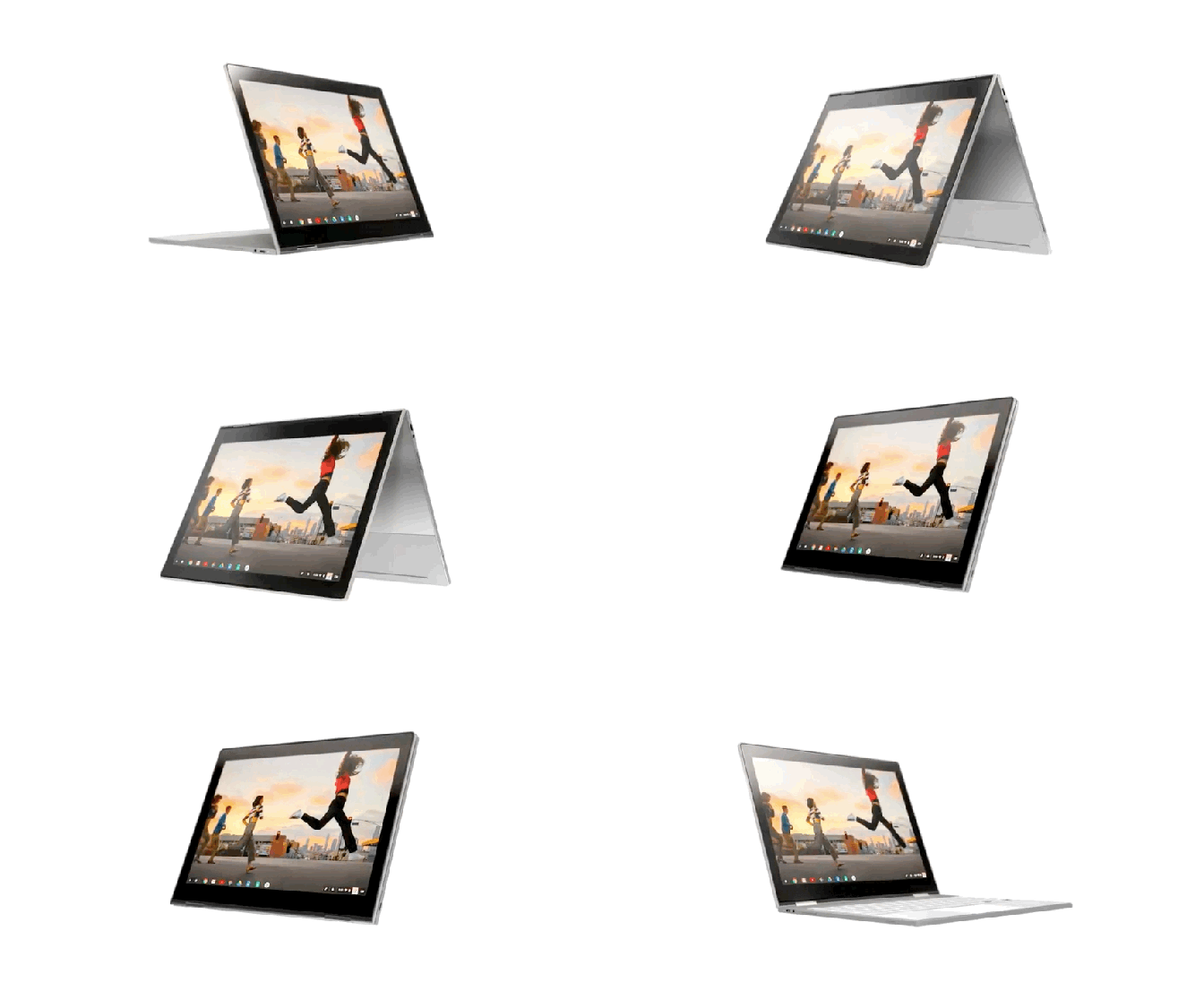
While we’re on it, I should probably also answer the question “is a Pixelbook a Chromebook?” YES, a Pixelbook is Google’s top of the line Chromebook. Some call it the ‘flagship’ model, other’s the ‘premium’ edition, or (as my son JeeHo likes to say) the “Pro Level.” You’ll learn about Pixelbooks and many other Chromebooks on this page.
II. Why Choose a Chromebook over a Laptop?
Most people who are NOT familiar with Chromebooks think they are more like glorified tablets than laptops and/or that Chromebooks can’t perform up to the standards of a traditional laptop therefore they feel that Chromebooks aren’t functional enough to make realistic options for students, bloggers, or professionals. While it’s true that a Chromebook can’t compete with a top of the line desktop (hey size DOES matter in this case) and while it’s also true that there are a select number of users (big time gamers, video editors, etc.) who may need high powered (read: high end, expensive) laptops, the fact is that for the majority of users Chromebooks CAN function as your everyday laptop of choice. Here’s why…
I’ve been using Chromebooks as my laptop of choice for years. Here are 10 reasons why I love Chromebooks instead of traditional laptops that run Windows or MacOS.
1-Chromebooks are lightning fast when it comes to turning on – open the lid and you’re up and running in SECONDS. From a productivity standpoint this is huge. Need to take a quick note? You can do that much faster on a Chromebook because you don’t have to wait for the traditional laptop boot-up process.
2-Chromebooks are lightweight– the average laptop weighs about 5 lbs, while the majority of Chromebook is less than 3 lbs. That makes them easy to carry around for students, kids, and professionals on the go.
3-Chromebooks are NOT bogged down with a bunch of bloatware. That’s another reason why they start up so fast and don’t have a lot of background processes hogging memory.
3-Chromebooks are NOT bogged down with a bunch of bloatware. That’s another reason why they start up so fast and don’t have a lot of background processes hogging memory.
4-Chromebooks have free, built-in malware and virus protection that is continually updated by Google. With many other traditional laptops you have to pay extra for virus protection that is outdated by the time you manually install and then have to constantly download new updates and patches. Chromebooks get those updates automatically and seamlessly – what could be easier?
5-Chromebooks use the power of the Cloudfrom an app and storage standpoint – this keeps them lean and quick. And BTW you do NOT need to be continually connected to the internet for a Chromebook to work – see the ‘common objection” below for more.
6-Chromebooks use Google Drive Apps such as Google Docs, Google Sheets, and Google Slides which are all compatible with Microsoft Office and Mac Systems so you can edit/print/share/update docs you created with other programs and vice versa. Best of all these apps are FREE and you get updates automatically.
7-Chromebooks always have the most up to date OS – you don’t have to pay for updates and the update process is quick and easy.
8-Chromebooks are inexpensive. Compare the cost of a Chromebook to a laptop and you’ll find time and again that Chromebooks win for 90% or more users.
9-Chromebooks provide you what you need and eliminate what you don’t – this goes beyond just the freedom from bloatware, it’s related to the inherent nature of the operating system on a Chromebook being so ‘lightweight’ from a functional standpoint, the ability to use mobile apps (see below) and the focus on speed. The result is the elimination of all the extra (read: not really necessary) programs, etc that fill up the traditional laptop’s memory banks.
10-Many Chromebooks can now run Android apps – which gives you an experience similar to mobile devices. My Pixelbook for example is basically another extension of my Google Fi phones (Nexus 6P and Pixel XL) when it comes to using most of my apps and this allows me to flip back and forth between devices depending on my needs. This is super convenient.
Common Objection – “But don’t I have to be connected to the internet to use a Chromebook?” This is actually FALSE. Chromebooks do NOT need to be connected to the internet to function. While it’s true that having internet/cloud access allows Chromebooks to perform at their best and is a requirement for certain apps, there are plenty of apps that work offline – these include Gmail, Google Keep, Google Drive apps (Google Docs, Sheets, and Slides), Google Calendar, Google Photos, and the Media Player (music/movies), among others.
Now that we know WHY you should want to choose a Chromebook, let’s look at my picks for the best Chromebook for each category.
III. Best Chromebooks for Kids & Families
In order to qualify as the best Chromebook for kids, the device needs to be easy to use, inexpensive, durable, and ideally have a touchscreen (because let’s face it, our kids have been conditioned that all screens are touchscreens and when they’re not, they get confused, right?). With this in mind, my recommendations are as follows…
[amazon box = “B06W57W6CX”]
[amazon box = “B01DBGVB7K”]
[amazon box = “B01APA6K6M”]
Any of these would make a good choice for families with children, and since they are all under $250, parents will like the value. Of these three, my son Jax (currently in 4th grade) has been using the Acer R11 for a couple years now and loves it – the touchscreen makes a nice feature at this price point and it’s powerful enough to play games like Roblox and Minecraft as well as YouTube Gaming.
IV. Best Chromebooks for High School and College Students
If you’re looking for a Chromebook suitable for High School and College Students you’re going to want something that can handle multiple programs/apps at the same time, is fast and efficient with social media, and is powerful enough to take on the increased workloads of students at this level. For this category I’d suggest the following:
[amazon box = “B01N5G5PG2”]
[amazon box = “B07GD4CMDH”]
[amazon box = “B075JSK7TR”]
In this price range, all of these are fine choices. If the budget allows, I’d go for the Pixelbook since the added horsepower under the hood would make it a usable option for years to come.
V. Best Chromebook for Bloggers and Online Marketers
I fall into this category personally so I know my colleagues and I in this group need a laptop that can handle programs and apps like WordPress, Youtube, Pinterest, Hoosuite, Canva, etc, etc, etc. and keep them all running at the same time. I’m currently typing this on my Pixelbook and that’s where I do most of my blogging activities.
Given my knowledge of the space, here are the best Chromebooks I’d recommend for bloggers and online marketers.
[amazon box = “B07LCSS5H4”]
[amazon box = “B07GD4CMDH”]
[amazon box = “B075JLPLBL”]
The Samsung Chromebook Pro would be the minimal you could probably get by with here. The Acer is another quality machine and I think most would be happy with it, but there is no comparison with the top line Pixelbook in this category – purchase this and don’t look back if you’re budget allows.
VI. Best Chromebooks for Working Professionals
Here’s another category where I have personal experience. As a working professional I am frequently “out in the field.” Working pro’s like me need a laptop we can rely on to power up fast, have a long battery life, be lightweight, travel friendly, and have enough processing power to get the job done.
Here’s my top 3 Chromebooks for Working Professionals:
[amazon box = “B074VB8VT5”]
[amazon box = “B07JWB7QB2”]
[amazon box = “B075JS8NZ7”]
Why these 3? Each offers a key benefit. The Asus offers a 360-degree hinge and a 10+ hour battery. The Pixel Slate is a very strong competitor to the Microsoft Surface Pro’s that are uber-popular with sales & business execs on the go. And again we find the Pixelbook as the do-it-all workhorse in this class. Depending on your needs and budget, any of these would be great choices as the best Chromebook for a working professional.
VII. Best Chromebooks to Replace Traditional Laptops
This category is going to have a wide variation because people use their laptops in different ways. Some only use it for light processing (writing emails and documents) and surfing the web; others want to be able to do a bit of gaming and watch videos in HD; and still others want the top of the line Chromebook that can serve as a workplace laptop. I’ll handle each of these segments by making a different recommendation…
If you mainly plan to use your Chromebook for surfing the web, doing emails, and watching cat videos, you don’t need to spend a lot of money. Here’s a great option:
[amazon box = “B01J42JPJG”]
If you want your Chromebook to be capable of online gaming and watching HD Videos, get an entry level Pixelbook.
[amazon box = “B075JSK7TR”]
If you want the top of the line, best available Chromebook, get the top of the line Pixelbook.
[amazon box = “B079P94MY3”]
VIII. Best Chromebook Under $250
The best Chromebook for under $250 is the ASUS Chromebook C202 – we’ve already discussed this one above. 1500+ reviews on Amazon, and “Amazon Choice” rating, 4+star average user rating, and so many great features make this one an easy choice for this category. If this is your budget, jump on the ASUS Chromebook today…
There are a LOT of choices in this category and we’ve discussed a number of strong candidates for this group on this page above. To boil it down to the bottom line, my recommendation for the best Chromebook under $500 is the Samsung Chromebook Pro (my wife rolls with this one and loves it). It’s usually on sale for under $500.
If you’ve actually read this article in full, it should come as no surprise then when you hear that my recommendation for the best Chromebook for under $1000 is the Google Pixelbook. It’s really a no brainer. Google knocked it out of the parked when they spawned this device and I see no reason why the Pixelbook won’t continue to rule the day not just in the Chromebook world, but eventually in the overall laptop market in the future too.
The Pixelbook is the Chromebook I use every day to manage 4 blogs, my numerous YouTube channels, and run my sales business. Here’s the specific model I’ve been using for over a year now…
I’ll bet you’re thinking I’ll just recommend the most expensive Chromebook for this category right? That would be the Google Pixelbook i7 with 16 GB RAM and 512 GB memory. If I did make that call, I don’t think anyone could fault me because this Pixelbook is a beast. I’d love to have it and if you can afford it, go for it.
HOWEVER, the Pixelbook i7 doesn’t win my vote as the Best Chromebook at ANY Price because I’m trying to make a fair recommendation that will benefit the majority of my readers and the fact is that for most people money IS an issue AND it’s also a fact that most people just don’t need this powerful of a Chromebook.
Therefore I’m giving the award for Best Chromebook at ANY Price to a different Pixelbook – the Google Pixelbook i5 which has 8GB RAM and 256GB memory – this is enough to serve as the best everyday laptop for the majority of people. It’s basically the machine I have but with twice the memory – it was just a lot more expensive when it first came out so I went with the 128GB version. Since the 256GB is now only $100 more than the 128GB version is a great value and it’s the Pixelbook I would buy myself if I needed a new one today. That said, I’ll be honest with you, I haven’t run into a memory issue yet with my 128GB version so it’s really up to you as to which Pixelbook i5 you get – either one is a winner.
If you follow my site, you know my goal is to help save you time when you’re trying to solve a problem or make a buying decision. One of the ways I do that is by providing you with links to some of the websites I used to conduct my research. In this case, I’d recommend all of the following sites:
That’s a question only YOU can decide – drop me a line in the comments and let me know which Chromebook YOU think is best. Thanks for reading and have a great day!
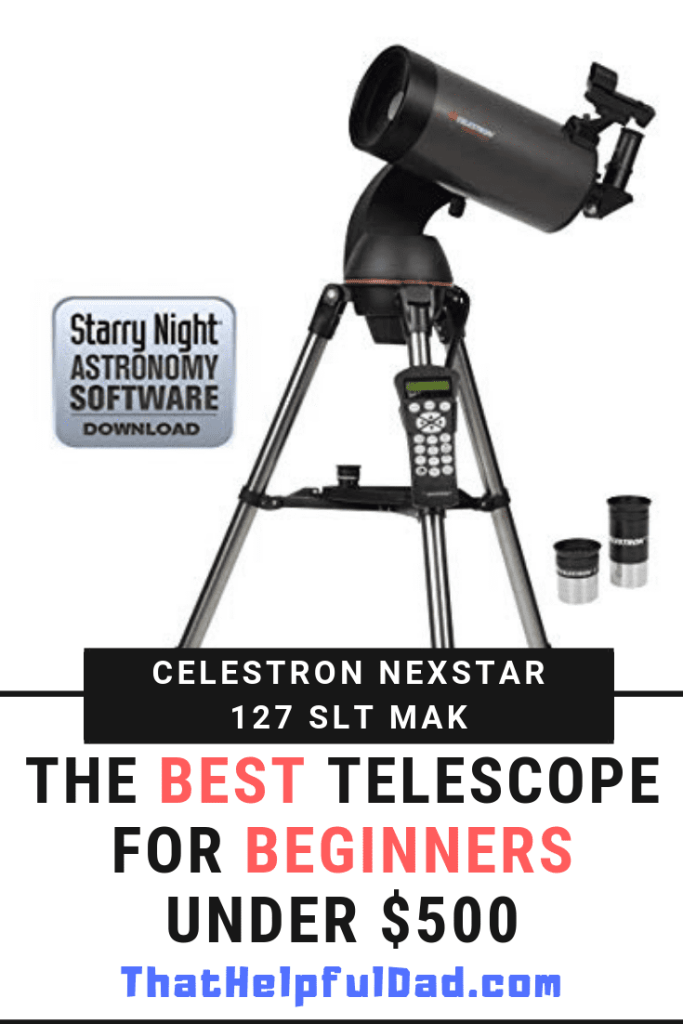
I’ve always been fascinated with astronomy, and I remember when my dad got us a telescope when I was a kid, so when my oldest son recently turned 10 and expressed an interest in the stars and planets, my wife and I knew it was high time we picked up a telescope for our family too. If you follow me on this site or YouTube, you know I always do a LOT of research before making a purchase. Such was the case here too. I reviewed tons of websites and telescope models before deciding on the one I’m recommending here. In this article I share with you why I purchased the Celestron NexStar 127SLT Mak Computerized Telescope, some of the other scopes I considered which are also good, and some of the sites I used for my research.
Telescope Review Table of Contents
About the Celestron brand of telescopes
About the Celestron Nexstar 127 SLT Mak
Why I consider the Celestron Nexstar 127 Mak the ‘best’ telescope for beginners
Other scopes I reviewed
Websites I used for my research
I. About Celestron Telescopes
Celestron is a trusted brand with a long history
If you are new to telescopes, you may not be familiar with the Celestron brand, however ask any of your friends or do even a bit of research and you’ll hear over and over again how great Celestron scopes are – especially for beginners with kids, families, or other newbies. The company has been in business since the 1960’s and they have made scores of highly rated telescopes that can help you see the moon, planets, stars, galaxies, and other deep space objects. Do a quick search on Amazon and you’ll see a large number of Celestron telescopes with 4-star ratings with 100’s of reviews – that means you can buy this brand with confidence.
For my situation, in addition to looking at reviews about Celestron on Google, Amazon and various other websites (see more below), the brand was also highly recommended to me by a friend who has purchased numerous telescopes over the years. Given my friend’s astronomy experience, he was a reputable resource for me and so when he specifically recommended the Celestron brand to me for my situation (i.e. as the best telescope brand for beginners with kids and families), I knew I had to strongly consider it. I am recommending that YOU do the same.
II. The Celestron NexStar 127SLT Mak
Here are the basics about the Celestron NexStar 127SLT Mak Telescope
[amazon box = “B0038LX8XE”]
III. Why I consider the Celestron NexStar 127SLT Mak the “Best” Telescope for Beginners
There are 4 things I factors I used in my decision making process to help me determine what was the best telescope for beginners with kids and families like my own:
Quality and Reputation of the Brand
Ease of Setup/Use
Ability to Grow as our interest level expands
Price to Value
Let’s review each of these.
1-Brand Reputation and Quality.
We already reviewed the long history of Celestron and the fact that the brand is recommended by telescope aficionados like my friend and others (see the external web links in Section V below) – this gave me confidence in the brand’s reputation. The fact that Celestron has so many telescopes that are highly rated and recommended by others gave me confidence in the quality.
2-Ease of Setup/Use
Perhaps the only knock on the Celestron NexStar 127SLT Mak is that, like other computerized telescopes, it is NOT as easy to set up or use as a manual (i.e. non-powered) telescope. If you are not familiar with what a ‘computerized’ telescope is (and I wasn’t before I started the buying process), then I suggest you read a bit about it so you can understand why you might want one — for an excellent discussion on the advantages and disadvantages of computerized telescopes see this article by OpticsPlanet.
After weighing the pro’s and con’s of a computerized telescope I decided that, in spite of the learning curve, in the long run, the advantages of a computerized scope were too much to pass up.
The key advantages that most appealed to me about the 127 SLT Mak were:
The ability to locate many more objects in the night sky faster and with pinpoint accuracy by computer than we could find on our own if we had to always manually move the scope.
The fact that computerized scopes are recommended for viewing in “light polluted” skies (we live in a suburb of Tampa).
The idea that a computerized scope can function as a de facto teacher for my family of beginning astronomers.
TOP PRIORITY: The fact that a computerized scope could ‘grow’ with our family over time (see #3 and 4 below).
ALSO KEY: The fact that you can use the computer to ‘lock’ on to an object and it will automatically track that object over time – this is perfect when you view the moon which tends to ‘speed’ through the sky (without a computer you have to keep manually adjusting your scope) and t’s also a requirement if you want to do any sort of long-exposure photography.
3-Ability to Grow as our interest expands
Look, I get it, $400 or so for a telescope for beginners isn’t anything to sneeze at. It’s a decent amount of money for a telescope for kids and families as your first scope. The fact is there are plenty of other scopes available for less money. If $400 isn’t in the budget then you should consider these three highly rated scopes that are all usually on sale for under $200:
All three of these are great options for families looking for their first telescope and if you’re on a budget they’d make an excellent choice to as entry-level scopes.
That said, if you can afford to spend just a bit more, you’ll be able to get something like the Celestron NexStar 127SLT Mak that we purchased and not only will this serve as a great beginner telescope, but it will also grow with you over time. After you learn how to use the computerized scope you’ll realize there is just so much more you can do with it than you could with a manual scope.
4-Price to Value
If money was no issue, perhaps I would have purchased the Celestron NexStar 8 SE Telescope or one of the Orion Dobsonian scopes you read about on the astronomy forums, but those aren’t really realistic or prudent options for my family of beginner astronomers. I determined that I wanted to spend under $500 and I wanted a scope that would provide the best price to value in that price range. For us it was the Celestron NexStar 127SLT Mak – this telescope gave us nearly all of the advantages of the higher cost Celestron “SE” models AND it checked every box on the list of features that were important to us (as we discussed in the “Ease of Use” section above). Therefore, in the end, the choice wasn’t all that hard. We bought the Celestron NexStar 127SLT Mak from Amazon and haven’t looked back.
You can check the latest price and see it on Amazon here.
In the interest of fair balance, I think it’s also important to note that, after doing all my research and before making my final purchase decision, I actually ended up with 2 other scopes besides the Celestron NexStar 127SLT Mak that I strongly considered Those scopes were:
Both of these are fine scopes, but they just didn’t check as many boxes for us as the 127SLT Mak. After going through all the forums and talking with folks, I felt like Orions were better at higher price points (around $1k) but that was a bit too high for our ‘beginner’ scope. As for the Celestron 130SLT it’s a Newtonian scope and although there are certainly advantages to that setup for certain types of deep space viewing, we decided we wanted the more compact Mak-Cassagrain version that would potentially be better for viewing the moon and planets.
All this being said, I do believe the Orion StarBlast 6 or the Celestron SLT130 would make good telescope for kids and families depending on YOUR needs.
V. Websites I used for my research
If you follow my site, you know my goal is to help save you time when you’re trying to solve a problem or make a buying decision. One of the ways I do that is by providing you with links to some of the sites I used to conduct my research. In this case, I’d recommend all of the following sites:
How to Stream Live TV – Are you considering cutting the cord and looking for tips on how to watch tv online without cable? Do you want to learn how to live stream local news and sports? Are you trying to figure out how to watch movies online without cable? If you answered “Yes” to any of these questions then this article is for you – I’ll give you reviews for all the best tv streaming providers AND also give you step-by-step instructions on how to cut the cord and ditch cable tv forever. You’ll probably save a ton of money and you’ll be much happier when you discover how easy it is to stream tv online without cable. Ready, let’s go!
[lwptoc]
Mike, That Helpful Dad
Editor’s Note: Hi, I’m Mike, known online as “That Helpful Dad” and I’m happy to share my tips with you. If you enjoy this article, be sure to visit my home page and subscribe to my blog (it’s free) so you’ll get all my tips. Please let me know if you enjoyed this article or have any questions. I’m here to help.
There are many articles online that talk about how to cut the cord and ditch cable tv by switching to a tv streaming service provider like Sling, Hulu, Roku, Amazon, etc.
This article is different for a few reasons:
My goal is to help you find streaming tv providers that are true “cable alternatives” such that they will allow you to enjoy an internet tv viewing experience that is similar to cable, but without the high cost of cable.
I want to show you how to stream to WITHOUT having to use an antennae, without having to use any complicated equipment, without having to use a computer, and without having to download a bunch of different apps to your tv.
This article is particularly well suited for older adults like myself because I am providing a step-by-step guide than anyone of any age can use to learn how to stream tv online. Even my 70+ year old mother in law Rose is now streaming live tv! 🙂
What do I mean when I say we want a streaming tv provider that is a “true cable alternative?”
Simply that the streaming tv provider (for example Sling, Hulu, YouTube TV, etc) offers a viewing experience that is similar to cable tv (with similar networks, access to live local news and sports, a DVR, channel guide, etc), so that if you “cut the cord: on cable and choose to watch tv online, you won’t miss cable tv because you’ll have everything you had with cable – except the high cost!
Guide to Streaming TV Online – Summary
If you follow the steps in this Essential Guide to Cord Cutting, you’ll learn how to choose a streaming tv service provider easily and quickly and most importantly you’ll set yourself up success streaming live tv online.
Consider the following questions…
Are you interested in HONEST REVIEWS of streaming tv service providers like Sling TV, AT&T Now, Fubo TV, Philo TV, Hulu Plus Live TV, Pluto TV, or YouTube TV, etc?
If you answered ‘yes’ to any of these questions then this article is for you and you’ll want to bookmark this post so you can refer back to it as you make your cord cutting decisions.
Inside this Essential Guide to Streaming Live TV you’ll find links to helpful articles about how to cut the cord, in-depth videos on specific cord cutting topics, and more. Not only will we discuss all the major streaming service provider options for watching tv online, but we’ll also talk about some important considerations you need to think about like finding local channels, whether or not you need a cloud DVR, and how easy/hard it is to find content on the various platforms.
I invite YOU to join the discussion so we can help each other finally cut the cord and ditch cable tv forever!
Why Listen to Me? Becuase I am a Real Life Cord Cutter
I’m a real consumer just like you, not a paid endorser. I provide honest reviews people can trust and I’ve been doing it for years on this blog and my YouTube Channel. After years of frustration dealing with cable companies, I recently took the leap and cut the cord. I now stream all my tv online and my family couldn’t be happier!
Sharing how to stream live tv is something I’m passionate about, but I realize that many people my age are still intimidated by the prospect of trying to watch internet tv and get rid of cable so on this page you’ll find lots of resources to help you make process of switching to streaming tv easier.
In this article I detail what I learned along the way in the hopes that it will be useful to you as you make YOUR decision about the best streaming tv provider for your family. There’s a lot to consider and it’s easy to overlook some of the ‘hidden’ details that can be the difference between a positive experience or a frustrating one. That’s where I can help.
Streaming TV 101 – Target Audience for these Tips
While I am hopeful that there is something for everybody who is interested in this topic, I recognize that not everybody will find it useful. Like most of the other articles on this site, this info will probably be most helpful to people of my generation (the 35-55+ crowd). Tell me if this sounds like you:
You’ve watched cable tv all your life, but you’re frustrated with the increasing cost of cable, the long-term contracts, the poor customer service, all the hidden fees and fake ‘taxes’ on the cable bill, and having to pay ridiculous charges for all those cable boxes.
You are looking for cord cutting options that will allow stream tv online BUT you want an overall experience that is as similar to cable tv as possible.
You don’t want to have to buy an antennae to get local channels – you want all your tv one place.
You hate commercials and want to be able to fast forward through them OR at least know IF you can (and that depends on which tv streaming service you pick).
You like reading honest reviews from real consumers and are tired of fake ‘promotional’ reviews that don’t give you the real pro’s and con’s you need to know.
If this sounds like you, then this article is for YOU. BTW if you like my tips, be sure to sign up for my weekly email tips so you can read them at your leisure. Visit my home page to sign up.
If you’re a millennial or someone who is already super tech-savvy then the info here is probably gonna be too basic for you. No worries. I understand. But hey, if you have some tips to share about this topic, by all means, help us older folks out and add your comments to the mix.
FREE Step-by-Step Guide to Cut the Cord
E-Book Version
You should see a pop-up window that offers this free gift but if you didn’t get one just click my pic to visit my home page and subscribe to my site – it’s a free subscription and you’ll get 4 free e-gifts – one of which is my 35-page Guide to Streaming TV Online.
Video Version
This is a 30+ minute comprehensive video that will walk you thru the the process I personally followed to cut the cord and now exclusively watch streaming tv online. Watch this vid and it will set you up for success.
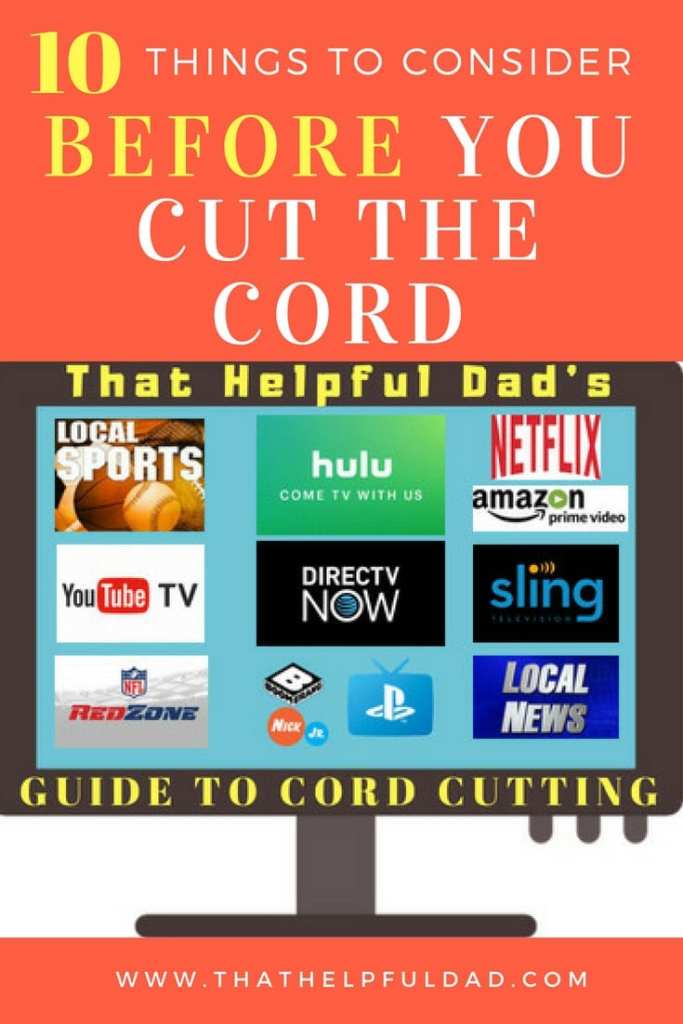
10 Things to Know BEFORE You Try to Stream Live TV
STOP – before you spin your wheels trying to stream live tv and not really knowing what you’re doing or where to start, let me save you some time. There are some important considerations you need to know about BEFORE you cut the cord. These include:
How to stream LIVE LOCAL Sports and News.
What Channel Lineups and Channel Packages are offered by the different streaming tv service providers? Can you customize the channel packages with Sling, DirecTV Now, and others?
Does every streaming tv service provider offer a DVR? Are they all the same?
What On-Demand TV Shows and Movies are offered? Can you skip through commercials while watching on-demand content?
Is there a limit on the number of tv’s you can stream on at one time?
How will you access the streaming tv service providers app? Do you have enough internet speeds? Do you need a wifi mesh router to reduce buffering?
Can you add premium channels like HBO, Showtime, NFL Redzone? What if a particular channel you want to watch isn’t available?
What promotions are available from Sling, DirecTV Now, and others?
What about a Channel Guide? Is the service easy to use to find what you want to watch?
How much can you really save by cutting the cord? Is it really worth your time and efforts?
These topics are so important that I’ve discussed them in detail in a separate article. Check it out here…
Streaming TV Service Providers – Main Options
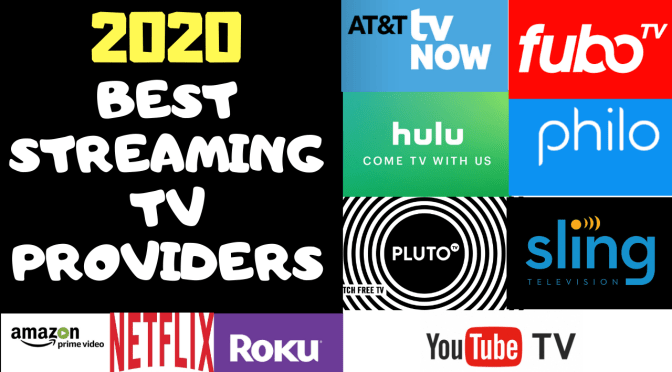
Here are the online tv streaming service providers we’ll be discussing in this article:
I recognize there are other options that will allow you to stream tv online such as Pluto TV and standalone services like Netflix, Amazon Prime Video, Kodi, and lots more, however this particular article is focused on the streaming tv service providers that will allow you to have an overall experience that is as close as possible to cable tv – that means being able to watch LIVE TV, view LOCAL channels, watch major ‘cable’ tv networks (ESPN, TBS, HGTV, etc), watch Regional Sports Networks, use a DVR, have a channel guide, and more.
Cord Cutting Streaming TV Provider Reviews – The VIDEO
I’ll give you HONEST reviews and Helpful Tips for all of the following: ATT TV Now, FuboTV, Hulu with Live TV, Philo, PlutoTV, Sling TV, Vidgo, & YouTube TV. PLUS we’ll talk about HD Antennas, LOCAST, Amazon Prime Video, Netflix and the Roku Channel.
Streaming TV Service Providers – The Reviews
Sling TV Review – Summary
Sling TV was the first major online tv service provider and it’s still one of the most popular.
Pro’s: 3 channel packages and numerous customization options. Stream anywhere. Low overall costs ($20-40). 50-hour DVR. Good user interface. Easy to use overall.
Con’s: Terrible Local Channel and Regional Sports availability in many areas (need to use a separate antennae). DVR is $5 extra, doesn’t work on all channels, and you can’t always skip commercials. Orange plan only offer 1 stream at a time. To get all their channels you have to subscribe to Orange + Blue plan.
AT&T Now (formerly DirecTV Now) is a major player in the online tv service provider world and it’s rapidly growing in popularity.
DirecTV Now used to be the streaming tv service provider my family used but we have since moved away from them.
Pro’s: Numerous customization options, and up to 120 channels! Excellent local channel and regional sports channel availability. Stream anywhere. Good user interface – similar to watching cable tv. HBO is included in some plans. Overall DTVN is very easy to use.
Con’s: Higher costs starting in 2019. Only 2 streams at once unless you pay more. Free DVR is only 20 hours (you can pay $10 to get 100 hours), you can’t always skip commercials (especially for on-demand content) and the commercials are often annoying).
PlayStation Vue is actually pretty awesome and you do NOT need to own a PlayStation to use this service. This was the streaming tv service my family used and it had everything you could want in a streaming tv app.
MAJOR UPDATE: Sony chose to discontinue PlayStation Vue as of January 2020. It is no longer an available option.
Hulu with Live TV (AKA “Hulu Plus”) may be a good option for some people seeking to cut the cord, but it’s still a relatively new service and there are some kinks to keep in mind.
Pro’s: 60 channels for about $4r. Good local tv and regional sports coverage. 3 simultaneous streams and paid option for ‘unlimited’ streams. 50-hour Free DVR.
Con’s: only 1 channel lineup no customization options. Can’t skip commercials with DVR unless you pay $15/month for “Enhanced DVR” (also provides 200 hours storage). Hulu recently update their interface to include a passable channel guide.
YouTube TV is another relatively new ‘major’ player in the world of online tv service providers. Given that Google owns YouTube (and just about everything else in the world) I would expect that YouTube TV will continue to improve over time. Right now (in my opinion) it’s still too raw for most people looking to cut the cord.
Pro’s: up to 80 channels for about $40. Awesome Free DVR with UNLIMITED storage and you can usually fast forward through commercials. Decent user interface. Sometimes great promotions (like up to 2 months free). They’ve recently added more local channels.
Con’s: still not available in many areas. Lack of local live tv and regional sports networks in some areas. May not work on Amazon Fire TV devices. Only ONE channel lineup and minimal customization options. You can’t skip commercials for on-demand content and if there is an on-demand version of show you recorded on the DVR it will bypass your DVR recording and make you watch commercials! No HBO option.
Fubo TV used to be a streaming tv provider focused mainly on sports, however in 2019 they switched their content to become a major player in the overall streaming tv business. Fubo TV is now one of the top ways to watch tv online and offers numerous channel packages for you to stream live tv.
Philo TV Review
Philo TV is a low-cost leader which can provide a great experience for you and a boatload of quality channels you will watch for a low cost – provided you don’t care about local channels.
2020 – Best Streaming TV Apps
Ranking the Streaming TV Service Providers
Based on the info provided in our detailed reviews for each service and using a ranking scale that is focused on choosing a streaming tv service that is most like a traditional cable tv viewing experience, here are my personal rankings.
For additional insights on Amazon Prime Video checkout these links too…
Streaming TV with Netflix
I’d be remiss if I didn’t at least mention Netflix as an option for streaming tv online. Although Netflix is not an option if you want to watch live tv or have an experience similar to cable, it’s still a great option for watching tv and movies online. Here are some articles about Netflix Streaming Tips…
Best Netflix SeriesA Guide to NetflixBest Netflix Movies
Streaming TV Tips – What’s YOUR Take?
That concludes our Essential Guide on How to Stream Live TV. Was this helpful? If so, please share this article with your friends.
Have YOU already learned how to watch tv online? What streaming tv service provider are YOU using? What tips have you learned that can help others – let us know so we can all learn together. Thanks!
What to Read Next?
There’s more to life than streaming tv, check out these other helpful tips too…
Practical Wisdom YOU can use today to make a difference in YOUR Life



































 That Helpful Dad