 2018 Resources – A Summary:
Hi, I’m Mike, better known as That Helpful Dad. One of my Legacy Life goals is to help people live a better life — I do this by sharing practical tips, life lessons, honest product reviews, and action-oriented wisdom that you can use today to live your best life NOW. No BS, just real-world solutions that I can personally verify work. Each year I publish a list of ‘tools’ that I believe can help my readers live a better life.
These are 2018 Resources that make my life easier – or as I like to call them, “The Essential Guide to Awesomeness!”
Inside this document, you’ll see the products, apps, websites, etc that I personally use to make my life awesome. These are not necessarily new products, they are simply the tools that I used consistently the most in the past year AND which have improved my life. I want to share them with you because the mission of this site is to “Be…Helpful” and what better way to fulfill that mission than to help YOU, my reader, be even more awesome than you already are?
2018 Resources – WHO is This Guide Best-Suited for?
While I hope that The 2018 Essential Guide to Awesomeness is helpful to all my readers, realistically the type of reader who will get the most out of this guide is someone who is fairly similar to myself — The 35-55ish Family Man who has a “worker bee” job and is always on the lookout for tips on how to live a healthier life, be more productive at work/home, likes ‘trusted’ reviews, wants to be a better cook than his neighbors, and would benefit from de-stressing a bit. If that sounds like YOU, then you’ll love this guide.
2018 Resource Guide – Categories
- I- Career and Kaizen
- II- Health and Fitness
- III – Stress Relievers
- IV – Cooking
- V – Apps and Tech
- VI – Entertainment
- VII – Home and Shopping
- XIII – Travel
- IX – Clubs
2018 Resources – (I) Career and Kaizen
Kaizen is a Japanese term for ‘continuous improvement’ or constant improvement towards perfection. I first heard of it 20+ years ago and have long made it a mantra for all aspects of my life. For today let’s just focus on the self-improvement as relates to the career and ‘mental game.’
1.SMART Morning Routine(lifestyle recommendation)
 My productivity and focus have gone thru the roof after learning about The Am Ritual from Tim Ferris’s book “The Tools of Titans.” I created a separate article about this topic because it’s that important – I call my version “The Working Man’s SMART Morning Routine.”
You can read that post if you want to know more but here’s a quick summary: starting the day with 15-30 minutes of alone time that focuses on ‘priming’ your body, mind, and soul with a series of breathing exercises, wisdom contemplation (from external sources) and wisdom release (from inside you).
HD’s Pro Tip: Do the Morning Routine consistently and watch your productivity skyrocket.
2. Tools of Titans book
I happened to see a post from Tim Ferris on LinkedIn one day and he was offering this book on Kindle for $4. Having read the 4-Hour Workweek I was already a fan so I bit on the $4 book and I’m glad I did.
Click to pic to see this book on Amazon….
 I kid you not when I say that I’ve gleaned no less than 100+ actionable tips from this book! It’s amazing. Talk about the ROI on my $4!
I also got introduced to his podcast and then gained even more useful wisdom from other people that he interviewed. If there was one current book I would recommend for productivity (on work, life, and beyond) it would be this one – read it today!
HD’s Pro Tip: get the kindle version – here’s why, if you highlight things to remember or add notes, you can then export the notes from the Kindle app and have them already available for followup in one place. BTW that’s a tip from this book – haha.
HD’s Pro Tip2: I use the Castbox app on android to listen to Tim’s podcast – it’s a great podcast app, it’s free, and it has lots of variety. Disclaimer: I’m actually a bit new to podcasting so there could be a better app. If there is let me know. But for now Castbox works for me.
3. Steal This Look: Blue Blazer, White Button-Down Shirt, Jeans, and Brown Shoes
I first saw it at a business conference when one of the execs wore it on stage and he stole the show. Later I found that multiple other friends of mine were also impressed with this look. When I got back home I quickly rushed out and updated my wardrobe.
It’s my new favorite business casual attire – it makes me feel great and I enjoy it – and you know as well as I when you feel good about yourself you perform at a higher level. Give it a try and see if it works for you too.
Substitute khakis or slacks if you wanna dress it up, but the bottom line is this look rocks and I get lots of compliments when I where it.
Disclaimer – sadly, the model in the pic ain’t me – but I feel like him when I wear this look! Haha.
4. LinkedIn (website)
I’m a long-time user of LinkedIn and it makes the list again this year.
As someone who prides himself on being a good ‘relationship builder’ I actively work to be a ‘people connector.’ I’d love to connect with you too – perhaps we can help each other or at the very least offer an additional path for us to mutually expand our networks.
Be sure connect with me on LinkedIn here: https://www.linkedin.com/in/michael-stoppa-mba-27561428/
4. BibleStudyTools.com (website)
I read The Bible every day. For me, it’s a great source of wisdom and wisdom = kaizen in my book. Although I’ve read the entire book many times over, for the purposes of this discussion (seeking wisdom) I specifically read 1 column from Proverbs (Solomon’s Wisdom) and 1 chapter from one of The Gospels (Wisdom from Jesus).
It takes just a few minutes in the morning to complete this (as part of my “AM Routine“) and the results are immediate – I get my mind working in the right direction right from the start.
Although the print version is great, I like this website because it’s well organized, easy to navigate, has numerous versions (I like NIV the best) and I can access it anywhere.
5. Typing.com (website)
If you need help improving your typing this website is free and really effective. We started my 8-year old son Jax on this at the beginning of 2017 (while he was in 2nd grade) and he’s taken to typing like a fish to water.
Typing.com offers free typing lessons from beginner to advanced and it keeps track of his progress. Jax’s typing has really improved and it’s paying dividends for him at school now too. We really feel that by using this website, we’re setting Jax up for success and making things easier for him for years to come.
6. Lichess (chess app)
I consider chess a form of Kaizen self-improvement and Lichess is a FREE, open source chess app. It’s a nice little option for passing the time playing chess against a pretty good PC or an online friend. There are no ads and it’s very reliable.
HD’s Pro Tip: combo this with the free chess learning apps from Chess King (including Opening Lab, Middlegame, Mating, Opening Blunders, and more) and you’ll really up your game.
2018 Resources – (II) Health and Fitness
OK, we’ve got the career and self-improvement covered, now let’s turn to the body. I don’t think I’ve gotta tell you how much it sucks to get older, right? Once you pass 40 it’s no picnic, BUT that doesn’t mean we just have to give up! As always, I’ve got a few helpful tips to share here too – starting with what may well be my most awesome tip of all…
1. Intermittent Fasting.
 My life has changed for the better as a result of Intermittent Fasting. If you don’t know what it is, Intermittent Fasting (as I’m talking about it) is basically not eating for 14 hours (for women) or 16 hours (for men) and then consuming all your calories in the remaining 8-10 hour window. I realize that may sound harsh – and in the beginning, I thought ‘no way’ – but I’m here to tell you that I over a 3-month experiment I learned that Intermittent Fasting has been surprisingly easy and it gives me lots of energy. That said, it’s not a magic cure-all and there are a few important tips to keep in mind if you want to try it.
I wrote an article for The Ascent Magazine about Intermittent Fasting — it details my experience with Intermittent Fasting and shares what I learned to help you get the most out of it if you decide to try this lifestyle change.
BTW, I still practice Intermittent Fasting almost every day.
2. Apple Cider Vinegar WITH “The Mother” + EVOO Shot/Day
For most of my life I’ve had tummy troubles. Partly due to a hiatal hernia, partly genetics, and probably also because I eat a lot of spicy foods. When I was a kid, my dad, grandpop, and grandmom all used to drink a shot of vinegar each day. They also all consumed a lot of olive oil. If you haven’t guessed yet I grew up in an Italian-heritage family. I toyed with both of these things off/on over the years but this past year I made a concerted effort to drink a combo shot (1oz) of ACV + EVOO.
I chose to do the ‘raw’ ACV with the mother for the (perceived or real) extra health benefits. I’m not here to tell you that a sample size of 1 (aka me) and a short-term (1 year) experiment should make you run out and do the same thing as me, but what I can tell you is that ACV + EVOO really did help me reduce much of my tummy troubles this year. It worked for me, it’s easy to do, and I plan to continue.
3. New Balance’s Vazee Rush Sneaker 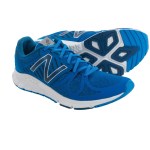 (product)
These sneakers are more like slippers – they are super light, really comfortable, and when you were them you feel like you are walking on the clouds. When I put them on I can walk for days. Add in a cool color like royal blue (but without a lot of the extraneous threads, plastic, and other junk that most shoes seem to carry now – I’m looking at you, Nike!) and you have a winner.
HD’s Pro Tip: I got mine from a New Balance Factory Outlet for about $50, but if you want to get them from Amazon here’s a direct link…
New Balance Men’s Vazee Rush V2 Running Shoe, Thunder/Alpha Orange, 11.5 D US
4. The Mabis Personal Steam Inhaler (product)
This is about $25. We considered multiple steam inhalers including 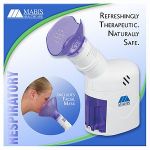 MyPurMist, Mabis, Vicks, and more. Our goal was to get a personal steam inhaler that was easy to use, easy to clean, and put out a good amount of steam to help with allergies for our family. We purchased multiple steamers to compare them.
In the end the MABIS was the SUPERIOR product. It really does put out some good steam and I have noticed a difference with my allergies when I do a standard 6-10 minute treatment. You can also easily use aromatherapy options in the convenient reservoir for this purpose and it really does work (I like to add eucalyptus oil). It’s also really easy to clean. The other steamers did not put out near the steam the Mabis does. I found the best price on Amazon…
MABIS Personal Steam Inhaler Steam Vaporizer – Aromatherapy Diffuser

2018 Resources – (III) Stress Relievers
Life is not all go-go-go. It’s important to slow it down too. On that note, here are some awesome tools I use to take a break from the world. Granted, you might laugh at a couple of these (Bed of Nails? Face Masks?) but don’t knock it till you try it. The truly wise are willing to experiment even if it makes them ‘look’ silly to outsiders. Slap on a face mask, lay on your bed of nails, and let the world laugh – while you recharge your batteries for even greater awesomeness!
1. A Bed of Nails  (product)
This product goes by many names but it’s basically an acupressure mat. Lay on this thing (skin to mat) and you’ll experience a gamut of sensations.
Is there pain? Yes. It hurts — especially if you lay on the mat without a shirt and with a hard floor underneath – but seriously if you are gonna do it you gotta go ‘all in’ if you wanna get the highest ROI.
The good news? Get through the first 5 minutes and you’ll be over the hump – on the way to a state of bliss. After 20-30 minutes, you’ll reach a state of ‘gelatinous euphoria’ where the cares of the world melt away. I love my mat so much I have a small travel size I take with me.
HD’s Pro Tip: Combo this with your favorite meditation and it’s an out of body experience.
I use one called Spoonk but there are tons of others. Check out this Amazon Page for ideas: Bed of Nails
2. Specialty Teas (product)
I discovered the world of ‘teas with a purpose’ this year at Sprouts and I can’t believe it took me so long to find them! Teas like Belly Comfort, Serene Slumber, Liver Detox, and more are my favorites. There’s even one for Gas Relief and would you believe it really works?!? I now drink 2-4 cups of tea a day with a specific purpose in mind (starting the day/energy, post-meal, stress relief, bedtime, etc). Even when I travel I take a few with me.
My current favorite brands are Traditional Medicinals and Lifestyle Awareness — they are affordable, have a lot of blends that work for me, and are easy to find where I shop.
3. Balance in Me website
This meditation website is a godsend. First off it’s free and it gives you access to countless meditations, affirmations, and more. They range from a few minutes to 1+ hours. Put on a pair of headphones, lay on your Bed of Nails, and open your mind – the stress just melts away. I’m a big fan of the affirmations and there are more meditation ‘journeys’ on this website than I can count – not everyone is great – it depends on the facilitator but I’ve found a couple I really like and they sincerely do help me.
Honorable mention to meditation apps by Stop, Breathe, and Think (my son Jax loves this app for the ‘sticker rewards’ he earns by meditating), and Excel at Life (in addition to some great ‘journey’ meditations, they have a suite of ‘assistance’ meditation apps for those struggling with panic, depression, and more).
4.  Track Yoga (app)
This FREE yoga app is incredible too. I’ve taken 80 classes on this app this year and I’ve learned so much about yoga – not to mention the health benefits of using it.
What I like about it is that you can see a real person doing the exercises and the facilitator’s voice gives you lots of really helpful tips to make sure you are doing the positions correctly.
5. Tony Moly Face Masks (product)
 Put in a request to take away my Man Card if you want and feel free to make fun of me, but I’m not afraid to admit that I love using these hydrating face masks.
While these are not new to women in the US, I first discovered them on a trip to South Korea a few years ago. My wife and I were shocked as to how all the people in SK were so amazingly beautiful (particularly their skin was so smooth).
While staying in the Myeondong area of Seoul we discovered a bunch beauty shops and these masks were probably the most prevalent thing we saw. Every shop seemed to have its own version. We tried a bunch of them – but I kept coming back to the Tony Moly “Pureness” (full face) masks. They seemed the best made (in terms of the mask itself), easiest to use (getting the folded mask open and on my face), and most importantly made my face feel the best. On our most recent trip to SK we brought back half a suitcase full of these masks (at 50cents each you would too!).
My favorite TM Masks are the Hydrating and Collagen masks.
HD’s Pro Tip: put on a mask, lay on your bed of nails, do a guided meditation, and reach a higher plane of existence – Ahhhhhhh).
Here’s a link to an example on Amazon:
Pureness 100 Mask Sheet 21ml No.1 Hyaluronic acid
You can also find lots of other choices if you search “TonyMoly” on Amazon or Google.
Seriously, did I just give you a tip about men using Korean Ladies Beauty Masks – yup – and if you give it a try you’ll thank me (even if you keep it a secret from your friends).
6. Prisma (app)
Another free app and this one is very cool if you like enhancing your pictures. It can do a nice job of ‘saving’ your mobile phone pics and making them a bit more viewable. I’m putting this under “Stress Relievers” because I love photography and when I work with pictures it’s a great ‘mindfulness’ tool to help me forget about the cares of life.
There is a bit of a learning curve with Prisma (mainly because there are just so many filters you can use and it takes a while to find the ones you like), but once you figure it out, it’s addictive and productive. You can make some really cool artwork with this! Check out my son JeeHo (AKA “Batman”) on the beach at Captiva, FL…

2018 Resources – (IV) Cooking and Food
1. Kamado Joe (Outdoor Grill)
 I’m always on the lookout for ways to improve my cooking. My friends in the neighborhood joke about this because they claim that I rely more on technology than cooking ‘heart’ – ouch! Whether that’s true or not I can’t say, but I will admit that if there is a cooking gadget that I think can up my game, I’ll give it a try.
For years I’d heard about the Big Green Egg but was averse to try because of the perceived learning curve and the expense of the product. But I did my research and finally took the plunge this year and I’m kicking myself that it took me so long!
There is a difference in the flavor of the food when you cook over lump charcoal/wood. Can’t deny it, no disputing it. That said, there IS a learning curve (I’m still learning!) and it IS expensive ($600-1000 will get you started depending on what brand you buy and how big you go).
I chose the Kamada Joe Classic II (KJ) over the BGE or other options because of the KJ’s reputation, highly useful accessories it comes with, and because it just ‘felt right’ when I got my hands on it. Most of my friends have BGE’s but I can tell you that my KJ is more functional than theirs – aka I can do more with it because of its design – this is mainly because the KJ comes with an internal cooking rack system called “The Divide and Conquer” which allows you to cook BOTH direct and indirect at the same time, on varying levels. BGE’s system is either direct OR indirect but not both – unless you do modifications (aka buying the D&C system). KJ also has numerous other useful accessories specifically designed for it.
How’s the food on the KJ? Pizza – awesome. Chicken Wings – best ever. Fish – moist and tender. Steaks – out of this world flavor.
HD Pro Tip: Try a Ribeye Cap Steak on the KJ and you’ll thank me when you’re family says ‘best steak ever!”). The variety of what you can do (from cold smokes to 800-degree heat) just can’t be beaten with any other cooking appliance I know.
Sadly I also have an expensive, built-in Cal-Flame gas grill (when I put in a patio bar a few years ago) — unfortuantely, because of the addition of the KJ I rarely use my beautiful grill for anything but making bacon (yes I turned a $4k grill into a giant griddle, and no that ROI on that wasn’t so great!) or for ‘must-be-quick’ cooks (because the one downside of the KJ, like all kamado’s is that it takes time to get it ready to cook – figure an hour to get heated, etc). The good news is that I rarely have to clean my gas grill (always a pain) and even better the KJ (like most kamado’s) is pretty much self-cleaning (oh yeah!).
HD’s Pro Tip2: The kamado table you see in the pic was an aftermarket unit from Etsy. I searched far and wide for something that would work. I considered chopping up my built-in patio bar and replacing either my Cal-Flame grill or removing the sink (I rarely use it) and putting in the KJ, but ultimately I wanted the KJ to be farther away from the action – there IS smoke when you cook with a kamado and it needs space. So I got this beautiful cedar cart which has wheels (and a cover for everything) and it sits in a nice location overlooking our conservation area. I couldn’t be happier! For more on the table check out RusticWoodWorx on Etsy -they were a pleasure to deal with.
HD’s Pro Tip3: not every brand of lump charcoal is created equal. Some of them are made with woods like hickory or mesquite that are so strong they don’t go with a wide variety of foods. I’ve tried a few brands so far and right now I still prefer the KJ “Big Block” XL Lump Charcoal bag – the pieces are huge so they can burn a long time and the flavor is on the mild side because of the combo of woods used.
If you want to know more about Kamado Joe, here’s a link for Amazon…
2. Little Griddle (Outdoor Kitchen Product)
This is the product that turned my expensive gas grill into a giant griddle. It’s amazing. It works. It’s easy to clean. And I use it all the time.
Why did I buy it? My family lives in Florida and we use our outdoor kitchen quite a bit. Even though my Cal-Flame came with a griddle attachment to replace 2 of the 4 grates, I’ve never been satisfied with it – mainly because all the griddle drippings fall down onto my burners and create flare-ups and a big mess. In addition, the grill griddle is small and I wanted something larger.
When I first saw the Little Griddle series I was originally looking at the Sizzle Q (SQ180), but thankfully I saw the LG website and discovered the GQ230 and I’m glad I did – the GQ230 is the size that I really wanted because it covers about 24 inches (which is 3 of my 4 grates), whereas the SQ180 only covers 18 inches and the GQ120 only 13. I got the largest size because I wanted to be able to cook for friends and family – that being said, it’s not like the GQ230 is giant and I’d venture to say it would fit most full size grills. Measure your grill and I’ll bet you’ll see this will be the right size for you. Here’s the link for Amazon…
Little Griddle offers Versatility – this will allow you to do so much more with your grill than before. So far I’ve made cheesesteaks, bacon/eggs/potatoes, fried pineapple, Korean chicken, and Cajun chicken. These are items that most people can’t do on a regular grill.
Little Griddle offers Easy Cleanup! Compared to the Cal Flame griddle attachment the Little Griddle is so much easier to clean – just sear/wipe/clean the griddle itself while the grill below stays clean!
Bonus: Little Griddle also makes a griddle for your Kamado too.
3. Some great food items you might be overlooking…
I discovered the Mezzetta Brand this year and I’m glad I did (try to the Cherry Tomato Pizza Sauce for your KJ Pizza’s, the Spicy Marinara is my favorite jar pasta sauce [I know that’s heresy for an Italian to say but it’s great in a pinch], and both their Jalapeno-stuffed olives and Pepperocini are best in class in my book). I found them all at Sprouts.
Maldon Sea Salt is phenomenal: big flakes = big flavor.
Dave’s Killer Bread is pure quality and great taste. I like the Good Seed – Thin Sliced Version. It’s available a lots of grocery stores now.
Pacific Foods Bone Broth is an affordable way to get in on the bone broth phenomena (I like the Turkey & Sage flavor best). I’ve been buying it on Amazon for about $2 a container – they often have a coupon too. Check out this link for more info…
Sprout’s Smoked Bacon from the deli section is my family’s new #1 choice for bacon – thick slices that cook evenly (especially on your Little Griddle) and have fantastic flavor. Costco’s Meat Dept is surprisingly good – they have a great selection of seafood (including Ahi Tuna) and they also have USDA Prime and Choice options (get that USDA Prime Ribeye Cap Steak I told you about in the KJ section and you’ll forever thank me).
Juicy Gems Pomegranate Seeds are a super tasty snack – for $2-3 you can get a little jar that lasts a week.
And 4Earth Farms make a really good package of precooked edamame (HD’s Pro Tip: throw these in a pot with some fresh minced garlic, fresh minced ginger, sesame oil, a dash of soy sauce, and a dot of Sirachi and you’ve got a killer appetizer).
BTW If you haven’t discovered Sprouts you are missing out. I’ve long-time been a Whole Foods advocate and that further increased when Amazon bought the brand. I still believe WF has the best seafood, cheese, and a superior selection of packaged goods, and we also still love WF’s hot bar, but I have to admit that Sprouts has better produce (especially organics) at a better price. I’ve particularly enjoyed Sprouts Organic bananas, avocados, blueberries, raspberries, and fresh spinach – there really is a difference in the taste!
4. Three Great Thermometers you need to know about (products)
Let’s end this section a ‘hot’ note – or at least be able to check the temp with a few great thermometers.
First the ThermoPro TP20 Wireless Remote Digital Cooking Food Meat Thermometer with Dual Probe for Smoker Grill BBQ Thermometer.
- I use this specifically when I am cooking on my Kamado and doing a longer cook where I want to monitor what’s going on but not always have to be sitting right there AND when I don’t want to keep opening/closing the kamado (which you want to avoid if you want to keep the temp controlled inside – and, ah, as I’ve learned that’s kind of important!).
- The TP20 lets me sit inside the house or at the patio bar and monitor what’s happening in the meat inside the kamado. Drinking a beer and cooking ribs? I’ll take that option any day.
- HD’s Pro Tip: this model gives you two temp probes, multiple presets, and has a pretty good range – it costs about $60.
Next is the ThermoPro TP03A “Pen” Thermometer. It’s always a challenge to find a good ‘instant’ read thermometer but this one is both accurate, affordable, and easy to use. It’s about $10 on Amazon and blows away the options from the big box kitchen and hardware stores.

Finally, an odd little unit that is actually really useful. It’s the Etekcity Lasergrip Infrared Thermometer Temperature “Gun”. For around $13 this is another really good product.
- It’s extremely easy to use (just point and shoot) and it does a fine job of providing helpful info about SURFACE temps.
- HD’s Pro Tip: I used the Etekcity one a lot for checking the temp on my Little Griddle (you’d be surprised how hot the griddle surface itself can get vs the temp measured by the grill hood – for example, I’ve seen the grill hood register 250ish while the griddle was over 400 – this info is much needed when cooking so you don’t burn).
- HD’s Pro Tip2: Another great usage is to check air temp coming out of the AC vents.
2018 Resources – (V) Apps and Tech
1-Daylio (Life Journal App/Free)
This is a mobile app that I use for tracking my daily activities. It’s easy to use, it’s free, and you can modify the activities to fit your needs. It allows me to rate how I felt each day (awesome, good, average, not good, awful) AND it lets me get granular with specific activities. 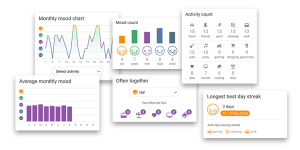 Daylio is easy/quick to use and it provides an efficient way for me to keep an on-the-go de-facto daily journal about life. Add to that the fact that you can also include free text notes for each day (if you want to) and now you’re talking. To read more about Daylio, see the feature article I wrote about it in The Startup Magazine.
2-Google Apps (Supercharge your Productivity)
Everyone who knows me knows that I am an “Android > Apple” type of guy. First off, I invested in Google at $85/share and have never sold it (I just wish I bought more back then!) – but the point is that I invested in Google because I use their products and they improve my life (especially my productivity).
Why do I love Google products? Because they just make sense to me and because most of them allow me the ability to do some level of customization to make them further fit my needs (unlike Apple which frustratingly is more of an ‘as is and that’s all there is’ system). I want to share with you HOW I use them so that you can benefit from them too.
Besides GMAIL (which goes without saying) and Maps (which I still prefer over Waze), there are a few more Google apps that I use every day and they are all FREE — these include Keep, Drive, Online Office Suite, Calendar, Launcher, and of course Google Photos. This combo of apps supercharges my productivity. Additionally, because I use Google for pretty much everything, all my stuff is connected to my various mobiles and laptops so I can access it anywhere.
2a. Google Keep
I use Google Keep to create a series of ‘to do’ lists and use the Keep widget on my Android Phone (Pixel XL) to show them on various home pages of my phone so that I have them ‘always up’ and thus always on my mind.
HD’s Pro tip: I use the ‘checkbox’ feature of Google Keep to make them “action items” and they are easy to remove from view once complete).
I find that Keep is a simpler version of Google Tasks or other apps like Wanderlist. I don’t need a lot of complication. I just need to SEE the tasks so I can be reminded to DO them.
To read more about Google Keep here’s a more detailed article – which includes a tip about how to use Google Keep as an awesome Speech-To-Text tool.
2b – Google Office Suite
These apps act as a free replacement for Microsoft Office. No offense to Microsoft (I like that brand too) and I’ve used M-Office for years but I got tired of paying for upgrades and/or new versions whenever I got a new computer. For years I didn’t have a choice because, let’s face it, M-Office was the King of the Hill and no other office related products compared. BUT, Google changed the game – Google’s Office Suite (especially Docs, Sheets, and Slides) is a very real replacement for M-Office’s Word, Excel, and Powerpoint.
- First off, G-Suite’s versions are all compatible with M-Office’s so you can read/create/modify back and forth.
- Secondly, G-Suite’s versions are FREE.
- Third, G-Suite’s versions are auto-updated by Google so you always have the latest and best version.
- Fourth, you can easily share G-Suites files with co-workers so they can work on the same doc as you to power up efficiency.
- And fifth, combo G-Suites with your use of Google Drive and you have a system that allows you to have ‘always-access’ to all your files. (HD’s Pro Tip: you can even make them available ‘offline’ if you’ll be in an area without connectivity).

2c. Google Drive
I use Google Drive store all my stuff – not just my G-Suite files but EVERYTHING on all my computers, phones, etc. Google Drive (via Google Backup) now even connects to my laptop hard drive to allow me to work on my laptop files from anywhere too. It’s easy to share files with family/friends as needed (and know when they access it). It’s easy to organize things.
And storage is free up to 15 GB. With additional storage at very reasonable rates (100 GB for $2/mo or 1TB for $10/mo).
Am I worried about Big Brother watching me, hacks, etc? Shockingly (for someone who counts Orwell’s 1984 book on my Top 10 All-Time Best Books list) I am not. Perhaps I should be but I’ve accepted the loss of privacy from at least the big players like Google, Facebook, and Amazon as a necessary cost of doing life in today’s world and, for me, the benefits I derive from using their products to the fullest outweigh the perceived risks (at least for now).
2d. Google Calendar
I use the Google Calendar mainly because the android widget is great — I can see my calendar (I like the month view) on my phone WITHOUT having to open the app (I’m calling you out, Apple!) and that little step makes the calendar so much more valuable to me.
Additionally, the benefit of the Google Calendar is that it is already connected to my Gmail and my Launcher so I’m also reminded on both of these other apps of important calendar events.
HD’s Pro Tip: the reminders on the Launcher are especially great for airline flights and hotel reservations – I can see the specifics of my reservation, flight number, gate, location, directions, etc — all on my Google Launcher automatically – without needing to search for them).
2e. Google Phone Launcher
I use the Google Launcher as my primary phone interface – its connectivity with the rest of my G-suite items makes it uber-useful and the assistant is really functional. I was first introduced to it when I was a member of Google Fi (phone service) and I loved it. Later when I got the newest galaxy phone I tried the latest Samsung interface (Bixby) but was sorely disappointed. Google Launcher is simply superior in terms of functionality, ease of use, and usefulness.
2f. Google Photos
I use Google Photos as the one-stop shop for automatically storing all my photos (both from my phone and computer). It also allows me to easily share pics with my wife and friends via customizable shared albums. The search function is just ok but it does help to find older pics and it does a good job of recognizing faces (even pets!). Plus Google Photos has some nice filters (their B&W options are particularly good).
HD’s Pro Tip: the Google Photo Assistant is pretty awesome too – not only does it automatically make some cool animated pics, collages, and movies, but it also lets you quickly produce some great little movies (combo’s of pics and vid clips) that you can share on Facebook and family/friends with ease.
3. WordPress.com
I’ve made tons of websites over the last decade – self-hosted ones like this site (ThatHelpfulDad.com), an investment site called ThomsettsGuide, and many others on a variety of topics. But the use of wordpress.COM to create FREE websites allows me to make more sites quickly and efficiently.
I am now specifically using WordPress.com as hosts for my books – making them into more interactive platforms that allow me to reach my readers easier AND add more layers to my books that expand the experience for my readers. I invite you to read my books and I welcome your feedback – please visit my book page to learn more: https://thathelpfuldad.com/books/
4. Acer Chromebook R11 Convertible (product)
I’ve used Chromebooks for years — I love the Chrome OS, how fast these computers turn on, and their overall ease of use. This Acer CB is no different – it’s quick and responsive for all the basic stuff my son needs. After looking at tons of CB options, we ultimately chose this one because it offered a TOUCHSCREEN (which works really well) and because of the 360 folding options so you can use it like a normal computer, or flat, or even in tent mode. All these work great and are convenient. The screen is bright and looks good too.
For just around $200 how can you go wrong? The low cost makes this a great value. As a note we purchased an older version — newer ones are available with more features for a higher price but the one we have works just fine for our needs. Here’s a link for Amazon: Acer Convertible Chromebook.
2018 Resources – (VI) Home and Shopping
What’s life without a little shopping? I’ve got you covered here. Want to make the home a little more ‘user-friendly’ and save yourself some headaches dealing with wifi dead spots and making holes in walls? Check. How about a good credit card that actually provides a decent rate AND a live human to talk to when you call? Got that too. Read on, my friend…
1. Amazon Prime – for Free Shipping, TV, Music, Photo’s & more
Another year of Favorite Lists and another year on the list for Amazon Prime. I’ve been a prime member since the very beginning (2005) and an Amazon customer since 2002. Amazon is another stock that has made me a good bit of money too so that’s a bonus.
I’ve talked about Prime many times so I won’t rehash it all but besides the 2-day ordering for most items, you get the free music, free tv/movies, 5% cash-back on the A-Prime credit card for Amazon specific purchases and when you shop at Whole Foods (with no annual fee), and more. I have a separate post about 5 Ways to get the most from your Prime membership but here are a few tips…
Shopping with Amazon Prime is simple and efficient and (for me) faster than going to the store.
HD’s Pro Tip: Use the ‘subscription’ services for frequently purchased items (toilet paper, protein powder, laundry detergent, vitamins, etc) and you can save an additional 5-15%.
HD’s Pro Tip: Always check the Amazon Warehouse when you are shopping on Amazon. You can find a lot of ‘like new’ items (that still carry an Amazon warranty) for 25% off or more.
Prime Music is my 1-stop shop for tunes – why pay for a subscription on Pandora or use other music apps when they are here for free? Again it’s just simpler.
Prime Video: with lots of binge-worthy tv and a variety of free movies (with options to rent/buy new ones and have them stored on your Amazon account) and you’ve got entertainment largely covered.
Prime Photos: it’s still a bit raw but I’ve found prime photos to be an inexpensive way to order some prints and get them pretty quickly. Plus you can use it as another auto-backup for your pics and have another location to store them in.
Treasure Truck: I’m surprised how many people don’t know about this yet. The Amazon Treasure Truck is a great way to get Trending Items and tasty fresh food selections for a nice discount.

Nintendo Classic NES – you know the one that’s sold out everywhere? I got it Day 1 with Treasure Truck. Aged Bone-In Porterhouse? Dude Perfect Bow and Arrow? Nespresso Machine? All on the Treasure Truck. The gist is that, unlike normal Amazon Shopping where they send the items to your home, in this case, you go to the Treasure Truck and pick up the item – also there is only every 1 item at a time.
About one every two weeks youu get notified on your phone via text when something is available – if you want it, you buy it, pick a stop, and then show up at the assigned time to retrieve it. Bonus: if you miss the pickup, you get a refund. Also, all these items are covered by Amazon’s A-Z guarantee so if you don’t like if you can send it back for a refund as well (although I’m not sure about the food, you’ll have to confirm that one – mine is always tasty so it’s gobbled up quickly!). Visit this page to learn more about Amazon’s Treasure Truck.
2. Google Mesh Wifi System (product)
 In a word: fantastic! Yes, it costs close to $300 for a 3-pack but it’s worth it. We have Frontier/Verizon Fios and our house is 3200sf, but even with wifi extender, there’s always been a bit of a problem in the far reaches of the house. As you know Frontier (just like Verizon) is of little help for this or ANY issue so if you want better wifi coverage in the house you’re on your own to figure it out.
After researching about multiple wifi mesh products and comparing lots of options, we narrowed it down to Google Wifi and Orbi. Since I have a long history of using Google products and we’ve always been satisfied with them, and since the price for Google was lower as well, we went the Google route.
How did it work? The setup could not have been easier — it was essentially plug-and-play. The results were instant – great coverage everywhere. We’re paying for 100/100 speeds from Frontier but prior to using the mesh it was hard to get them at any distance away from the router. Now with the G-Mesh we’re consistently around 95/95 up/down speeds anywhere in the house. Streaming is now fast and instant – no more buffering!
It’s such a great product I wrote a separate article about it, but the bottom line is it’s a reasonable price for getting true wireless coverage for your entire house. Learn more with this link:
Google Wifi system (set of 3) – Router replacement for whole home coverage
3. Feit Electric Outdoor String Light Set (product)
For years I’ve wanted to get the ‘Italian Patio String Light” look on my patio but I just never got around to it. Thanks to a visit from my dad this fall and these affordable, easy to install string lights from Feit and viola – it’s done! There’s a bunch of string light sets like this available.
I like the Feit version best because you get 1 light every 2 feet (where other sets give you 1/3 feet), the lights are a good size (11 or 15w), Feit gives you extra bulbs with the pack (others don’t), the connection between sets is easier, the price is affordable (about a $1 per foot), and they look great. I couldn’t be happier. Here’s the Amazon Link for the 48-foot size, but other sizes are available too…
As an added bonus the light they put out is better than expected – my Kamado is away from the action in a ‘dark’ area of the patio and it was always a bit difficult to cook at night – not anymore – these string lights provide plenty of light to see by – they don’t light it up like a supernova, just a reasonable amount to see by. Perfect.
4. MCS 8×10 Inch Format Frame 6-Pack, Black (65608) (product)
I’m giving you the Amazon link for this item (click on title) because it’s the best price I’ve found for these frames so far. Yes these are cheap frames, but they are easy to use, they are affordable (less than $5 for an 8×10 frame!), and they do the trick. Using these frames I’ve been able to showcase more of my photography in my bonus room.
HD’s Pro Tip: because of their thin profile and nondescript appearance, these frames work especially well for showing off Black & White Prints.
5. HyLoft 00625 45-Inch by 45-Inch Overhead Storage System  (product)
My garage is always full – even with a 3-car garage size we can only fit 1 car inside – this is because of all the junk we have. It’s a constant battle that feels like a blog is continually trying to eat us. Thankfully I discovered these HyLoft units this year. They’re easy to install, hold quite a bit of stuff overhead and out of the way, and you can put up a bunch of them for an affordable price. I like the 45x45in version. Here’s the Amazon link:
HyLoft 00540 45-Inch-by-45-Inch Overhead Storage System, White
HD’s Pro Tip: I’ve numerous ones from The Amazon Warehouse for around $35/each – you just can’t beat it.
6. TOGGLER SnapSkru Self-Drilling Drywall Anchor, Pack of 20 (product)
In the never-ending battle I have with my walls about hanging pictures, shelves, etc I’ve historically made more holes that I don’t end up using than ones I do.
The Toggler SnapSkrus and the Drywall Anchor both do an excellent job of holding up whatever we’ve used them for. Yes they do make a pretty BIG hole in the wall so be sure you’re putting it in the right spot, but they are an effective way to hang your items on drywall and I have purchased both versions multiple times. A pack of 20 costs about $10.
7. Chase Sapphire Preferred Card (credit card)
While we have others, this is pretty much the only credit card my wife and I use now. First off, I love that when you call you get directly to a live person immediately (without any phone tree ‘push 1 for X, 2 for Y’ crap). Secondly, the sign-up reward (80k pts) is pretty generous. The cash-back reward rate (1.5%) is good. And the reward options (particularly the travel reward flexibility) is nice. Also, the no foreign transaction fee is a bonus.
On top of that, the website for card management is easy to use/navigate. Look, I’m not here to tell you that I’m a c/card expert and I encourage you to do your research but I can tell you that we are very satisfied with this card. We pay it off in full each month and the benefits work for us. It’s worth looking in to.
8. Google Pay (app)
Similar to Apple Pay, this is Android’s version. This app is incredibly easy and I like not having to get my credit card out when I pay at merchants that accept this form of payment.
9. Google Rewards (app)
This app will earn you FREE MONEY!
It’s basically a SURVEY system but the twist is that you actually get paid for doing surveys. It’s only 10 – 67 cents at a time but the surveys are super quick (usually 1-3 questions, sometimes 5) and you get the money into your Google account immediately. I’ve earned $25+ this year for doing surveys when they pop up – that’s free music, movies, books, etc from Google Play Store.
I love it so much I wrote another article about it – Read more about Google Opinion Rewards
10. Lego Advent Calendar (product)
Here’s another entry from Legos — you can’t go wrong with the Lego Advent Calendar. Why give your kids a piece of unhealthy sugar candy for Advent when you can give them a cool little lego build each day of the calendar countdown to Christmas? We’ve done these for a few years now and my kids have enjoyed them every time. You get a great combo of little ships, characters, and more. And on the 24th you get the ‘special’ character – C3PO in a Santa Hat, BB8 in a Santa Hat, etc. It’s really fun.
So far this was our favorite one…


2018 Resources – (VII) Entertainment
Let’s take a break for a moment and just chill. In this category, I’ll give you some tools that will help you do just that – entertainment-wise.
1. Bose Quiet Comfort 25 Over the Ear Headphones (product)
If you travel at all, you need these headphones. They tune out the noise and tune in the calmness. Yes they are expensive (about $200 for the version I have or $350 for the latest “35” version) but they are worth it.
What about Beats? I’ve got another post that compares Bose vs Beats, but there really is no comparison. I own both Bose and Beats. I can’t even tell you where the Beats are because I never use them anymore, but Bose I use all the time. Here’s why:
- First, the Bose are far superior for active noise canceling.
- Second, what the Bose lack in bass to Beats they make up for in the other ranges — you’ll hear more overall with the Bose, especially if you listen to more ‘non-Pop’ music.
- And third, the BIGGEST difference for me – with Beats once the battery charge of the (only option) rechargeable battery is gone so is your music; with the Bose, if the AAA-battery runs out, not only can you switch to a new AAA-battery, but as a last resort (even without the battery) the Bose WILL still work as non-noise cancelling headphones without ANY battery.
- Bottom Line: get the Beats if you wanna look cool because of the name, get the Bose if you want the better pair of active noise canceling headphones that you can really rely on.
You can find the pair I have here…
2. Amazon Fire Stick (product)
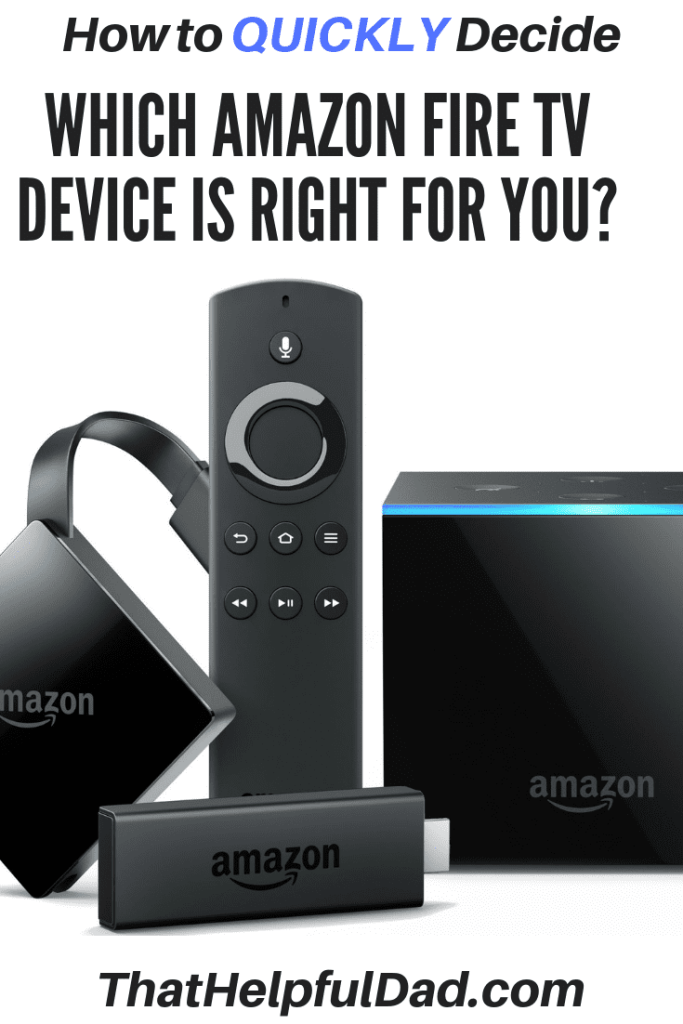
In the battle for Amazon and Google for most items on my list, Amazon has another with the Fire Stick. We have both the Fire TV and the Fire Stick. Both are great. When we got the Fire TV box it was because it was on sale and it offered 4k options (although we rarely watch things in 4k b/c there’s just not much available yet). Until 4k becomes more readily available the Fire Sticks are a great way to get a QUALITY streaming service at an affordable price.
Yes, we’ve tried Roku, the Chromecast, and Smart TV built-in apps, and other options. And Apple TV is always something to consider (but remember, I’m not an Apple fan). Roku is fine but it just doesn’t compare to the Fire Stick. The Home Screen interface, features, and usability of the Amazon Fire Stick/Tv are superior to any other streaming tool. Even the Ultra Roku takes too long to get anywhere, the Chromecast requires another source (phone, computer) to do anything, and the stock services on Smart-TV’s are anything but user-friendly.
Amazon’s service is just fun to use – especially if you have Amazon Prime TV as part of your Prime Membership.
HD’s Pro Tip: the cool little “X-Ray” feature of Fire TV gives you easy access to answer the question “where have I seen that actor before?”, as well as show-related trivia, and other behind the scenes info.
HD’s Pro Tip2: power-up your fire stick with Google’s Wifi Mesh (above) and forever rid yourself of the dreaded ‘buffering, buffering’ problem.
Pick up a Fire Stick with this link:
Fire TV Stick with Alexa Voice Remote | Streaming Media Player
3. Binge-Worth TV Shows:
OK, it’s hard to say that watching a lot of TV would lead to an awesome life but there’s a time and place for everything and there are some pretty good tv shows to be discovered that can add some mindless enjoyment to your life (and sometimes that exactly what you need to recharge).
Here’s what we became addicted to last year (I know some of them are older but they were new to us and if you haven’t discovered them yet, check them out). a. Stranger Things – only 2 seasons so far but both are addictive – pay attention and you’ll see ST merch everywhere – it’s a true phenomenon now. Please, Netflix, don’t make us wait till 2019 for more episodes!
b. Oz – a great older series that makes you never want to go to prison. (Series complete)
c. The Wire – this older series about Cops vs Drugs in Baltimore is proclaimed by some as the best TV series ever. If you haven’t seen it yet, you’re in for a fantastic ride. Omar rules! (Series complete)
d. Sons of Anarchy – About a motorcycle gang in LA and so much more. Too many surprises to name. Satisfying ending. (Series Complete..or is it?)
e. Bosch – a new Amazon original about an LA Detective. Good acting. 3 seasons and counting.
f. The Man in the High Castle – a drama that considers life in the US if The Nazi’s had won WWII. 2 seasons so far.
g. Ballerz (HBO) Life in, out, and after the NFL. The Rock plays a good role. 2 seasons and counting. It’s pretty addictive.
h. Game of Thrones (HBO) 7 seasons and counting. It takes a lot of tangents, like the book, but it has its moments and I’m satisfied overall.
i. Narcos – 3 seasons on Netflix and counting. The tale of Pablo Escobar and the DEA agents who chased him.
j. Oliver Stone’s Untold History of America – 12 part documentary from WWII forward – with lots of info I’ve never heard before. It’s totally uber-liberal so take it with a grain of salt perhaps but it’s also totally fascinating. (series complete)
Side notes: We got tired of watching House of Cards after 2 seasons. We were highly enjoying an older HBO show called Deadwood (Ian McShane is a great actor) but were shocked to discover that the show was canceled after 3 seasons right in the middle of the story! And Mad Men didn’t do it for us (not enough action).
2018 Resources – (VIII) Travel
Just a couple notes for this category but don’t let the small number fool you – these tips could literally make your life Awesom-er!
1. LegoLand and the LegoLand Hotel (travel destination)
 If you have kids between 4-12 and you plan to visit the Orlando, FL area do yourself a favor and plan a stop at Legoland in nearby Winter Haven. If you can swing a stay at Legoland main hotel for a night, even better.
As a resident of Florida, we’ve been to all the Disney and Universal parks many times over and sure they are great, but for kids between 4-12 Legoland is perfect. This is probably because the park is specifically ‘built’ for kids this age. The rides are all made for them, the activities are geared for them, and everything, everything is Legos! Who wouldn’t like that?
As a bonus the pricing is pretty reasonable (a single day visit is less than $90, multi-day is just a few bucks more and Fl Residents can get an annual pass with no blackout dates for about $100 – Compare that to Disney which has gotten so out of hand on annual pass pricing that it’s nearly unaffordable to visit anymore!
HD’s Pro Tip: buy an annual pass on Black Friday and get the “Awesomer Pass” with more benefits for the same price as the regular pass).

And then there’s the Legoland HOTEL – yes it’s expensive ($250+ per night and often higher than that based on availability) but it’s actually worth it. Consider these benefits:
- All standard rooms include a separate area for adults vs kids.
- Each room includes a treasure chest/safe of small gifts.
- There are TONS of activities to do at the hotel for the kids.
- There is a giant Lego castle filled with a giant pit of legos – kids pretty much play in this area all day together and make new friends. (HD’s Pro Tip: There is a lobby bar overlooking the castle – yes that means the parents can have a drink/eat while watching their kids play – genius!) At the castle they have afternoon/evening play times (to include a lego build competitions and giant pajama dance party).
- There are regular character visits.
- Breakfast is included.
- There’s a heated pool and a boardwalk to walk along the lake and relax.
- Dance music plays in the elevators.
- There is a secret s’mores areas.
- HD’s Pro Tip: your kids can sign up for free “Master Builder” Workshops
 where they get to build a special lego toy with guidance from an expert – it’s really fun and Jax has made some cool little builds at these 30-minute events
- Best of all the hotel is less than 100 steps (you read that correctly) from LegoLand park and you have your own entrance/security checkpoint.
- You get free parking as well.
- We love it so much we’ve stayed there 3 times this past year.
- HD’s Pro Tip: be cautious about which hotel you book at. I’m describing the Legoland Main Hotel. There is also a “Beach Retreat” – these BR has cute little bungalows and they have their own games, etc but BR it is actually NOT on site at Legoland. You have to take a shuttle to the park. Personally, I find that too inconvenient to make the BR worthwhile.
2. Uber (app)
It took me a while to trust using Uber – I was a little skeptical at first about just hopping in the car of a stranger, but I eventually took the plunge while traveling and I’m glad I did. It’s so convenient. I love being able KNOW what I’m going to pay BEFORE I take the ride – that’s the #1 thing I hate about taxi’s (I always feel like I’m going to get screwed and the ride is never fun because I am always staring at the dang meter and wishing it would slow down!).
With Uber there is none of that. You know what you’ll pay before you go. I also like being able to visually see where my car is before it gets to me, follow the route I’m going while in the car, and I also love, love, love just being able to hop out and go after the ride is done (because the payment is already taken care of). So far I’ve only had 1 bad ride – it was a rideshare car in San Fran and it took forever because the driver didn’t follow the Uber-suggested route! Otherwise, it’s been great.
3. Google Contribute (app)
This FREE app is kind of like TripAdvisor or Yelp (both of which I used to use, but as Google takes over the world (in this case with Google Reviews) I’ve switched to Google Contribute. I’m now a Level 7 Local Guide – which doesn’t really mean anything per se, but it does perhaps help people to know they can trust my reviews are real . Google Contribute is easy to use to do the reviews and to post pics, vids, etc.
2018 Resources – (IX) Clubs
Our final category is last but definitely not least. These two ‘clubs’ have seriously been a big part of bringing me closer together with my sons and adding lots of quality time into the equation. Check them out…
1. Cub Scouts (organization)
 When I was a kid I did Cub Scouts for one year – I came in last in the pinewood derby, I wasn’t much for the outdoors if sports wasn’t involved, and I never really put much effort into it. But when my son Jax got ‘recruited’ at school for cub scouts we thought we would give it a try.
Now I don’t know if things have drastically changed with Cub Scouts since I was a kid or if it’s just me, but I was blown away by everything that Jax and his troop did this past year in scouting.
I can honestly say that many of Jax and I’s best bonding moments this past year came from our time doing scouting events.
Our pack has done so many fun things – an overnight camp under the Atlantis Space Shuttle in Port Canaveral, a day trip to a Coast Guard Air Station, a weekend camp that was highlighted by searching for shark teeth fossils in an old river bed, an overnight behind-the-scenes tour of Sea World in Orlando, not to mention all the hiking, pack shows, cookouts, and of course the Pine Wood Derbies (Jax even got an award for his special design).
He’s had so much fun and I have too. He’s found a real home with scouting and made so many new friends. The leaders are great and we couldn’t be happier.
Special thanks to Pack 323 of Land O Lakes, Fl for being so awesome.
2. Amazon’s STEM Club (Subscription Service) Amazon scores again. I don’t recall how I first heard of this but I’m glad I did. This past year we moved our son Jax to a STEM Magnet School this year (shout out to The Sunlake Academy of Math & Science in Lutz, Fl!) — only to discover it was a much more challenging curriculum than he (or we!) expected – but in a good way.
Jax’s mind is expanding in a variety of ways with his exposure to STEM subjects and he’s taking a real liking to it. So far he’s received ‘toys’ that focus on engineering construction, circuits, coding, and more. It’s been a lot of fun. You can choose a subscription for 3 Age Levels (3-4, 5-7, and 8-13).
Here’s a link to learn more…


2018 Resources – Conclusion
There you have it, my friends. The 2018 Resources that comprise the most consistently used tools that I’m using to live an Awesome Life. Every one of these resources has made a genuinely positive impact on my life and which can help you too.
BTW if you are wondering who won the battle of Google vs Amazon for most items on the list it was Google with 10 vs Amazon’s 7.
Meanwhile, if you’re somehow still reading this list then I have to wonder what went wrong? Why the heck are you not following my advice and getting some of these items? Go ahead, get started today.
2018 Resources – Trust Guarantee
If you know me, you know I am honest. In the spirit of transparency please allow me to disclose that some of the links on this document may lead to websites (for example Amazon) where I am an affiliate.
What does that mean? It simple — if you use my links to find/purchase a product (which is easier for you), it will NOT cost you any more money (which is my requirement), but it may result in a small commission for me (which is much appreciated). I look at that as a win-win and I hope you feel the same.
Please remember I only recommend products when ALL THREE of the following conditions are met…
- I pay for and/or use the product myself — so I KNOW it works.
- I honestly believe the resource will be helpful to my readers.
- And providing the recommendation fits with the mission of this site to “Be… Helpful.”
To learn more please visit my Transparency Page.
2018 Resources – Did I miss something?
If so be sure to let me know. What’s in your Life Toolbox that’s making a difference?
BTW, did you know I put out new tips, practical solutions, and honest product reviews every week? If you want to make sure you never miss a tip, be sure to Follow Me – I’ll send you my tips via email each week so you can review them at your leisure.
Let’s talk again soon.
~Michael, That Helpful Dad

















 As always, my goal is to share practical wisdom you can use to make life easier. Here are a couple more tips…
 Just in case you are not familiar with Google Keep…


 That Helpful Dad