Netflix Ozark – what’s this show about? Is it worth watching? In this vid, I’ll tell you about the show Ozark on Netflix and why I consider this to be one of the best Netflix Original Series. Have you watched Ozark yet? Are you ready for Ozark Season 3? Let’s get to it!
Ozark was created by Bill Dubuque (“The Accountant,” “The Judge”). The series stars Jason Bateman as Marty Byrde, a financial planner who relocates his family from Chicago to a summer resort community in the Ozarks. With wife Wendy and their two kids in tow, Marty is on the move after a money-laundering scheme goes wrong, forcing him to pay off a substantial debt to a Mexican drug lord in order to keep his family safe. While the Byrdes’ fate hangs in the balance, the dire circumstances force the fractured family to reconnect.
Stranger Things Season 3 has come and gone with a BANG worthy of its July 4th Debut, as Netflix dropped the entire season (8 episodes) on the holiday and gave Stranger fans like my friends and I a chance to binge to our hearts content. If you’ve completed the season already, you’re surely experiencing a sense of What’s Next? Euphoria as, in true Stranger Things fashion, Season 3 flayed our minds with ever more possibilities of what could happen in the future as this popular franchise races into the unknown.
Stranger Things 3
In this article, we’re going to give you 10+ questions to ponder coming off of ST3 as we try to help get you through the void of waiting till Stranger Things 4 arrives (and right now it seems only the Mindflayer knows when that might be).
SPOILER ALERT! This article is intended for viewers who have already completed the entire Season 3 of Stranger Things. Nearly every question on our list contains a SPOILER. Please do NOT read this article if you don’t already know what happens! You’ve been warned.
10 Unanswered Questions about Stranger Things 3 – Do YOU Know the Answers?
BONUS – you can WATCH this article as a video is you prefer – here’s our YouTube vid about all these questions…
Still reading the old school way?
That’s cool. Then let’s start with the most obvious question (and again this is a MAJOR spoiler so stop reading NOW if you haven’t watched the ST3 Episode 8 season finale called “The Battle of the Starcourt Mall”)…
Question 1 – Did Hopper really die?!?
There’s no sense making you wait for us to ask this question. It’s the #1 question on the mind of very Stranger Things fan as we all saw Hopper’s Indiana Jones-esque fight seen with that Terminator-looking Russian named Grirogi where our favorite Hawkins lawman vanquished his season 3 nemesis but had to sacrifice his own chances for escape in order to allow Joyce a chance to destroy the Russian’s interdimensional portal opening device before the Red troops barged in and foiled their plans. If a single picture speaks 1000 words, how many does this gif say?
Sacrifice
Oh what might have been for Joyce and Jim, right?
And yet, is it really over for Hopper? If you watched past the credits for the episode 8 finally then you’ve also seen this little nugget.
If so, how did the Hawkins’ sheriff get all the way to the Gulag?
Did Jim get thrown by the explosion into some hidden corner of the lab and wake up later to the discovery that he’d been captured by Russian? But then why didn’t the US Troops who raided the Russians’ secret lair beneath the Starcourt Mall find Hopper instead? And just how did the Russians secret Hopper away?
Or did Joyce’s explosion of the portal-ripping device cause Hopper to be somehow be shifted through space (and time?) to Russia?
Or do the Russians have another interdimensional machine that was somehow connected to their device in the US that provided a portal through which Hopper (and anyone else who was present) in the portal room when the device exploded were magically transported to Russia?
Remember Murray was the third wheel to Joyce and Hopper as the trio infiltrated the Russian base beneath the Starcourt Mall. Murray’s ability to speak Russian and his causing of distraction to the guards was critical to the mission’s success. Yet while Joyce and Hopper completed the goal of blowing up the the portal opening device, and while we saw Joyce escape, and Hopper perish (or did we?), we never saw what happened to Murray.
Did Murray escape with Joyce? Was he captured by Russians who escaped with him and took him back to a prison in the gulag? Did the US Black Helicopter troops take Murray into custody instead? Just what happened to our boy Murray? We don’t know. That means he could be the American as well.
And then there’s Murray’s voicemail – perhaps the biggest easter egg from ST3 that’s been discovered so far.
You can actually call Murray’s Number – Try it!
Call the number and you’ll hear what Murray Bauman’s voicemail says…
“Hi, you have reached the residence of Murray Bauman. Mom, if this is you, please hang up and call me between the hours of 5 and 6pm as previously discussed, ok? If this is Joyce, Joyce, thank you for calling, I have been trying to reach you. I have an update. It’s about, well, it’s probably best if we speak in person. It’s not good or bad, but it’s something. If this is anyone but my mother or Joyce, well, you think you’re real clever, getting my number, don’t ya? Well, here’s some breaking news for you: You’re not clever. You’re not special. You are just simply one of the many, many nimwits to have called here, and the closest you will ever get to me is this prerecorded message so at the beep, do me a favor and hang up and never call here again.”
That voicemail would seem to indicate the Murray is NOT the American because he’s still in the US. Then again, it could all be a ruse, right?
So could the American in Russia be someone else instead? There are other theories that the American is the long-lost Barb, or Joyce’s old beau Bob, or that perhaps the Russians discovered another child like El with superpowers capable of communicating with the demigorgon.
Alas, we just don’t know and in spite of all our theories or what Stranger Things actors like David Harbour may tease, we’ll never know until ST4 drops.
Meanwhile…let’s move on. After all, that was only Question 1!
Question 3 – Relationships: Who’s In? Who’s Out?
ST3 was a whirlwind of relationship madness. What’s up with…
Joyce and Hopper?
El and Mike?
Max and Lucas?
Steve and Robin?
Dustin and Suzie?
Nancy and Jonathan?
Will and ??
Obviously we all wanted to see Joyce and Hopper finally get together.
Will this ever happen?
It seemed like this just might happen (as they finally made plans for a formal date in episode 8 with a Enzo’s redux), but unfortunately Jim’s ‘situation’ at the end of the season put a bit of damper on things – being dead or stuck in a Russian prison are both not very conducive to dating. And so we wait.
Meanwhile, after starting ST3 constantly lip-locked (much to Hopper’s chagin), El and Mike spent most of the season ‘on a break’ after Max helped El realize there was more to life than Mike. Leading to this rather famous GIF…
Although they made up by episode 8, it’s clear that Mike and El are growing apart and when he didn’t take the olive branch from EL’s I love you, AND given the little fact that El moved away to God knows where with Joyce’s family, we have to wonder if El and MIke are done?
Lucas and Max’s on-again-off-again relationship still seems strong, and among everybody on this list, they’re probably the most sure-thing as a couple – of course given the fact that they’re also the only ones who actually live in the same town doesn’t hurt.
Meanwhile there’s Steve and Robin – and it’s complicated. After first be introduced to Ethan Hawke’s daughter Maya as the new Robin character, we watched as the actress quickly integrated herself into the cast as a new fan favorite and then we spent the whole season watching Steve and Robin (seemingly) flirt, develop an amazing rapport, and grow closer through a series of shared stress and trauma.
We saw the climax of Steve finally realizing and admitting his feelings to Robin on the floor of a bathroom stall at The Starcourt and yet Steve’s hopes did NOT lead to the first kiss we all thought was coming.
Steve: “I love you, Robin.” Robin: “I love girls.”
Instead Robin took the moment to deliver one of the shockers of the season – in spite of her obvious attachment to Steve, Robin actually likes girls. Kudos to the writers of ST3 for giving us a twist nobody saw coming.
That said, Steve and Robin clearly have an affinity for one another and even if it’s just as friends, let’s hope their ‘relationship’ continues.
That brings us to Dustin and Suzie.
Suzie and Dustin
Dustin endured an entire season of laughs behind his back from his friends as clearly not a single one of them really thought that “Suzie from Camp” actually existed. While most fans believed that Suzie probably did exist and that the ST3 directors were waiting for an opportune time to reveal her, nobody could have guessed that Suzie would be revealed in such dramatic fashion – becoming the key to solving the riddle that led to the climax of entire season. (For more on this, see question 6 below). Suzie rocks? Literally!
But will Dustin and Suzie’s love survive even with the help of high powered ham radios? 10-4, good buddy.
Next we have Nancy and Jonathan. Outside of El and Mike, Nancy and Jonathan have the longest running love story on Stranger Things.
Nancy and Jonathan – will it last?
We watched the seeds develop in ST1 and their love bloom in ST2, however in ST3 things faltered. Like many young couples they experienced the hardships of trying to find their way in the harsh realities of a cruel world (jobs aren’t easy, money is tight, and the every day realities of relationships are not always easy). Their story line played second fiddle the entire season but they both played key roles at crunch time – joining the rest of the gang of kids and doing battle against Russians, Billy, & even the Mindflayer.
When it was all said and done, Nancy and Jonathan remained together.
That’s until Jonathan decided to leave with Joyce and the rest of the family to who knows where.
Now presumably over 18 and free to go where she pleases, we have to wonder why didn’t Nancy go away with Jonathan? Or perhaps he didn’t invite her?
Can their love survive? Or will young hearts move on?
At last we come to Will. For the first time in two seasons, Will didn’t spend the entire season in the (Upside Down) and instead got to live among his friends. Unfortunately for him, while Will still wanted to dress up and play D&D his buddies had other things on their minds (girls!).
The innocence of Will continues to be destroyed.
Thus, once again, Will was on stuck in his own world without his friends. Kind of sad really. For a character that’s endured so much attacks on his childhood innocence, to see it continue to be destroyed is heartbreaking.
Question 4 – Did El really lose her powers?
Fighting against the Mind Flayer and it’s minions for three seasons takes a toll. Does this look easy?
El battles a monster… again.
By the end of season 3, El couldn’t even move a small teddy bear.
Are El’s powers really gone?
Will El ever get her powers back?
If not, how who will protect humanity from The Mindflayer?
Can El get her powers back? Does her relationship with Mike help or hinder this? Will Hopper’s death or return make a difference? What do YOU think?
Question 5 – Is Billy really dead?
Dacre Montgomery as Billy was downright awesome. He was a fan favorite for many reasons…
The ladies loved Billy
In ST2, Billy was a minor problem. In ST3, the Mindflayer took full control of Billy and used him as a pawn to lead an army of The Flayed in an effort to take control of our world.
All season, Billy tormented the Stranger Things cast. But in the end, Billy turned out to be a hero – standing up to The Mindflayer and protecting the kids when all hope seemed lost. For this he paid the ultimate price.
Could Billy possibly have survived this?
Although it’s unlikely, given the death, we have to wonder – could Billy possibly have survived? Hey, maybe Billy is the American in the Russian prison?!? I haven’t seen anyone talk about that yet? Maybe the Mindflayer sucked out his soul and transported him through an interdimensional portal to Russia? Hey, stranger things have happened, right? (You see what I did there? haha)
Question 6 – Was The Neverending Story the Highlight of Season 3?
C’mon, admit it. You loved the Neverending Story montage song, right?
As someone who grew up in the 80’s, I remember the story of Atreau and the Luck Monster vs The Nothing. Was the movie cheesy? Sure. Did I watch it every time it was on? Well, let’s not get carried away.
But the point is that I had no idea that Suzie and Dustin would use the Neverending Story song to unleash the secret to the Russian key code (it was Planck’s Constant) that would allow Joyce and Hopper access to the area where the interdimensional portal device was located.
And it was awesome!
Everybody is singing The Neverending Stoooooooorrrrrryyyy!
Question 7 – Who is the REAL Monster?
OK, let’s get real – we’ve now seen three seasons of The Mindflayer and it’s minions. Although the demogorgon was absent from ST3 until the very end, we were treated to The Mindflayer and some crazy mix of fertilizer + body parts….
The Mindflayer
The Fertilizer Monster
Eventually both were vanquished.
Yes we saw the demogorgon in that famous end scene in the Russian prison. But still, one has to wonder, how much mileage does the Mindflayer and its minions have for audiences? Is there more to the Mindflayer? Is there another ‘monster’ behind the monster?
For that matter, has anyone ever thought to ask if perhaps the Mindflayer is actually nice? Maybe it’s a case of Androcles and the Lion – where the lion had a thorn in his paw and he was mean because his paw hurt? Or maybe the Mindflayer is like one of Asimov’s characters in The Gods Themselves and is looking for resources he can’t find in his dimension?
Maybe the Mindflayer just wants to borrow a cup of sugar? 🙂
Or maybe the Mindflayer isn’t the real monster at all?
Maybe it’s the Russians?
Or maybe it’s a US Government Conspiracy?
Or maybe it’s the Illuminati?
Hey, you never know? But it’s gotta be something more than just The Mindflayer, right? What do YOU think?
Question 8 – Where are Joyce and The Byers and El moving away to?
If you watched episode 8, after all was said and done, we saw Joyce packing up the U-Haul and all the kids saying goodbye.
It’s time to go
The way everybody was talking it sure seemed like it was a FAR AWAY move. So where the heck are they going to? Any ideas?
Question 9 – Is Camp Know Where the ‘must-have’ merch of Season 3?
Every season we’ve had some must-have item, right? First it was the Hawkins High T-shirts. Or Hopper’s Sheriff’s hat. Then it was Dustin’s red, white, and blue hat from ST2. But what about this year?
Or do you think it’s Steve and Robin’s Scoops Away costumes?
What’s YOUR vote?
Question 10 – WHEN will we see Stranger Things Season 4?
This is the most important question right?
If you recall, Stranger Things Season 1 came out mid-July 2016.
And Stranger Things Season 2 was late October, 2017.
We had to wait nearly 2 years until Stranger Things Season 3 was released to the fireworks of a July 4, 2019 debut.
So when will we get Stranger Things Season 4?
I’ve gotta give some credit to my wife on this one – she picked up on a possible Easter Egg in that final scene with Mike and El…
Did Mike gives us a clue to the release of Stranger Things Season 4?
In this scene, Mike talks about how far away El is moving (but not where!) and during the conversation he says how they might see each other at THANKSGIVING or CHRISTMAS.
Could we get a holiday release for Stranger Things 4?
ST4 Thanksgiving 2020?
ST4 Christmas 2020?
When do YOU think ST4 will drop?
Sadly, we’ve reached the end of our Stranger Things debate. But the story doesn’t have to end here – be sure to let us know what YOU think about these questions or anything we might have missed.
Meanwhile, if you enjoyed this article, please share it with you friends. You can use the pin or the vid to share…
If you’re looking for tips or help on how to improve your Netflix experience we can help you. In this article, we’ll discuss how to find and login to your Netflix account so you can see how much the various Netflix Plans cost, how to change your Netflix Plan, how to sign up for the Netflix Streaming or DVD Plans, how to change your Netflix Profile, how to set up new Netflix Profiles, how to change your Netflix Profile Pic, how to set up Kids Profiles on Netflix with automatic parental controls, how to set up a PIN on your Netflix Account, how to change the Parental Control levels, how to find 4k and UHD content on Netflix (and what Netflix plan you need to be able to watch 4k content), how to find new releases on Netflix, a list of the Top Netflix Original Series, the Best Netflix Original Movies you can watch now, and more. Wow – that’s a lot so let’s get started!
Editor’s Note: The content on this page is setup as VIDEO GUIDES – that means you’ll be able to visually see a STEP-BY-STEP process on how to do all of these tips on Netflix. Easy-peesie-pasta-weesie!
Table of Contents
How to Create New Profiles on Netflix
How to Change your Profile Pic, Name, Language
Netflix Plans and Pricing
How to Change your Netflix Plan
How to Set up Parental Controls on Netflix with PINs
How to Set up Kids’ Profiles on Netflix
How to find 4k and UHD Content on Netflix
How to find New Release TV Shows and Movies on Netflix
Best Netflix Original Series
Best Netflix Original Movies
I. How to Create New Profiles on Netflix
In this video we’ll show you how to find your Netflix Account so you can manage your Netflix Profile, edit your existing profile, and create a new Netflix Profile – when you create a Netflix Profile you can change your Netflix profile picture, name, language, and even manage the parental controls at the individual profile level.
II. How to Change your Netflix Profile Pic, Name, Language, and more
In this video we’ll show you how to find your Netflix Account so you can manage your Netflix Profile – you can change your Netflix profile picture, name, language, and even manage the parental controls at the individual profile level.
III. Netflix Plans and Pricing
In this video, we’ll review the pricing plan comparisons for the 3 Streaming Plans and the 2 DVD By Mail Plans that Netflix Offers. We’ll also review which streaming plans allow you to watch SD, HD, or 4k content and how many streams you can watch at one time per plan.
IV. How to Change your Netflix Plan
Do you know how to change your Netflix Streaming Plan? There are 3 Netflix Streaming Plans: Basic, Standard, and Premium – each level provides different benefits. In this video we’ll show you the differences between the various Netflix Streaming Plans in terms of price per month, video quality (SD, HD, or Ultra HD), and # of streams you can watch at one time.
V. How to Set Up Parental Controls on Netflix with PINs
Do you want to know how to Set Up Parental Controls on Netflix using Passwords, Pins, Profile Restrictions, Kid Mode, & More? I’ll show you how to use the parental control features of Netflix to set up parent control passwords, PIN restrictions to restrict viewing for ALL profiles on your Netflix account, profile-level restrictions to restrict viewing only for specific profiles, Kid Mode viewing to provide automatic parental control viewing, and more.
VI. How to Setup Kids’s Profiles on Netflix
In this video I’ll show you how to easily create profiles for each of your kids on Netflix. We’ll talk about why you should want to create Kids’ Profiles on Netflix and how to set up automatic Parental Controls with Kids’ Profiles. It’s easy set up Kid’s profiles on Netflix with these tips.
VII. How to Find 4k & UHD Content on Netflix
In this video I’ll show you how to easily navigate Netflix to find 4K and Ultra HD movies and tv shows on Netflix. We’ll also talk about what Netflix Plan you need (Netflix Premium) in order to watch UHD content.
VIII. How to Find New Release TV Shows and Movies on Netflix
In this video I’ll show you how to easily navigate Netflix to find new release movies and tv shows on Netflix.
IX. The Best Netflix Original TV Shows & Series
If you’re looking for ideas on what to watch next on Netflix then this video can help you. I’ll tell you my Top 10 recommendations for the Top 10 Best Netflix ORIGINAL TV Shows you can to watch on Netflix right now (actually I’ll give you 24 shows to add to your list but who’s counting?).
X. Best Netflix Original Movies
If you’re looking for ideas on what to watch next on Netflix then this video can help you. I’ll tell you my Top 10 recommendations for the Top 10 Best Netflix ORIGINAL Movies you can to watch on Netflix right now.
Best Netflix Original Series – if you’re looking for ideas on what to watch next on Netflix and you’re trying to find a new “Netflix Original” show you can binge watch then this article and video can help you.
I’ll tell you my recommendations for the Top 10 Best “Netflix ORIGINAL” SERIES you can to watch on Netflix right now. After that I’ll give you another 10 NEW shows on Netflix to check out too. But wait, there’s more – as an added bonus if you read to the bottom, then you’ll also get my Top 10 Best Netflix Original MOVIES too.
We’ve got a lot going on in this article, so get your popcorn ready as we review my recommendations for…
The Best Netflix Original SERIES
We’ll start off with a video version of the list and then follow with the full text article – which includes direct links to all these shows on Netflix. Enjoy
In no particular order, here are my recommendations for the Top 10 Netflix Original Series.
Bonus – the fun doesn’t end with just 10 shows because after my Top 10 Best Netflix Shows, I’ll give you another 10+ NEW shows to add to your queue as well.
A bit of housekeeping: you won’t find House of Cards or Orange is the New Black on this List because we assume you already know about those uber-popular shows. Just saying…
1-Ozark
Mike’s Take: If there is ONE series on Netflix that you MUST watch it’s OZARK. Jason Bateman and Laura Linney lead a wonderful ensemble cast in this clever, often edge-of-your-seat suspenseful drama where Bateman’s character is a mild-manner accountant who must launder $100’s of millions of dollars for a drug cartel in order to keep his family alive. Full of twists and ‘didn’t see-that-coming moments’ you’re sure to enjoy it. Season 1 of Ozark may well be one of the best binge-worthy shows of all time!
Ozark is still an on-going series so watch now and catch up before the next season comes out!
Netflix Teaser of Ozark: “A financial adviser drags his family from Chicago to the Missouri Ozarks, where he must launder $500 million in five years to appease a drug boss.” Watch it on Netflix Now.
2-Narcos & Narcos Mexico
Mike’s Take: you’re getting two for the price of one on this tip as Narcos and Narcos Mexico are two separate shows but they are cleverly intertwined with some cool cross-over character scenes. Start with Narcos and you’ll watch the trials and tribulations of the DEA agents who tracked Pablo Escobar and later the Cali Cartel. You’ll also get to see the perspective of the drug lords and their families as well which is a nice added twist.
After you watch Narcos, then go for Narcos Mexico – the true story of the DEA agent who cracked the Mexican cartel – a group that created one of the highest quality grades of marijuana but later got greedy and became drug mules (albeit very rich mules!) for the Cali Cartel.
Both Narcos & Narcos Mexico are still on-going shows with new seasons to come.
Netflix Teaser of Narcos: “The true story of Colombia’s infamously violent and powerful drug cartels fuels this gritty gangster drama series.” Watch it on Netflix Now.
Netflix Teaser of Narcos Mexico: “Witness the birth of the Mexican drug war in the 1980s as a gritty new “Narcos” saga chronicles the true story of the Guadalajara cartel’s ascent.” Watch it on Netflix Now.
3- 13 Reasons Why
Mike’s Take: Possibly the #1 show among teens on Netflix, I think that every PARENT should watch this show too because it will give you a new appreciation for just how hard it is to be a teenager during the age of Social Media – where a harmless event captured on video can be taken out of context and destroy lives. The basic gist is that a girl named Hannah Baker committed suicide and left 13 audio tapes that explained why she felt driven to do it by the actions of her classmates. Teenage suicide, bullying, loneliness, and much more are on full display here. Besides the valuable lessons, it’s a dang good show too – full of clever editing, great acting, and teen angst, my wife and I have enjoyed it. Well done. This series is still on-going.
Netflix Teaser of 13 Reasons Why: “Why did Hannah Baker take her own life? Her classmates all have secrets … and the truth is about to come out.” Watch it on Netflix Now.
4-Black Mirror
Mike’s Take: Sci-Fi fans love Black Mirror. It’s an anthology collection of stories that has 4+ seasons to watch. Each story tells the tale of a futuristic tech innovation gone wrong. This series is still on-going.
Netflix Teaser for Black Mirror (The Show): “This sci-fi anthology series explores a twisted, high-tech near-future where humanity’s greatest innovations and darkest instincts collide.” Watch Black Mirror on Netflix Now.
5-Making a Murderer
Mike’s Take: My wife loved this show and binge-watched it in record time. Originally one of the most downloaded podcasts of all time, the series Making a Murderer on Netflix quickly became a mass hit. It’s the tragic, frustrating, confusing story of Steve Avery and how the local police seemingly ‘created’ a murderer out of him. This series is still on-going.
Netflix Teaser for Making a Murderer: “Filmed over 13 years, this real-life thriller follows the unprecedented story of two men accused of a grisly crime they may not have committed. Season 1 of the provoking documentary series won four Emmys, including Outstanding Documentary or Nonfiction Series!” Watch Making a Murderer on Netflix Today.
6-MindHunter: Unibomber
Mike’s Take: I thoroughly enjoyed this show – it’s only 1 season but it’s worth watching if you like true crime stories. What’s great about this show is that you get to see the trials and tribulations of both the FBI agent trying to track the Unibomber AND Ted Kaczynski too. Witnessing how FBI agent’s Jim Fitzgerald’s adult ADHD helped him hyper-focus to crack the mystery of the Unibomber’s letters was really facsinating!
Netflix Teaser for Mindhunter Unibomber: “Faced with few clues and an increasingly panicked public, the FBI calls on a new kind of profiler to help track down the infamous Unabomber.” Watch Mindhunter Unibomber on Netflix Now.
7-Bloodline
Mike’s Take: Here’s another show recommended by my wife Anne. It stars Kyle Chandler (from Friday Night Lights) and Sissy Spacek, it’s set in the Florida Keys, and it the tale of a family’s dark secrets they try to hide from the small community they are a part of. The entire series is 3 seasons and it’s complete so you’ll get the full story now.
Netflix Teaser for Bloodline: “When the black sheep son of a respected family threatens to expose dark secrets from their past, sibling rivalries are put to the test.” Click Here to Watch Bloodline on Netflix.
8-The Crown
Mike’s Take: “If you like period pieces and English dramas, then you’re sure to like this multi award-winning series about Queen Elizabeth II’s rise to power. John Lithgow as Winston Churchill is a scene-stealer every time he appears.
Netflix Teaser for The Crown: “This drama follows the political rivalries and romance of Queen Elizabeth II’s reign and the events that shaped the second half of the 20th century.” Watch The Crown on Netflix here.
9-Boss Baby: Back in Business
Mike’s Take: I’d be remiss to not include a kids’ show on our list since this is after all a family-friendly blog. If you enjoyed the movie Boss Baby, you and the crew are sure to love Boss Baby Back in Business the series – although Alec Baldwin isn’t one of the voice actors for the series, this show doesn’t miss a beat and captures all the elements you loved in the movie. Witty, fun, and full of laughs, it’s a winner.
Netflix Teaser for Boss Baby Back in Business: “The Boss Baby brings his big brother Tim to the office to teach him the art of business in this animated series sprung from the hit film.” Click here to watch Boss Baby Back in Business on Netflix with your kids.
10-Stranger Things
Mike’s Take: surely you didn’t think I’d forget about Stranger Things did you? I mean it’s only the BEST show on Netflix, right? 1980’s Nostalgia to include Dungeons & Dragons lore? Check. Government Conspiracies, Secret Experiments, and Alternate Worlds? Check. A boy who sees visions, multiple love stories, and crazy plot twists? Check, check, and check. There’s a reason why you see memes and t-shirts everywhere. This show has it all. Catch up on the early seasons so you’ll be ready for the next one coming soon!
Netflix Teaser for Stranger Things: “When a young boy vanishes, a small town uncovers a mystery involving secret experiments, terrifying secret experiments, and one strange little girl.” Watch Stranger Things Immediately on Netflix and stop missing all the fun!
The Fun Isn’t Over – Check Out These Series on Netflix too!
Here are 10+ more Netflix Original shows to consider – many of them are brand new so you can be among the first to watch them and become the start of the office water cooler chatter.
a. Teen Angst: On My Block, Umbrella Academy, The Order b. Cooking: Salt, Fat, Acid, Heat; Final Table c. Documentary: The Disappearance of Madeleine McCann; Conversations with a Killer: Ted Bundy; The Keepers d. Thriller: You; The Haunting of Hill House e. Comedy: Arrested Development; The Unbreakable Kimmy Schmidt f. Marvel Universe: The Punisher g. Family: Lemony Snicket’s Series of Unfortunate Events h. Sci-Fi: OA; Altered Carbon i. The Absurd/Dark Comedy: Santa Clara Diet; Russian Doll
Bonus – Best Netflix Original MOVIES
This list of Netflix Original SERIES should keep your Netflix queue filled for a while but if you want to take a break from tv shows and catch some movies we have you covered there too. Check out this video about the Top 10 Best Netflix Original Movies!
Best Netflix Original Movies – if you’re looking for ideas on what to watch next on Netflix then this article and video can help you.
I’ll tell you my Top 10 recommendations for the Top 10 Best “Netflix ORIGINAL” MOVIES you can to watch on Netflix right now. BONUS – scroll down and you’ll also get my Top 10 Best Netflix Original SERIES too.
Whatever your pleasure, this article will help you quickly decide what to watch on Netflix so you can save time. With that in mind I recommend you get your popcorn ready as we review my recommendations for…
The Best Netflix Original MOVIES for 2019
Pin Me | Share Me
BTW, have you ever had trouble finding movies to watch on Netflix? If so have no fear because in the video we’ll also show you how to navigate Netflix to find the “Netflix Original” movies I’m talking about.
Top 10 Best Netflix Original Movies for 2019 (no particular order)
1. Roma
Mike’s Take: Many people still don’t know that this Academy Award winner for Best Picture is a “Netflix Original” Movie. That speaks to the power and quality of Netflix in the movie space. Roma itself is a tear-jerking emotional Drama set in the 1970’s – it’s a serious and powerful film and if you are in the mood for a movie of this type, Roma should be on your must-see list.
Roma Official Description: “Cleo is one of two domestic workers who help Antonio and Sofía take care of their four children in 1970s Mexico City. Complications soon arise when Antonio suddenly runs away with his mistress and Cleo finds out that she’s pregnant. When Sofía decides to take the kids on vacation, she invites Cleo for a much-needed getaway to clear her mind and bond with the family.” Watch it on Netflix
2. Bird Box
Mike’s Take: This social media hit is a Thriller starring Sandra Bullock trying to protect her family from an ominous presence that drives people to suicide. While it’s far from best picture materials, it’s a fun popcorn movie you’ll enjoy talking about with friends – just don’t forget your blindfold!
Bird Box Official Description: “When a mysterious force decimates the population, only one thing is certain — if you see it, you die. The survivors must now avoid coming face to face with an entity that takes the form of their worst fears. Searching for hope and a new beginning, a woman and her children embark on a dangerous journey through the woods and down a river to find the one place that may offer sanctuary. To make it, they’ll have to cover their eyes from the evil that chases them — and complete the trip blindfolded.” Watch it on Netflix
3. Triple Frontier
Mike’s take: This is another popcorn movie that tells that tale of Ex-military US Special Forces who seek to rob a drug lord and keep the money – unfortunately things don’t go quite as planned. It stars Ben Affleck, Charley Hannum, and others you’ll recognize from your favorite shows.
Triple Frontier Official Description: “Former Special Forces operatives reunite to plan a heist in a sparsely populated multi-border zone of South America. For the first time in their prestigious careers, these unsung heroes undertake this dangerous mission for themselves instead of the country. But when events take an unexpected turn and threaten to spiral out of control, their skills, their loyalties, and their morals are pushed to a breaking point in an epic battle for survival.” Watch it on Netflix
4. Black Mirror Bandersnatch
Mike’s take: This is an interesting movie. On the surface it’s a 1980’s period piece in the sci-fi category about vid game creator but it has the unique twist is that this movie features INTERACTIVE participation by YOU.
Mike’s Tip: Black Mirror Bandersnatch is like the old “Choose Your Own Adventure” books from our youth, at various points in the film you’ll be given a decision point that requires you to choose what the main character should do. YOUR decisions then change the movie’s outcome and that means that you can actually watch it multiple times and end up with a different movie each time!
Black Mirror Bandersnatch Official Description: “A young programmer starts to question reality when he adapts a mad writer’s fantasy novel into a video game.” Watch it on Netflix
5. How it Ends
Mike’s Take: a disaster turns the US into war-zone arena and Hunger Games star Theo James must partner with his soon-to-be father in law Forrest Whitaker to reach James’ pregnant fiancee. Another popcorn, check-your critic’s-hat-at-the-door-and-just-enjoy type of movie.
How It Ends Official Description: “In the midst of an apocalypse, a man struggles to reach his pregnant wife, who is thousands of miles away.” Watch it on Netflix
5.5. The Highwaymen
Mike’s Take: You know the story of Bonny & Clyde but what about the tale of the Texas Rangers who were tracking them? Pairing Kevin Costner and Woody Harrelson, this movie is based on the real life story of those rangers and is a 2019 new release on Netflix.
The Highwaymen Official Description: “Former Texas Rangers Frank Hamer and Maney Gault join forces to try and capture notorious outlaws Bonnie Parker and Clyde Barrow.” Watch if on Netflix
6. Mowgli – Legend of the Jungle
Mike’s take: This story has been told many times, but this version is worth watching as well because the fantastic computer graphics turn this remake of the Rudyard Kipling tale into a winner. Just be sure you watch it WITH your kids because it’s intense in some parts.
Mowgli Legend of the Jungle Official Description: “Human child Mowgli is raised by a wolf pack in the jungles of India. As he learns the often harsh rules of the jungle, under the tutelage of a bear named Baloo and a panther named Bagheera, Mowgli becomes accepted by the animals of the jungle as one of their own, but the fearsome tiger Shere Khan doesn’t take a liking to him. But there may be greater dangers lurking in the jungle, as Mowgli comes face to face with his human origins.” Watch it on Netflix
7. Bright
Mike’s Take: This is a twist on the buddy cop movie theme as Will Smith partners with an “ORC” and battles LA gangs and turf wars while learning valuable lessons about racism, etc. Is it Will Smith’s best movie? Obviously not, but it’s certainly an interesting one and fans of sci-fi will enjoy it.
Bright Official Description: “In an alternate present day, humans, orcs, elves and fairies have been coexisting since the beginning of time. Two police officers, one a human, the other an orc, embark on a routine night patrol that will alter the future of their world as they know it. Battling both their own personal differences as well as an onslaught of enemies, they must work together to protect a young female elf and a thought-to-be-forgotten relic, which, in the wrong hands, could destroy everything.” Watch it on Netflix
8. Frye – The Greatest Party that Never Happened
Mike’s take: This is another social media driven hit and numerous streaming platforms have a version of this tale in 2019. This is the documentary about ‘the party that never was’ – the story of a ponzi scheme that robbed a bunch of rich kids from having a good time – now who wouldn’t want to see that? 🙂
Frye Official Description: “The history of the Fyre Music Festival, from its creation through its unraveling.” Watch it on Netflix
9. To All the Boys I’ve Loved Before
Mike’s Take: The bestselling book is a movie about a high school girl who wrote 5 love letters but never intended for them to get out – they did and now she deals with the consequences! It’s funny, heartfelt, and a great coming of age story. It also may well be the best “Netflix Original” movie on Netflix right now!
To All the Boys I’ve Loved Before Official Description: “When her secret love letters somehow get mailed to each of her five crushes, Lara Jean finds her quiet high school existence turned upside down.” Watch it on Netflix
10. The Dirt
Mike’s Take: This may not be the best film ever made and it’s certainly not family-friendly, but if you grew up in the 80’s you’ll probably enjoy this film in spite of yourself. It’s the story of the 1980’s rock band MOTLEY CRUE – as told from the POV of drummer Nikki Sixx.
The Dirt Official Description: “In this unflinching biopic based on Mötley Crüe’s best-selling book, four LA misfits navigate the monster highs and savage lows of music superstardom.” Watch it on Netflix
Bonus – Best Netflix Original SERIES
The Netflix Original Movies are great, but for some series binge-watching you’ll want to get into some of these great Netflix Original Series too. With a full season or more of these shows, there’s plenty to love and in this video I’ll not only give you my 10 Best Netflix Original Series but another 10 just released shows to check out too ….
Best Netflix Original SERIES – 20+ Shows to watch now on Netflix
Other Helpful Vids from our YouTube Channel
Comparing DirecTV Now vs Sling vs Hulu & More
Amazon Prime Video – a Beginner’s Guide
Sling TV – A Beginner’s Guide
YouTube TV – a Top Choice for 2019
Popular Articles from our site
Want to Learn How to Stream TV Online? I can help
Save Money on Your Cell Bill by Switching to Google Fi
Confused about which Amazon Firestick to Buy? I’ll help you decide
How to Stream Live TV – Are you considering cutting the cord and looking for tips on how to watch tv online without cable? Do you want to learn how to live stream local news and sports? Are you trying to figure out how to watch movies online without cable? If you answered “Yes” to any of these questions then this article is for you – I’ll give you reviews for all the best tv streaming providers AND also give you step-by-step instructions on how to cut the cord and ditch cable tv forever. You’ll probably save a ton of money and you’ll be much happier when you discover how easy it is to stream tv online without cable. Ready, let’s go!
[lwptoc]
Mike, That Helpful Dad
Editor’s Note: Hi, I’m Mike, known online as “That Helpful Dad” and I’m happy to share my tips with you. If you enjoy this article, be sure to visit my home page and subscribe to my blog (it’s free) so you’ll get all my tips. Please let me know if you enjoyed this article or have any questions. I’m here to help.
There are many articles online that talk about how to cut the cord and ditch cable tv by switching to a tv streaming service provider like Sling, Hulu, Roku, Amazon, etc.
This article is different for a few reasons:
My goal is to help you find streaming tv providers that are true “cable alternatives” such that they will allow you to enjoy an internet tv viewing experience that is similar to cable, but without the high cost of cable.
I want to show you how to stream to WITHOUT having to use an antennae, without having to use any complicated equipment, without having to use a computer, and without having to download a bunch of different apps to your tv.
This article is particularly well suited for older adults like myself because I am providing a step-by-step guide than anyone of any age can use to learn how to stream tv online. Even my 70+ year old mother in law Rose is now streaming live tv! 🙂
What do I mean when I say we want a streaming tv provider that is a “true cable alternative?”
Simply that the streaming tv provider (for example Sling, Hulu, YouTube TV, etc) offers a viewing experience that is similar to cable tv (with similar networks, access to live local news and sports, a DVR, channel guide, etc), so that if you “cut the cord: on cable and choose to watch tv online, you won’t miss cable tv because you’ll have everything you had with cable – except the high cost!
Guide to Streaming TV Online – Summary
If you follow the steps in this Essential Guide to Cord Cutting, you’ll learn how to choose a streaming tv service provider easily and quickly and most importantly you’ll set yourself up success streaming live tv online.
Consider the following questions…
Are you interested in HONEST REVIEWS of streaming tv service providers like Sling TV, AT&T Now, Fubo TV, Philo TV, Hulu Plus Live TV, Pluto TV, or YouTube TV, etc?
If you answered ‘yes’ to any of these questions then this article is for you and you’ll want to bookmark this post so you can refer back to it as you make your cord cutting decisions.
Inside this Essential Guide to Streaming Live TV you’ll find links to helpful articles about how to cut the cord, in-depth videos on specific cord cutting topics, and more. Not only will we discuss all the major streaming service provider options for watching tv online, but we’ll also talk about some important considerations you need to think about like finding local channels, whether or not you need a cloud DVR, and how easy/hard it is to find content on the various platforms.
I invite YOU to join the discussion so we can help each other finally cut the cord and ditch cable tv forever!
Why Listen to Me? Becuase I am a Real Life Cord Cutter
I’m a real consumer just like you, not a paid endorser. I provide honest reviews people can trust and I’ve been doing it for years on this blog and my YouTube Channel. After years of frustration dealing with cable companies, I recently took the leap and cut the cord. I now stream all my tv online and my family couldn’t be happier!
Sharing how to stream live tv is something I’m passionate about, but I realize that many people my age are still intimidated by the prospect of trying to watch internet tv and get rid of cable so on this page you’ll find lots of resources to help you make process of switching to streaming tv easier.
In this article I detail what I learned along the way in the hopes that it will be useful to you as you make YOUR decision about the best streaming tv provider for your family. There’s a lot to consider and it’s easy to overlook some of the ‘hidden’ details that can be the difference between a positive experience or a frustrating one. That’s where I can help.
Streaming TV 101 – Target Audience for these Tips
While I am hopeful that there is something for everybody who is interested in this topic, I recognize that not everybody will find it useful. Like most of the other articles on this site, this info will probably be most helpful to people of my generation (the 35-55+ crowd). Tell me if this sounds like you:
You’ve watched cable tv all your life, but you’re frustrated with the increasing cost of cable, the long-term contracts, the poor customer service, all the hidden fees and fake ‘taxes’ on the cable bill, and having to pay ridiculous charges for all those cable boxes.
You are looking for cord cutting options that will allow stream tv online BUT you want an overall experience that is as similar to cable tv as possible.
You don’t want to have to buy an antennae to get local channels – you want all your tv one place.
You hate commercials and want to be able to fast forward through them OR at least know IF you can (and that depends on which tv streaming service you pick).
You like reading honest reviews from real consumers and are tired of fake ‘promotional’ reviews that don’t give you the real pro’s and con’s you need to know.
If this sounds like you, then this article is for YOU. BTW if you like my tips, be sure to sign up for my weekly email tips so you can read them at your leisure. Visit my home page to sign up.
If you’re a millennial or someone who is already super tech-savvy then the info here is probably gonna be too basic for you. No worries. I understand. But hey, if you have some tips to share about this topic, by all means, help us older folks out and add your comments to the mix.
FREE Step-by-Step Guide to Cut the Cord
E-Book Version
You should see a pop-up window that offers this free gift but if you didn’t get one just click my pic to visit my home page and subscribe to my site – it’s a free subscription and you’ll get 4 free e-gifts – one of which is my 35-page Guide to Streaming TV Online.
Video Version
This is a 30+ minute comprehensive video that will walk you thru the the process I personally followed to cut the cord and now exclusively watch streaming tv online. Watch this vid and it will set you up for success.
10 Things to Know BEFORE You Try to Stream Live TV
STOP – before you spin your wheels trying to stream live tv and not really knowing what you’re doing or where to start, let me save you some time. There are some important considerations you need to know about BEFORE you cut the cord. These include:
How to stream LIVE LOCAL Sports and News.
What Channel Lineups and Channel Packages are offered by the different streaming tv service providers? Can you customize the channel packages with Sling, DirecTV Now, and others?
Does every streaming tv service provider offer a DVR? Are they all the same?
What On-Demand TV Shows and Movies are offered? Can you skip through commercials while watching on-demand content?
Is there a limit on the number of tv’s you can stream on at one time?
How will you access the streaming tv service providers app? Do you have enough internet speeds? Do you need a wifi mesh router to reduce buffering?
Can you add premium channels like HBO, Showtime, NFL Redzone? What if a particular channel you want to watch isn’t available?
What promotions are available from Sling, DirecTV Now, and others?
What about a Channel Guide? Is the service easy to use to find what you want to watch?
How much can you really save by cutting the cord? Is it really worth your time and efforts?
These topics are so important that I’ve discussed them in detail in a separate article. Check it out here…
Streaming TV Service Providers – Main Options
Here are the online tv streaming service providers we’ll be discussing in this article:
I recognize there are other options that will allow you to stream tv online such as Pluto TV and standalone services like Netflix, Amazon Prime Video, Kodi, and lots more, however this particular article is focused on the streaming tv service providers that will allow you to have an overall experience that is as close as possible to cable tv – that means being able to watch LIVE TV, view LOCAL channels, watch major ‘cable’ tv networks (ESPN, TBS, HGTV, etc), watch Regional Sports Networks, use a DVR, have a channel guide, and more.
Cord Cutting Streaming TV Provider Reviews – The VIDEO
I’ll give you HONEST reviews and Helpful Tips for all of the following: ATT TV Now, FuboTV, Hulu with Live TV, Philo, PlutoTV, Sling TV, Vidgo, & YouTube TV. PLUS we’ll talk about HD Antennas, LOCAST, Amazon Prime Video, Netflix and the Roku Channel.
Streaming TV Service Providers – The Reviews
Sling TV Review – Summary
Sling TV was the first major online tv service provider and it’s still one of the most popular.
Pro’s: 3 channel packages and numerous customization options. Stream anywhere. Low overall costs ($20-40). 50-hour DVR. Good user interface. Easy to use overall.
Con’s: Terrible Local Channel and Regional Sports availability in many areas (need to use a separate antennae). DVR is $5 extra, doesn’t work on all channels, and you can’t always skip commercials. Orange plan only offer 1 stream at a time. To get all their channels you have to subscribe to Orange + Blue plan.
AT&T Now (formerly DirecTV Now) is a major player in the online tv service provider world and it’s rapidly growing in popularity.
DirecTV Now used to be the streaming tv service provider my family used but we have since moved away from them.
Pro’s: Numerous customization options, and up to 120 channels! Excellent local channel and regional sports channel availability. Stream anywhere. Good user interface – similar to watching cable tv. HBO is included in some plans. Overall DTVN is very easy to use.
Con’s: Higher costs starting in 2019. Only 2 streams at once unless you pay more. Free DVR is only 20 hours (you can pay $10 to get 100 hours), you can’t always skip commercials (especially for on-demand content) and the commercials are often annoying).
PlayStation Vue is actually pretty awesome and you do NOT need to own a PlayStation to use this service. This was the streaming tv service my family used and it had everything you could want in a streaming tv app.
MAJOR UPDATE: Sony chose to discontinue PlayStation Vue as of January 2020. It is no longer an available option.
Hulu with Live TV (AKA “Hulu Plus”) may be a good option for some people seeking to cut the cord, but it’s still a relatively new service and there are some kinks to keep in mind.
Pro’s: 60 channels for about $4r. Good local tv and regional sports coverage. 3 simultaneous streams and paid option for ‘unlimited’ streams. 50-hour Free DVR.
Con’s: only 1 channel lineup no customization options. Can’t skip commercials with DVR unless you pay $15/month for “Enhanced DVR” (also provides 200 hours storage). Hulu recently update their interface to include a passable channel guide.
YouTube TV is another relatively new ‘major’ player in the world of online tv service providers. Given that Google owns YouTube (and just about everything else in the world) I would expect that YouTube TV will continue to improve over time. Right now (in my opinion) it’s still too raw for most people looking to cut the cord.
Pro’s: up to 80 channels for about $40. Awesome Free DVR with UNLIMITED storage and you can usually fast forward through commercials. Decent user interface. Sometimes great promotions (like up to 2 months free). They’ve recently added more local channels.
Con’s: still not available in many areas. Lack of local live tv and regional sports networks in some areas. May not work on Amazon Fire TV devices. Only ONE channel lineup and minimal customization options. You can’t skip commercials for on-demand content and if there is an on-demand version of show you recorded on the DVR it will bypass your DVR recording and make you watch commercials! No HBO option.
Fubo TV used to be a streaming tv provider focused mainly on sports, however in 2019 they switched their content to become a major player in the overall streaming tv business. Fubo TV is now one of the top ways to watch tv online and offers numerous channel packages for you to stream live tv.
Philo TV Review
Philo TV is a low-cost leader which can provide a great experience for you and a boatload of quality channels you will watch for a low cost – provided you don’t care about local channels.
2020 – Best Streaming TV Apps
Ranking the Streaming TV Service Providers
Based on the info provided in our detailed reviews for each service and using a ranking scale that is focused on choosing a streaming tv service that is most like a traditional cable tv viewing experience, here are my personal rankings.
For additional insights on Amazon Prime Video checkout these links too…
Streaming TV with Netflix
I’d be remiss if I didn’t at least mention Netflix as an option for streaming tv online. Although Netflix is not an option if you want to watch live tv or have an experience similar to cable, it’s still a great option for watching tv and movies online. Here are some articles about Netflix Streaming Tips…
Best Netflix SeriesA Guide to NetflixBest Netflix Movies
Streaming TV Tips – What’s YOUR Take?
That concludes our Essential Guide on How to Stream Live TV. Was this helpful? If so, please share this article with your friends.
Have YOU already learned how to watch tv online? What streaming tv service provider are YOU using? What tips have you learned that can help others – let us know so we can all learn together. Thanks!
What to Read Next?
There’s more to life than streaming tv, check out these other helpful tips too…
So you know you want to buy an Amazon Fire TV Device but you’re not sure which one? I can help you. In this article, we’ll review the key differences between the Fire TV Stick, the Firestick 4k, the Fire TV Cube, and the Fire TV Recast so you can complete your decision and buy the right Fire TV device that’s best for your family.
This article assumes you’ve already made the decision that an Amazon Fire TV device is right for you and that you just need help on choosing which model is best.
Amazon Fire TV Table of Contents
Video Review
How to Decide which Fire TV Device to buy
Know the options available.
Know what YOU want the device to do.
Buy the Fire TV device(s) that’s best for you.
Fire TV Accessories
More Tips
Buy a Fire TV Device with Confidence
The Amazon Fire TV Devices (as a group) are our #1 recommended option for people who are trying to cut the cord and ditch their cable tv. If you want to EASILY stream tv online, the Amazon Fire TV devices are your best bet.
Compared to Roku, Apple TV, Smart TV, and other digital media players, the Amazon Fire TV Devices are the easiest to set up, the easiest to use, and the easiest to find content on.
This is especially true for older adults (over 40) who are new to the world of streaming tv online.
Fire TV Options – The VIDEO
How to Decide which Fire TV Device is Right for You?
It’s really a simple 3-step process.
Know what Fire TV Devices are available.
Decide what you want the Fire TV Device to do
Make the purchase
Step 1: Know the Fire TV Device Variations
To get started we first have to know the various Fire TV devices that are available. They are…
This is the key section of this article. I’m going to keep it short and sweet because again I’m assuming you already know the basics about the Fire TV and just want to make the final decision. Here’s how to pick:
You want the absolute easiest option in terms of setup and use.
You don’t care about 4k content.
You don’t care controlling other devices with your Firestick remote.
You are on a limited budget and/or you have multiple tv’s you want to put a fire stick on.
You are new to the world of cord cutting.
The basic Amazon Firestick is not only the lowest cost option but it’s also the best option for older adults new to online streaming tv. Buy one or more of these and you won’t be sorry. I personally own 5+ of these devices for all my non-4k tv’s and have them on most of our tv’s and travel with 1 of them pretty much all the time.
The Amazon Fire TV Stick forms the foundation of our cord cutting tv system for my family.
You want all the features of the Fire TV Stick 4k AND you also want to be able to control other Alexa-enabled devices with a single system. So, for example, with the Fire TV Cube you can…
Use either the Fire TV remote or just your voice to turn on the TV, dim the lights, and play what you want to watch.
You can control your soundbar, A/V system, cable box, DVR, etc.
You want the combination of a Fire TV Stick 4k and an Amazon Echo all in one device.
The Fire TV Cube is like a powerful universal remote in a single system.
You already have a Fire Stick, Firestick 4k, or Fire TV Cube AND an HD Antenna AND you want to be able to record shows and watch them on your fire-tv compatible devices.
Do not buy a Fire TV Recast as your first Fire TV device!
The Fire TV Recast is basically a DVR to record over the air content. It is not a streaming stand-alone device.
Keep in mind that you can’t record streaming app content on this device. That means you can NOT record Sling, Hulu, DirecTV Now, etc content with a Fire TV Recast – you’ll need to use the DVR that comes with those apps.
To be clear, in order to use the Fire TV Recast you need ALL of the following:
Fire Stick, Fire Stick 4k, or Fire TV Cube or Echo Show.
TV or mobile device that can access the Fire TV App.
If you have these things AND you want to be able to record over-the-air content onto a DVR (i.e. the Fire TV Recast) then this is a great option.
Step 3: Make the Purchase
Now that you know which Fire TV devices are best for your specific needs, go ahead and pull the trigger.
If you are going to cut the cord, ditch cable tv, and move to online streaming tv like I did, then the Amazon Fire TV Devices can help you make that happen.
Although it sounds like a lot of upfront costs if you buy a Firestick for every tv, if you do the match it’s really a no-brainer because the purchase of the Amazon Fire TV devices is a ONE-TIME COST while the cost of all those cable boxes (on average $8-20) is an ON-GOING MONTHLY COST. Do yourself a favor and get rid of all those costly cable boxes!
Here’s my setup:
For all my non-4k tv’s I have the basic Amazon Fire Sticks – that includes my kids’ rooms, guest rooms, and outdoor tvs. my 4 year old watches tv with his Fire Stick. My 75 year old mother-in-law also watches on her Fire Stick.
I do not currently have the Fire TV Cube (it wasn’t available when I made my original purchases) and I don’t need the Fire TV Recast (because I get my local channels from my streaming tv app and therefore don’t use an HD Antennae. Instead I use the DVR inside my streaming tv app from DirecTV Now). That said, if you would benefit from the Fire TV Cube or Fire TV Recast, by all means, go for it.
If you’re ready to buy, check the latest prices here. We are proud to be an official Amazon Affiliate. Good luck!
Want to watch Super Bowl LIII online but not sure how? This article and video can help. We’ll review all the streaming tv service providers that offer CBS (the channel showing the Super Bowl), talk about what to do if your provider does not offer CBS, and review the FREE apps you can use to watch the Rams-Patriots Super Bowl.
If you are new to cord cutting and streaming tv online, it’s important to know that all of these major streaming services offer a FREE TRIAL so if you are a new subscriber you can sign up for free and watch the Super Bowl online for free too. Bonus!
Basic Info about Super Bowl LIII
Date: Sunday Feb 3, 2019
Time: 6:30pm EST
Teams: New England Patriots vs Los Angelos Rams
CHANNEL: CBS
Quickest Possible Way
If you do not already have a streaming tv service provider like one of those listed below (or even if you do), by far the easiest way to watch the Super Bowl online is to simply download the CBS or CBS Sports App onto an Amazon Fire Stick. Open the app and watch the game.
If you don’t yet have a Fire Stick, buy one today, plug it into an HDMI port on your tv, log in with your Amazon id, download the CBS or CBS Sports App, and enjoy.
Here’s all you need.
Amazon Fire Stick
Streaming TV Service Providers
If you already have a streaming tv service provider then this section is for you. In this section we’ll review the following streaming tv service providers: DirecTV Now, Hulu with Live TV, FuboTV, Sling TV, PlayStation Vue, and YouTube TV. Specifically we’ll tell you if they offer CBS or if you need to find another solution:
DirecTV Now = YES
In most locations, DirecTV Now does offer CBS so most subscribers should be good.
Be sure to check your local zip code with DTVN to make sure.
If you don’t get CBS Live in your area with Fubo, look at the recommended solutions below.
HULU Plus Live TV = YES
In most locations, Hulu with Live TV does offer CBS so most subscribers should be good. Keep in mind this is NOT regular Hulu, this is the streaming service Hulu with Live TV.
Be sure to check your local zip code with Hulu Plus to make sure.
If you don’t get CBS Live in your area with PS Vue, look at the recommended solutions below.
Sling TV = NO
Unless you speak Spanish and have the ESPN Deportes channel as part of the “Best of Spanish” extra package on Sling Orange then you are NOT going to be able to watch the Super Bowl on Sling TV. The reason is because Sling TV does NOT offer CBS and that’s the network that is showing the Super Bowl.
This is a real shame because Sling TV is the #1 provider of online streaming tv services. But with CBS there are not a lot of options for Sling TV Users within the Sling TV universe.
If you don’t get CBS Live in your area with YouTube TV, look at the recommended solutions below.
Other Options – APPS
If you don’t get CBS on your streaming tv provider’s channels, then just use one of the following apps…
The game will be available to stream for free on the CBS Sports app, or on cbssports.com without the need for a cable login. CBS Sports is available on many devices including Roku, Amazon Fire and Apple TV, as well as iOS and Android smartphones and tablets.
As noted above, the game will be available to stream for free on the CBS Sports app, or on cbssports.com without the need for a cable login. CBS Sports is available on many devices including Roku, Amazon Fire and Apple TV, as well as iOS and Android smartphones and tablets.
Customers in the Denver, New York, Philadelphia, Boston, Chicago, Houston and Dallas markets can watch local channels, including the Super Bowl on CBS for free using the Locast app or by visiting locast.org. The Locast app is available for your Android or iOS smartphone, laptop or Roku device.
Are you considering making a switch to cut the cord and use Sling TV as your streaming service? If so, this article is for you. We’ll tell you the pro’s and con’s of using Sling TV from a point of view of an actual user.
[lwptoc]
Editor’s Note: This article is part of a series devoted to helping people learn how to stream tv online and get rid of their high cable bills. The Series is called “Essential Guide to Cord Cutting“. Our latest video review is here:
Sling TV is a genuinely viable alternative to cable tv. As one of the early to market players in this “cord cutting” category, Sling TV was really the first major online streaming tv service provider to hit the mainstream and (as of the time of this article) it is still the market leader in this space – followed by Hulu, YouTube TV, AT&T Now, Philo, Fubo TV, Pluto TV, and more.
If you want to ditch cable tv, you can choose Sling TV and get an experience that is similar to cable.
But is Sling TV the best cord cutting option? That’s what we’ll discuss in this article.
2. How do you watch Sling TV?
In order to watch Sling TV there are a few things you need:
Watching Sling TV is different than watching cable tv or tv from an antennae – and that’s a good thing!
With cable TV you get the content from the cable tv provider and it is delivered to your home via the cable line to the cable box and then to your TV. With over the air television, you get the content via an antennae hooked up to your TV.
With streaming tv providers like Sling TV, you do NOT need any cable boxes but you DO still need the internet. You will get the tv content from the Sling TV app that is downloaded onto the device you are watching – this could be a “smart” tv or your phone, tablet, or another mobile device that works with the app.
Basically you just download the Sling TV app (for example from the Apple App Store, Google Play, or the Channel Store on your Smart TV) onto the device you want to watch on, login to Sling TV, and then watch the content from inside the app environment. It’s easy and it works great – once you change your mindset from watching via a cable box and instead just watch from within the app.
Why watching Sling TV on a TV Streaming Device is the best way to watch Sling TV:
In many cases, the ideal setup for watching Sling TV on a television is to use a digital media player such as the Amazon Firestick, Roku, or Apple TV.
Some of the benefits of using a digital media player (DMP) like Roku or Amazon Firestick vs. a smart tv are that the DMP’s are usually the first to get updates from the streaming service providers like Sling TV so you always have the latest version of the Sling TV app with the most features AND the interface for DMPs are often friendlier and easier to use than the clunky interface on most smart tvs. Here are the DMP’s I recommend…
What Channel Packages are Available on Sling TV? Currently there are 3 plans available:
Sling Orange: $20 per month. About 30 channels, including ESPN and Disney (but not Fox or NBC channels). Limited to one simultaneous stream at a time.
Sling Blue: $25 per month. About 45 channels, including Fox and NBC channels (but not ESPN or Disney channels). Up to three simultaneous streams.
Sling Orange + Blue: $40 per month. Includes all channels from both. Up to four simultaneous streams, but only one at a time of Orange channels.
Here is a few screenshots:
Sling Orange
Sling Blue
Sling Orange + Blue
To learn more visit this page: Sling TV Channels or watch this in-depth video of the Sling TV Channel Packages and how to CUSTOMIZE them to meet YOUR needs…
Sling TV offers tons of great content and prides itself on giving you the channels you want while removing the ‘useless’ channels. The channels you access are based on the Sling TV plan you choose (as noted above). You can also customize your Sling TV channel package with premiums like HBO, extra sports channels, kids networks, foreing language, and more.
Does Sling TV Offer Local Channels and Regional Sports Networks?
Because I am honest and transparent I will advise you that potentially the biggest problem with Sling is local and/or regional sports channel availability in some areas.
If you only subscribe to Orange, you won’t get any local channels!
Blue subscribers in certain cities can watch Fox and NBC live, and outside those areas can watch Fox and NBC on-demand only.
In some areas your main option for getting local channels if you have Sling TV is to have an over the air antennae – which is a bit of a pain, however Sling TV has a promotion that combines Sling + over-the-air antennae viewing if this applies to you. More importantly, Sling TV continues to add more and more locals so it’s possible your area may have better local channels than mine. If so, that makes Sling TV a great option for cord cutters!
Yes – Sling TV offers LOTS of extra channel packages – perhaps the best of any streaming service provider.
To add these channels you’ll first have to be a Sling Orange or Blue subscriber and then pay an additional monthly fee – except for the premiums, most of following ‘packages’ are currently $5 mo each.
Sports Extra: NBA TV, NHL Network, more ESPN channels (Orange only), NFL RedZone and Golf Channel (Blue only), and more. Fans of international Soccer and Cricket will love Sling because of Sling TV’s many programs for fans of these sports. To see all the sports programming Sling TV offers visit this page: Sling TV Sports.
Comedy Extra: MTV, Paramount, Logo, TV Land, CMT, and more.
Kids Extra: Boomerang, Nick Jr (orange), Teen Nick, Disney Junior and Disney XD (Orange only), and more.
News Extra: BBC World News, HLN, The Blaze, MSNBC and CNBC (Blue only), and more
Lifestyle Extra: VH1, Cooking Channel, Hallmark, DIY, FYI, Lifetime Movies, and more.
Does Sling TV Offer Premium Channels like HBO and Showtime?
Yes, Sling TV offers HBO, Showtime, Cinemax, Starz, and more. You can add these channels for an additional $5 to $15 per month.
Sling also offers numerous foreign-language channel packages – including Latino, Polish, Chinese, French, Italian, German, Hindi, Punjabi, Arabic and other international language programs. You can generally add international programming to Sling TV for a small monthly fee. For example, here is an ad for Servicios en Espanol desde $10/mes…
Sling TV is available on pretty much every streaming device (Apple TV, Roku, Amazon Fire, etc), as well as on tablets/phones, computers and also via the XBox One.
Does Sling TV Limit the Number of Screens I Can Watch on?
Yes – you can watch Sling TV on 1-4 screens at a time depending on your plan.
Orange Plan: 1 stream
Blue Plan: 3 streams
Orange + Blue Plan: 4 streams
Does Sling TV Have a DVR?
Yes – for $5 more you can record up to 50 hours on your Sling Cloud DVR and watch it anywhere. It works similar to your cable DVR and you can skip commercials but only on certain channels.
Also the DVR doesn’t actually work on all channels – for example you can’t use the DVR currently on ABC owned networks (that means all ABC, Disney, and ESPN networks).
Does Sling TV Have On-Demand TV Show and Movies?
Yes, Sling has on-demand content that varies by channel but it’s limited to the past 3-7 days.
7. What Does the Sling TV Channel Guide Look Like?
What’s the Sling TV User Interface (TV Guide) like?
Sling has updated it’s User Interface (UI) to make it more user friendly. This includes the addition of a ‘traditional’ guide which is especially important if you are a current cable tv user who wants to cut the cord and you like using a traditional channel guide to see what’s on.
Here are some pics of the Sling TV UI:
8. Does Sling TV Offer a Free Trial?
What Promotions does Sling TV Offer New Subscribers?
On top of this, Sling TV often partners with Roku on various promotions as well: check out this Page: Sling TV + Roku for more info.
Transparency Notice: I am an average consumer just like you. This is an honest review. I am a real life cord cutter. That said, I am part of the Sling Affiliate Network and if you elect to sign up, I may be paid a small referral fee. I trust you agree this would be a win-win for both of us.
9. How does Sling TV Compare to other Streaming TV Providers?
If you are interested in learning more about Sling TV vs ATT Now vs vs Hulu Plus vs YouTube TV you may also like these articles…
Or watch my latest video about the best streaming tv providers…
Sling TV was the first major streaming service provider to make cord cutting a realistic option for the masses and it’s still one of the most popular ways for cord cutting.
If you can live with the limitations (the biggest being a lack of local channels on your stream) then you may be able to save a lot of money with Sling. It really is a great service.
Want more tips like this?
If you like helpful tips like this and practical solutions to real life problems, be sure to subscribe to my blog. It’s free and super easy to sign up…
#mc_embed_signup{background:#fff; clear:left; font:14px Helvetica,Arial,sans-serif; } /* Add your own MailChimp form style overrides in your site stylesheet or in this style block. We recommend moving this block and the preceding CSS link to the HEAD of your HTML file. */
Are you considering cutting the cord and looking for tips on how to stream live tv online with a streaming service like Sling, DirecTV Now, Hulu Plus, etc.? If so, this article can help you because we’ll discuss 10 important considerations you need to think about BEFORE you cut the cord, such as…
How to watch LOCAL news and sports?
Is having a channel guide important?
Do you want a DVR?
And much more.
Pin Me to Save for Later
Editor’s Note: This article is one of a series of articles in our Guide to Cord Cutting Series – if you’re serious about cutting the cord, be sure to subscribe to our blog and pick up your free copy of our Step-by-Step Guide to Cord Cutting – visit the home page to learn more.
Cord Cutting Tips – 10 Important Considerations
1. How can I stream LIVE LOCAL TV for NEWS and SPORTS?
If you want a tv streaming experience that is as close as possible to watching cable tv then you’ll want to be able to watch LIVE LOCAL tv, right?
If that’s important to you then you should know…
Not every online tv service provider offers live LOCAL tv and even if they do, they may not offer live local tv in YOUR area or they may not offer ALL your local channels.
You need to know this going in.
What local channels (NBC, CBS, ABC, Fox, etc) are most important to you?
Which ones are offered on the various streaming services?
I suggest you make a chart as you go through your options.
Remember, if you care about your LOCAL NEWS and LOCAL SPORTS teams, you’ll need to be able to watch your local channels. And unless you plan to try to do this over the air with a separate antennae (easier said than done and quite frankly a bit of a pain), then you’ll need to know what the cord cutting companies offer.
This is one is the most important questions in my opinion yet it’s also the one most often overlooked AND some streaming companies make it hard to figure out.
Be sure to get a copy of my Step-by-Step Guide to Cord Cutting so you can learn even more about which Streaming TV Providers offer the best local channels in your area. In this regard, there is a BIG difference in what’s available from each company.
You may also want to check out the following VIDEO TIPS on the topics of How to Stream Live LOCAL Sports and How to Watch Live LOCAL News.
2. What Channel Lineups and Channel Packages are offered by Streaming TV Services Providers? Can I customize the Channel Package?
I think this is a bit obvious, but just in case let’s talk about the fact that each of the different streaming tv service provides (Sling, DirecTV Now, etc) all have different channels available in their various channel packages.
Some, like Hulu, Philo, and YouTube TV offer just 1 option and that includes basically all the channels they offer. Others like Sling, DirecTV Now, PlayStation Vue, and FuboTV have multiple channel package options with varying degrees of customization.
It’s also important to note that not channels are in every package.
Let me give you some examples.
If ESPN or NFL network is a big deal, you’ll have to ensure the package offers it – but not every provider offers these networks.
Same goes for kids’ networks – my son ‘has to’ have Nick Jr. Unfortunately Nick Jr is not on most of the packages so that really limits me.
One of the benefits of reading my Step-by-Step Guide to Cord Cutting is I save you time by giving you the links you need to see what each online tv streaming service offers.
Here are a couple video tips to help you: How to stream the NFL Network and NFL Redzone and How to watch Kid’s Networks online like Boomerang, Cartoon Network, Disney Channel shows, and the Nickelodeon networks.
3. Does the streaming tv service provider have a DVR?
Is having the ability to record content on a DVR important to you? If so, then you should check to see what streaming services offer this AND if there is an extra fee to have it.
Additionally you’ll want to know…
If you can fast forward/rewind while watching your recorded shows (not all of them let you do this, particularly when it comes to commercials on certain shows).
How many hours of storage you have. Some only give you 20 hours, some give you UNLIMITED storage.
How long you can keep a show for ? Some streaming tv service provides limit your DVR saved content to < 30 days, others give you unlimited storage time.
BTW, I review all these in my Step-by-Step Guide too.
4. What On-Demand TV Show and Movies are Offered? Can you Skip Commercials?
What’s the library of on-demand tv shows and movie content like? Do they even HAVE an on-demand library?
Can you fast forward or rewind on-demand content?
Are you locked into watching commercials? (That sucks!)
Just how many commercials does the average on-demand show have?
Think having to watch commercials during an on-demand show isn’t a big deal?
Think again — when my wife and I watched an Anthony Bourdain show on Direct TV Now’s On-Demand service from CNN…
There were 7 required-to-watch, non skippable, commercial breaks with 6-8 15-30-second each commercials for all 7 breaks for a show that was less than 1 hour.
Worse yet it was the same commercials every single time!
It was so ridiculous we couldn’t watch another on-demand episode.
I’d call that a problem, wouldn’t you?
5. Is there a LIMIT on the number of Screens you can watch on at the same time?
How many simultaneous streams (i.e. how many tvs?) can you watch the streaming tv programs on at the same time?
Some allow you just 1 stream, some up to 5. Sometimes you can get more streams if you pay an ‘add-on’ fee. Sometimes is also depends on which plan you have for a specific streaming tv service provider.
For example Sling Orange (most basic plan) gives you just 1 stream, but Sling Orange + Blue (highest plan) gives you 4 steams. DirecTV gives you 2 streams to start but you can pay $5/month and get a 3rd stream. PlayStation Vue gives you 5 Streams.
If you don’t want to do the research on your own, I review them all in my Step-by-Step Guide to Cord Cutting to make it easy for you. You can download this guide from my home page or you can watch it in VIDEO form here…
6. How will you access the streaming tv app? Do you have sufficient internet coverage for streaming?
With cable tv you use cable boxes, but with streaming tv service providers you’ll use their app. In order to access the streaming tv app, you’ll need to download it either to your Smart TV’s Smart Hub or more likely to a Digital Media Player (DMP).
● Popular DMPs include Amazon Fire Stick, Apple TV, Roku, etc.
● I’d be cautious on relying on just your Smart TV interface as not every streaming tv service provider’s app is compatible with all smart TVs.
● You’d be much better off just getting a DMP for each tv if you can since the streaming tv apps are usually created/updated specifically for DMPs.
Here are a few of the more popular Digital Media Players – my favorite is BY FAR the Amazon Fire devices (I have multiple Fire Sticks and the Fire TV), but the Roku and Apple TV options are also very popular.
The Amazon Fire TV Stick is a low-cost, awesome way to cut the cord and access the tv streaming service provider apps. It is my go-to choice.
The Amazon Fire TV with 4k Ultra HD is the same as the Fire Stick but with the addition of 4k viewing (for shows/networks that offer 4k).
The Amazon Fire TV Cube give you the ability to combine the Fire TV with an Amazon Echo and an IR blaster for your remote so you may be able to control your TV, receiver, etc from one device.
Don’t forget about ensuring you have adequate Internet Speeds AND Coverage Throughout
Your House.
Remember you still need the internet in order to stream tv online. You’ll also need an adequate internet speed.
● Your speeds could be as low as 50/50 Mbps if you only have a couple tvs, but if you have a large family, have lots of tv/tablets, etc, then you’ll probably want 100-200 Mbps to be safe.
● CHECK YOUR CURRENT SPEED: http://www.speedtest.net/
Will you also need a Wifi Mesh to help maximize your internet coverage?
Let me make this very simple for you – if your house is > 1500 sf and/or you have lots of tvs/tablets you want to stream on then do yourself a favor and get a wifi mesh.
Personally I use the Google Wifi Mesh – it’s awesome, setup was super easy, and since we installed it we’ve haven’t had a single ‘buffering’ problem even while streaming on 5 devices at once in a 3k sf home.
Here’s a review I wrote about Google Wifi if you want to learn more…
7. Can you add Premium Channels like HBO, Showtime, etc? What if a specific channel is missing from the streaming tv provider?
Additional original programming is also on other premium channels like HBO (Game of Thrones, Westworld, Curb Your Enthusiasm, Ballers, Veep, and more), Showtime (Homeland, Shameless, Billions, Ray Donovan, and more), and other premiums, but unlike Netflix, Hulu, and Amazon Prime, you should be able to add these premium channels directly WITHIN your streaming tv provider app (or if you have Amazon Prime you can add it as a ‘channel’ there too).
As a result, premiums are considered simply additional channels within your streaming service app overall.
BUT, not every streaming provider offers all the same premiums. Also, the cost for these premiums varies by providers too so it pays to shop around.
In addition to premiums, you also need to consider what happens if a particular channel is not available in any of the packages you’re looking at?
Don’t let this stop you from cutting the cord, if a specific channel is missing, you can look into the potential to add a specific channel (for a small fee) to your online streaming tv interface (for example you may be able to add add CBS, Boomerang, Akorn TV, etc as single add-on channels to your Roku, Amazon Fire, or Apple TV accounts).
One benefit of using the Amazon Fire devices is that you can add premium channels like HBO and Showtime as ‘standalone’ channels within your Amazon TV interface so you can access them individually whether you have a major streaming tv service provide or not. It’s super easy to add (or delete) a channel from your Amazon Video account.
That Helpful Dad’s Tip: why pay for HBO all year if you just want to binge-watch Game of Thrones? Instead add the HBO channel on Amazon Channels, binge-watch the series for a month or so until you finish, and then cancel the channel until the series comes on again: Cha-ching – money saved!
Here are 4 examples of how Amazon Channels can help you find specific cord cutting options..
8. What PROMOTIONS are offered for New Subscribers?
Pretty much every cord cutting company offers a free trial, but some offer longer periods, unadvertised promotions (for a month or more) that you either have to ask for or that you can get as part of promotions when you buy something (for example YouTube TV offered a 2-month free trial when you bough a Pixel 2 XL on Verizon). Best Buy and Groupon often have promo code incentives like this.
There are also other sign-up bonuses like free Apple TVs, Roku’s, Amazon Fire Sticks, etc.
These deals frequently change so pay attention to what’s available. You can find all the basic promos directly on the streaming tv service providers websites with the links provided in my Step-By-Step Guide to Cord Cutting.
9. What’s the User Interface like? Is there a Channel Guide?
If you’ve watched cable tv all your life then this is an important one. Questions to ask are…
Is there an easy to use channel guide?
How easy is it to find your favorite channels?
How do you navigate through the user interface to find content?
This may or may not be a big deal to you. If you tend to know exactly what you want to watch before you watch, then most of the cord cutting user interfaces will work for you, HOWEVER if you like to channel surf or look at a traditional ‘cable-tv’ style guide, then this could be a huge problem.
Case in point, I love the streaming content that Hulu with Live TV provides but the lack of a traditional guide made it so hard to browse content that we had to cut the cord on Hulu because it was just too difficult to use.
10. Know how much you can save with cord cutting before you take the plunge to ensure it’s worth it for you.
Before you go through the process of cord cutting, I recommend you first determine how much you might potentially save and see if that amount is worth your while to pursue.
In my Step-by-Step Guide to Cord Cutting I’ll walk you through this in detail and provide examples, but if you want to do a quick test just…
Look at your current cable bill and find out how much you are paying for internet only. If your under a bundled plan multiply the price by 1.25 (because you’ll lose the bundled discount.
Determine the cost of your new streaming tv service package.
Add parts 1&2 together.
Subtract the answer to #3 from your TOTAL current cable bill.
The difference is your potential savings.
After cutting the cord, I’m personally saving around $80/month, but I have LOTS of friends saving $100-125/month as well.
The big question for YOU is ‘how much is enough of a savings for you to cut the cord and ditch cable?’ $80? 50? 25?
Once you know your break point, you’ll be more inclined to take action and cut the cord.





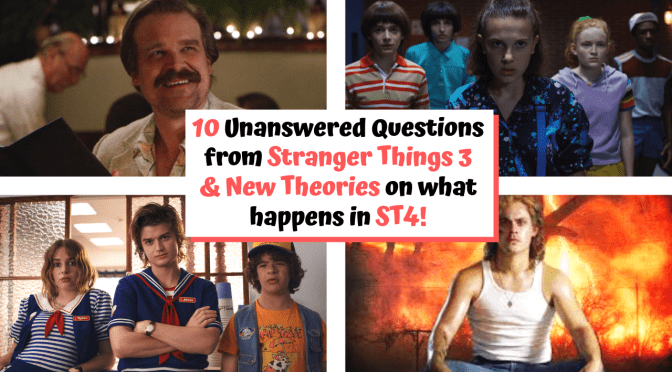



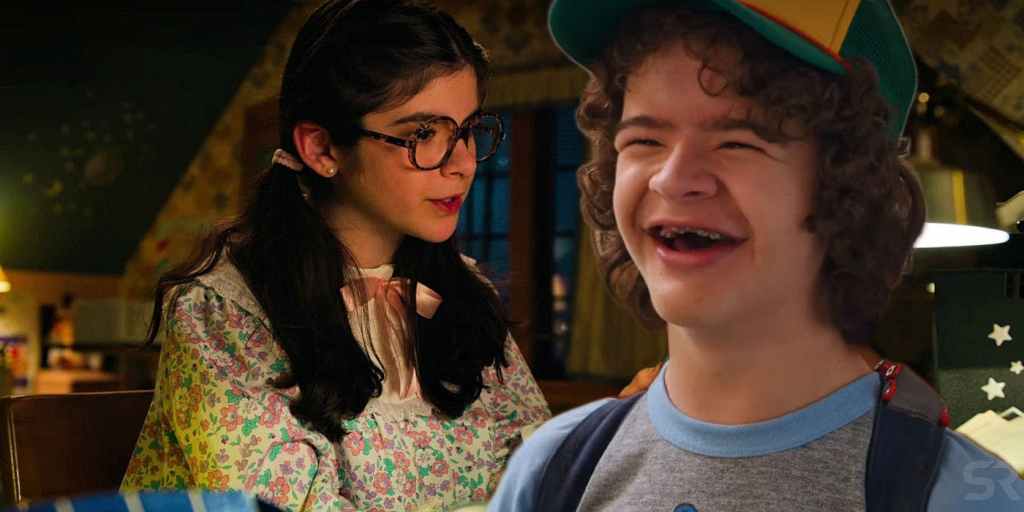





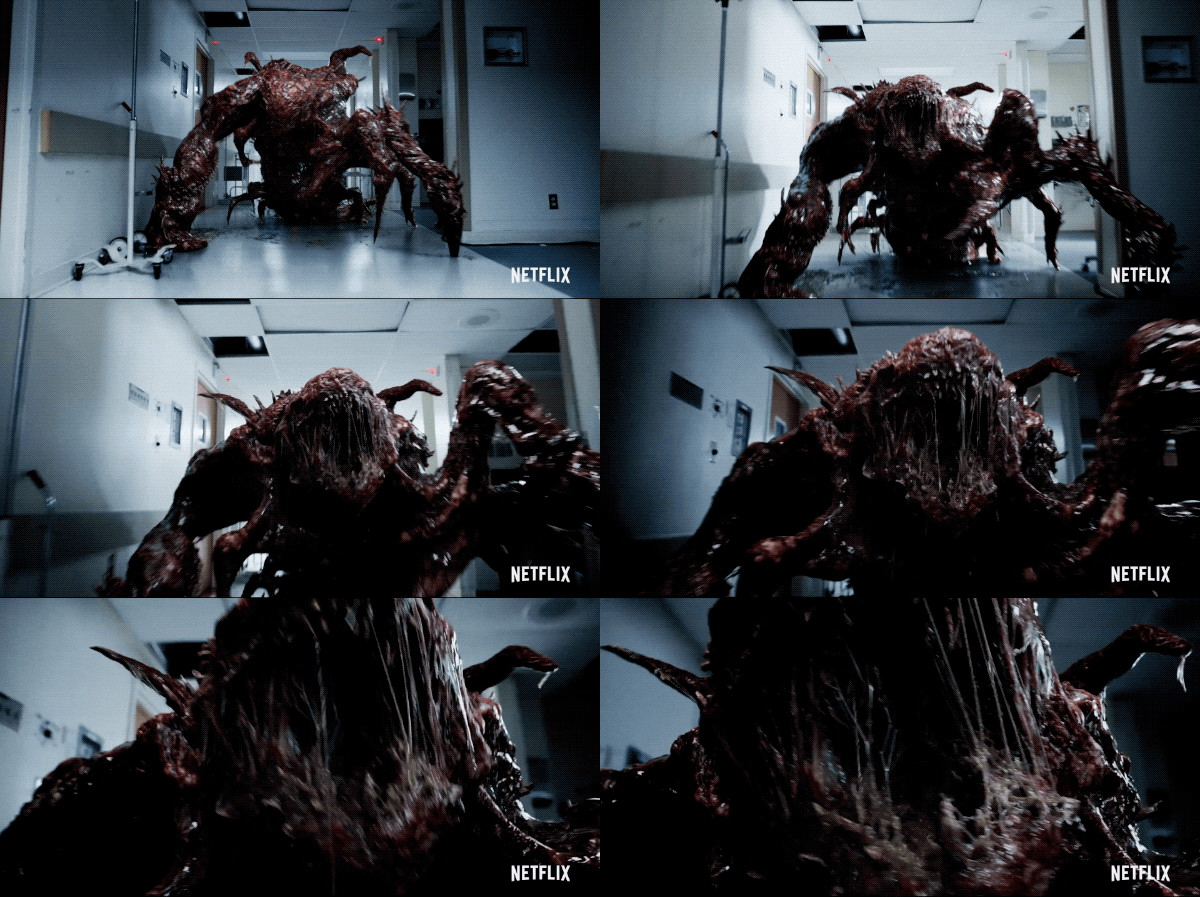


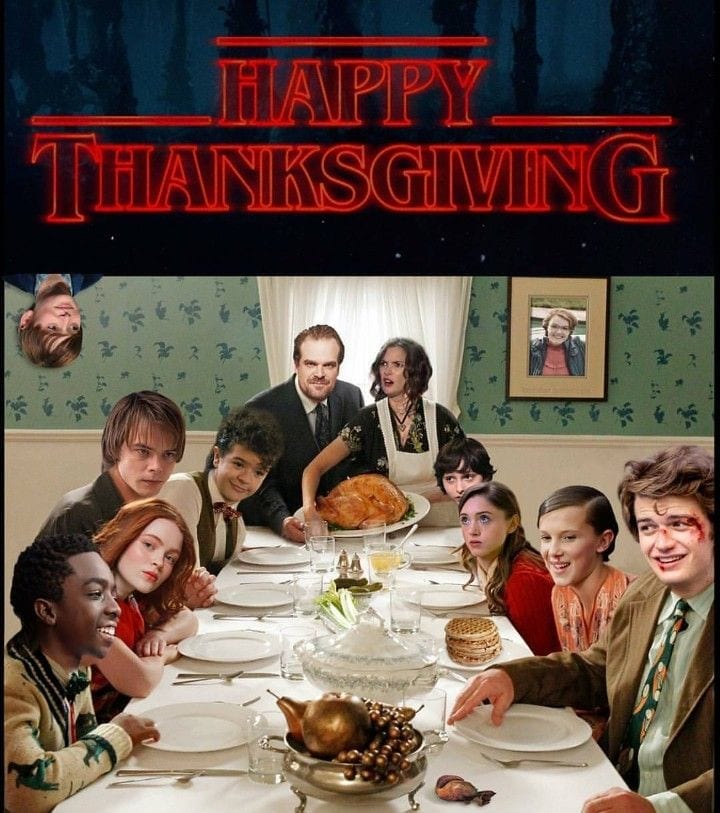

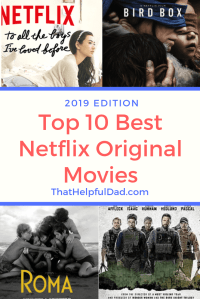




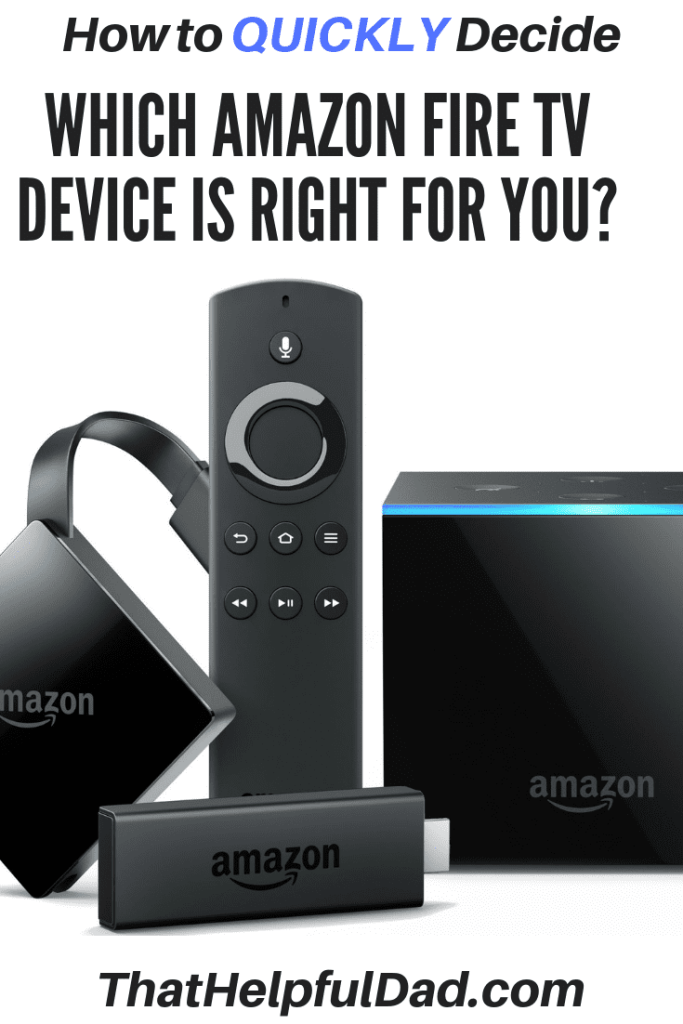



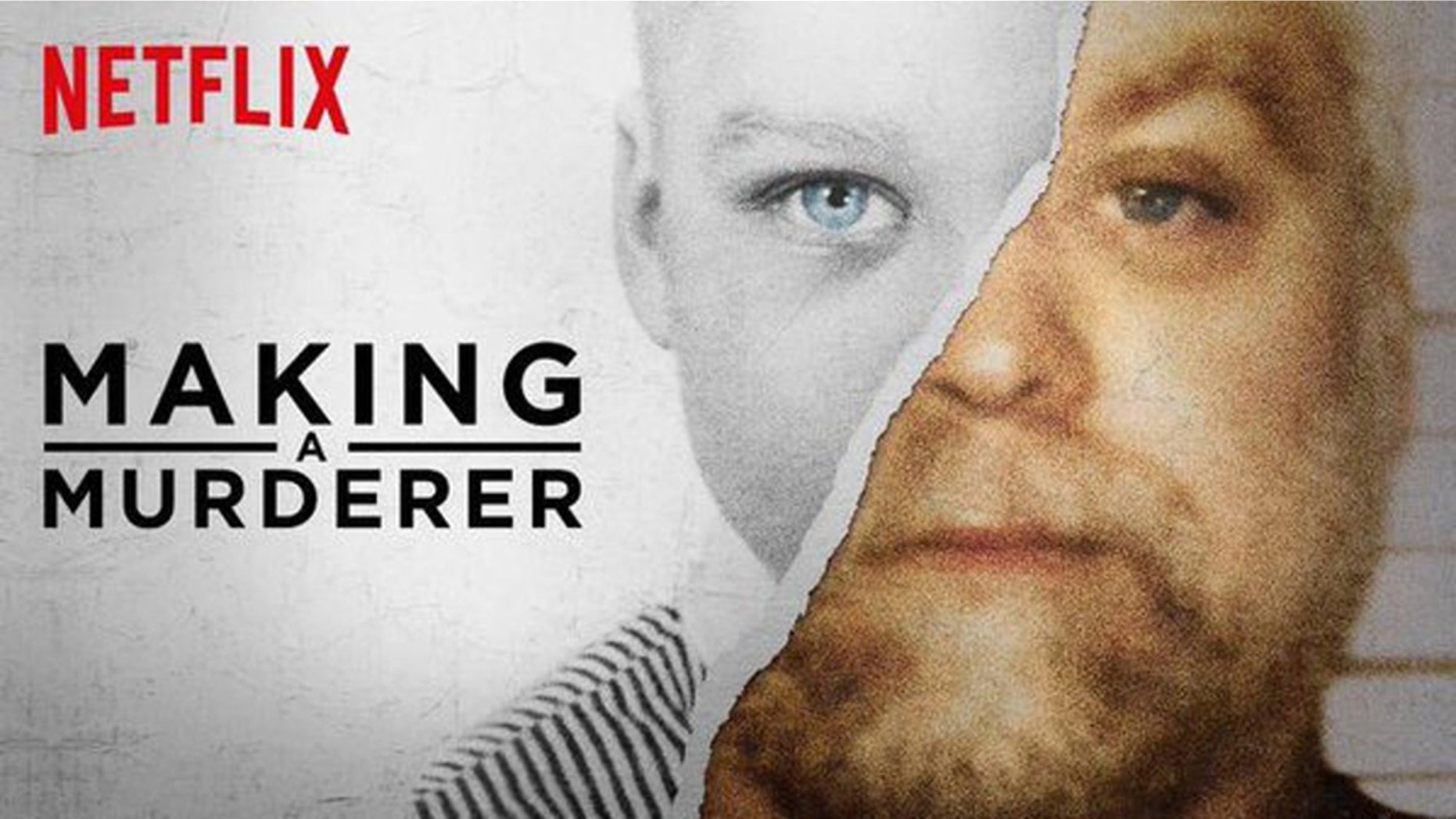
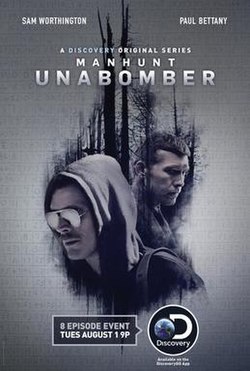

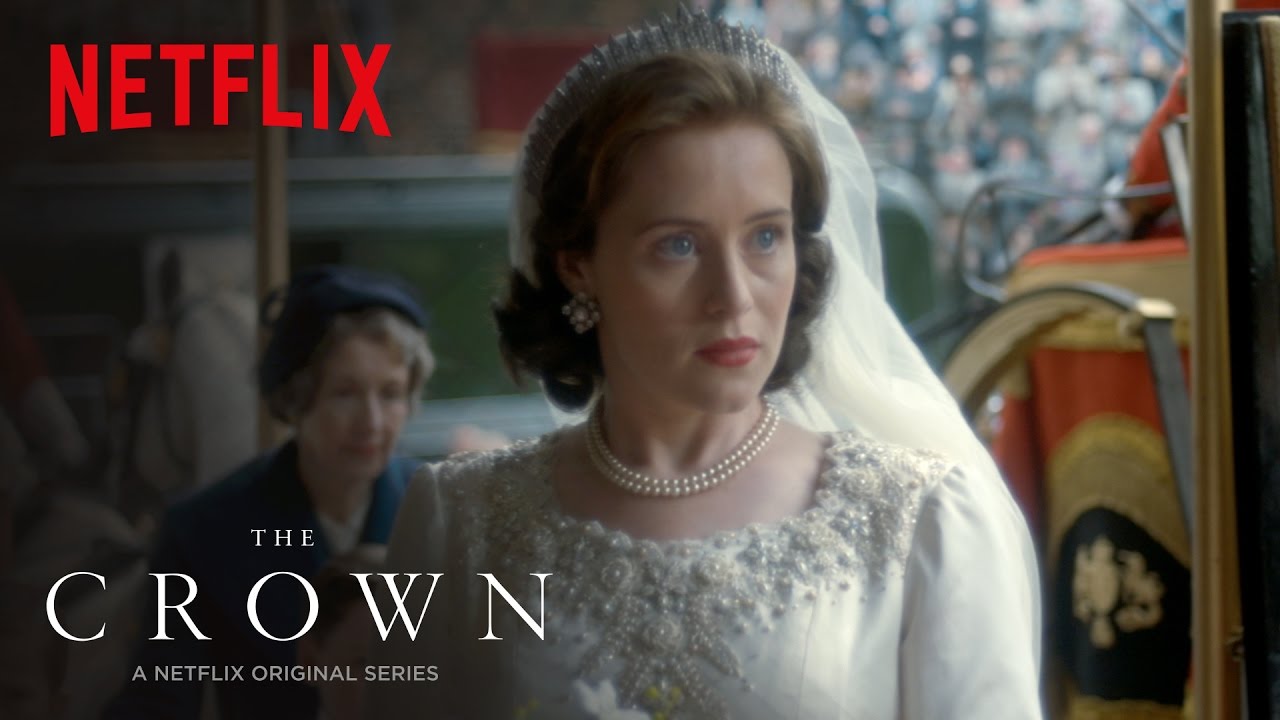




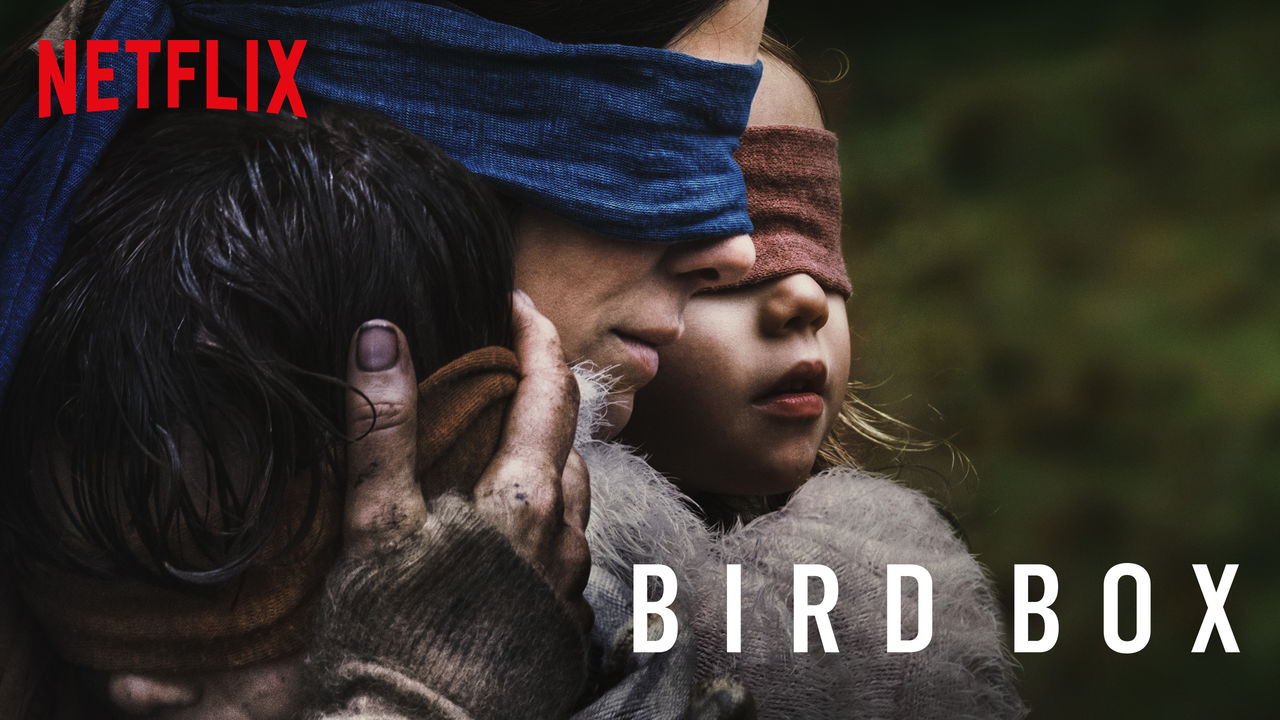
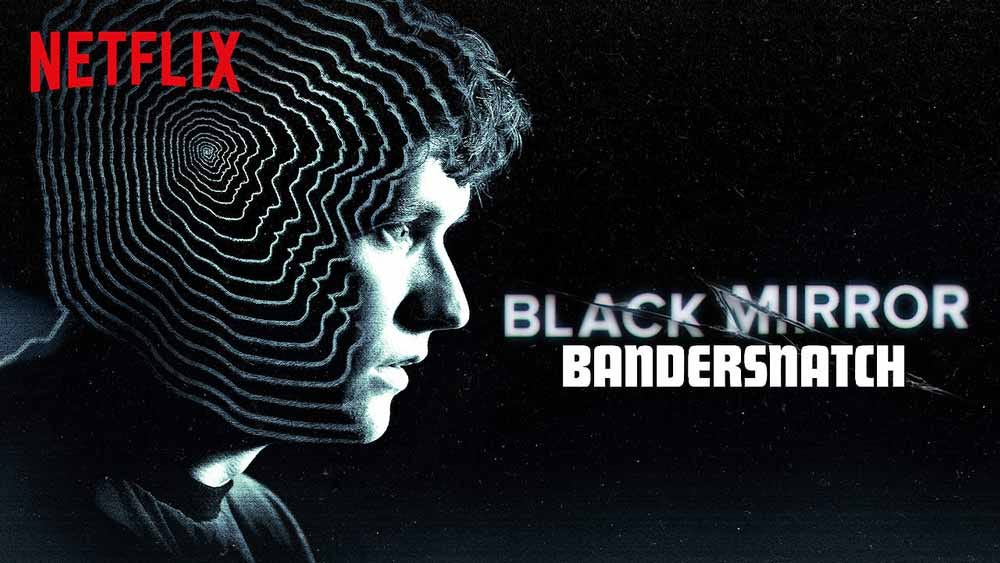
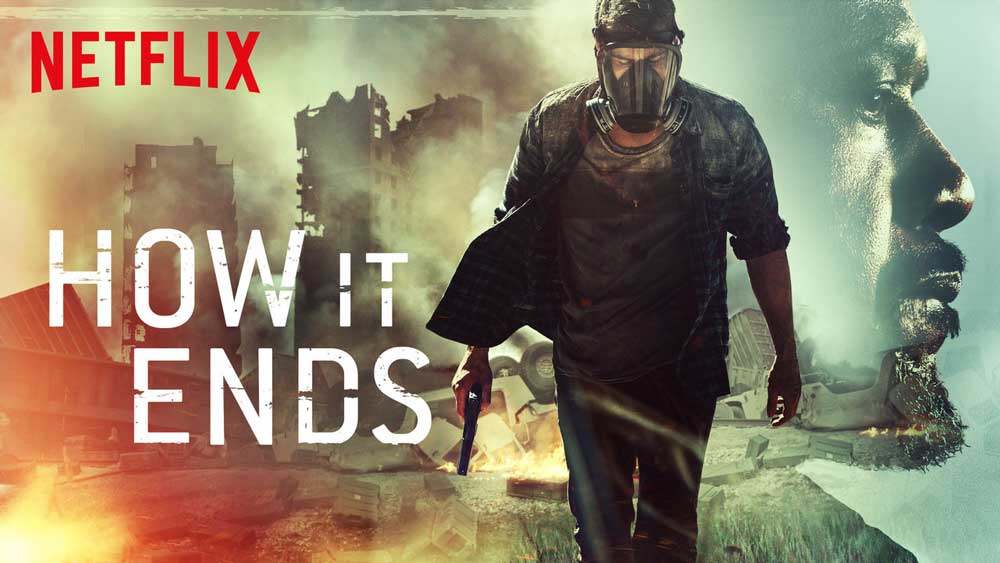























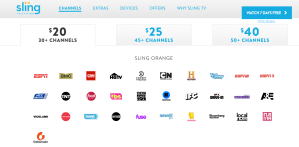
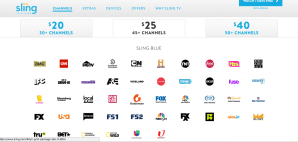
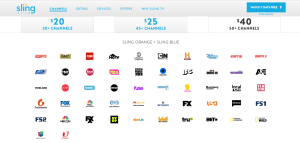

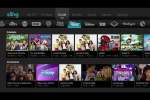

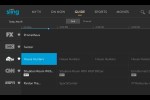




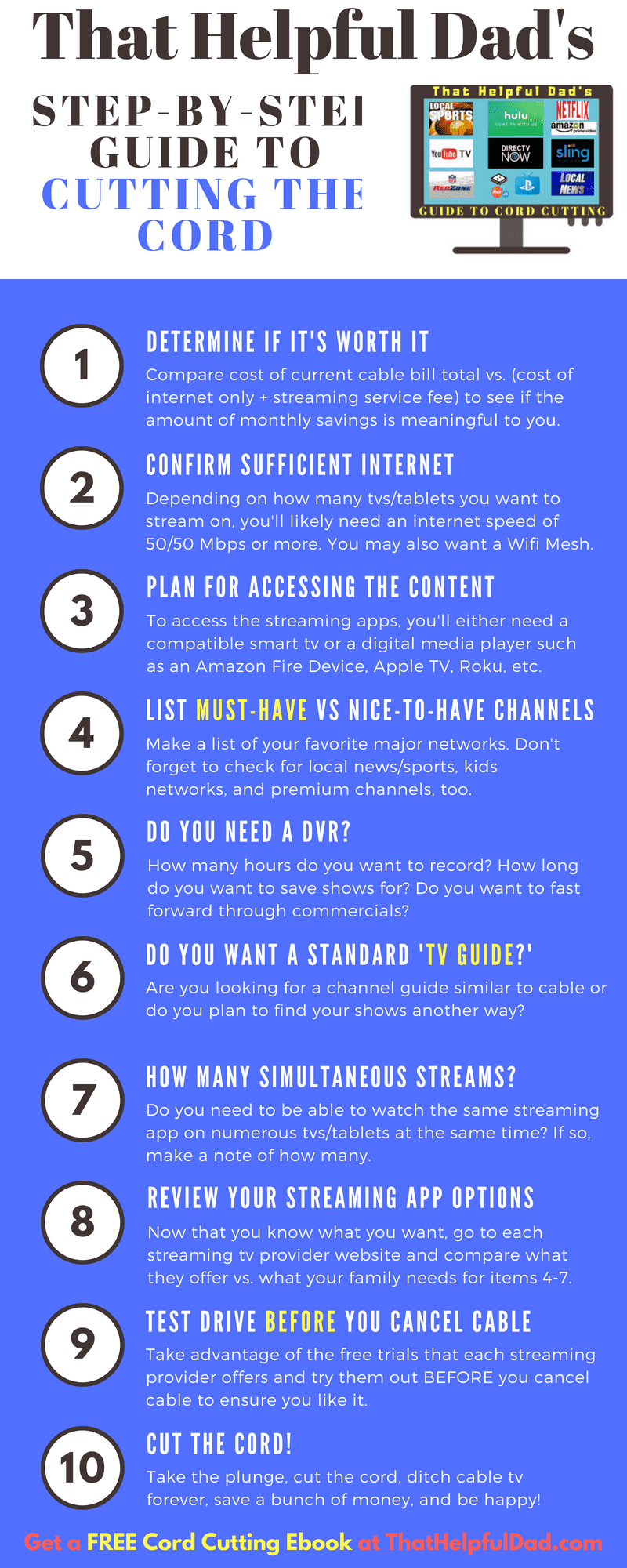

 That Helpful Dad