All posts by ThatHelpfulDad

Pharmaceutical Sales Call – Best Practice Ideas

Pharmaceutical Sales Call Video

In this video I’ll share an example of best practice ideas that you can use to create better interactions in your medical device and pharmaceutical sales calls that will result in more consistent sales.

Purpose of this video

  1. To Give you an example of a typical sales call in pharma/medical sales.
  2. To introduce people new to the industry of what a Rep-Dr Interaction is like.
  3. Help newer reps learn an example of a ‘real world sales method focused on ‘practical solutions.

Note: The Call Method used in this video is “PPAF” (Purpose, Proof, Action, Follow-up). Click here for an in-depth video about the PPAF Method.


Why Listen to Me?

I can help you. Here’s why…

  1. I have over 25+ years of sales (Financial services, pharmaceutical sales, retail, real-estate, medical device sales) with 14 years in Pharma and Med Device Sales.
  2. Consistently beat my sales quotas year after year after year. I am currently on an 8-year run of 100%+ quota achievement with revenue and sales volume growth each year.
  3. Live and breathe sales in the real-world every day as a front-line (AKA customer-interacting) salesperson.
  4. The example I’m showing today is typical of what I do every day and you can do it too.

If you like my tips, be sure to connect with me…


Step 1 of Pharmaceutical Sales Call – The Purpose

Example from video: ““Hey Doc, the reason I’m here today is to discuss how you can use Product X to help Patient Y with Condition Z, is this something you’re interested in discussing?”

Key Points as discussed in the video…

  1. Clear Goal. Roadmap for Call
  2. Pro Tip: Gain agreement for this purpose of visit PRIOR to call
  3. The “Are You Interested?” Question is a form of Trial Close


Pharmaceutical Sales Presentation

Step 2 of Pharmaceutical Sales Call – The Proof

Example from video: “Did you see the article by Bob Evans in the March issue of the New England Journal of Medicine? Dr. Evans conducted a trial about patients with Condition Z and he found that patients who used Product X were able to reduce Condition Z by 35%. What’s your opinion on this research?”

Key Points as discussed in the video:

  1. Source examples: Clinical, Vis Aid, Mobile Device, etc.
  2. When presenting the proof remember to “Be Brief, Be Brilliant, and Be Gone.”
  3. The Proof must be clearly related to the Purpose, you must verbalize that and confirm the customer agrees, and if you do this then you can set up your Action close to follow
  4. Dr. Evans as a “Key Opinion Leader” – “Don’t take my word for it…”
  5. Proof Stumbling Blocks – do you have to be an ‘expert?’ 
  6.  The importance of a dialogue…
    • “What do you think about how this research was set up?”
    • “Are the patients in this trial similar to yours? Why/Why not?”
    • “What are you doing similar/different to Dr. Evans?”
    • “What kind of results are you getting when you use Product X with Patients who have Condition Z?”
    • This Q&A is critical. Discovering Hidden Objections.

Step 3 of Pharmaceutical Sales Call – The Action Close

Example from video: “So Doc, you’ve seen how Dr. Evans is using Product X to treat his patients with Condition Z and you said you’d love to get similar results for your patients too. If that’s true, then is it reasonable to ask you to use Product X with your patients who have Condition Z?”

Key Points discussed in video:

  1. Specific + Easy to Understand + Reasonable = Increase % of “YES”
  2. Specificity works. It’s not rocket science.
  3. Action tracks back to the Proof which tracks back to the Purpose.
  4. Variations on a Theme:
    • “Do you have any patients who have condition Z now? Can we try Product X on them and monitor the results?”
    • “When’s the next time you expect to see a patient with Condition Z? Would you be willing to try Product X to help them?”
    • “Let’s do this – how about the next time you get a patient with Condition Z, you try Product X? Then on my next visit, we can discuss your results and see if you’re getting the same great outcomes as Dr. Evans.”
    • “Keep in mind, I’m here to set you up for success so if you have any questions about the use of Product X, both myself and my medical team are available to help you so you’re never alone in the process.”
  5. Next Level
    • “What do you think about this? How about you trial Product X on your next few patients with Condition Z and we’ll monitor the results. Meanwhile, I also reach out to Dr. Evans and see if he has any availability to meet live with us – I can then work with your group admin to set up an interactive forum discussion on the topic using one of my company’s on-label case study presentations. Would that be of value to you and your team?”

      WHY this works so well…
      A. Continue the ‘key opinion leader’ sales tactic.
      B. Provides further encouragement and support for your customer to proceed down the path you are recommending.
      C. It’s a great value-add proposal.

Pharmaceutical Sales Best Practice


Step 4 of Pharmaceutical Sales Call – The Follow-Up

Example from video: “Ok, Doc, so you said you’d give Product X a trial with your next few patients who have Condition Z and you said you think you’ll have 3-5 patients you can try this approach within the next couple weeks, right? So how about I stop by in two weeks and we see how it’s going? What’s a good time for our next meeting? Would the 14th at 7 am before you see your first patient of the day work? If not, how about the 16th at 4 pm after you finish your hospital rounds?”

Key Points discussed in video…

  1. Importance of Follow-up for Long-Term Success
  2. Why Follow-up?
    • Don’t Drop the Ball.
    • Ensure your new customer has success.
    • Ensure they are a repeat buyer.
    • Then get them to tell their friends too – that’s a much easier path to more sales than always trying to develop new customers from scratch.
    • Your Next KOL? Researcher? Friend?

Pharmaceutical Sales Call Best Practice Summary

Sales Call Model: PPAF

Use this method consistently and…

  1. Watch the quality of your sales interactions increase.
  2. Build better relationships.
  3. Get more consistent sales results

What to read next?

https://thathelpfuldad.com/ppaf-pre-call-planning/

How to Set Up Google Alerts to track stocks, coupons, job openings, and more

Do you know about Google Alerts?

Google Alerts allow you to automatically monitor the web for specific topics that interest you. Rather than you manually searching for your topics, if you set up a Google Alert, then Google will automatically email you whenever the topic is mentioned on the web. It’s easy, it’s convenient, and it works.

Watch the video above or check out the screen shots below and see how easy it is to set up a Google Alert. In the video I will also show you what your options are for customizing the emails you get sent.

In order to set up an alert the first step is to know the web address…

The web address is https://www.google.com/alerts 

Ideas for using Google Alerts

If you want to use it to track your favorite celebrities go for it, but if you wanna go a bit beyond the obvious, here are some other ideas for using Google Alerts:

  1. Track your favorite stocks (if there is an important news item you can make a trade faster)
  2. Track news about yourself (to protect your reputation or just stroke your vanity – haha)
  3. Get news about your home town
  4. Use Google Alerts like a de facto Twitter Feed (get news on a trending story using the ‘as it happens’ option – see screenshot below).
  5. Get new promo or coupon codes as they are released (in the search box add the words ‘and’ plus ‘promo code’ or ‘coupon’ to the alert)
  6. Track job openings for a particular company
  7. And so much more.

If you have an special alert you’ve set up, please share it with the group so we can all learn.

Google Alerts – ScreenShots

Google Alerts
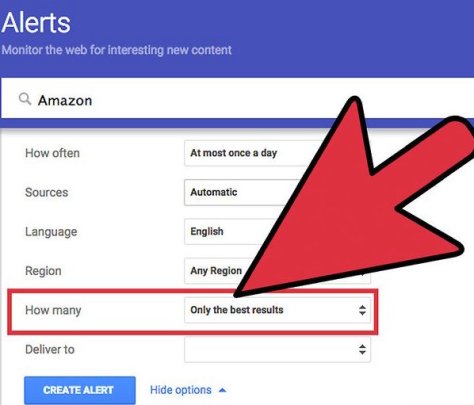
How to set up a Google Alert for Amazon


Google Alert Options
Google Alert Set Up Options
Google Alert Email Example
Example of Google Alert Email
Google Alerts Unsubscribe
How to unsubscribe from Google Alert

That’s for for today. Was this helpful? If so, let me know. Let’s talk again soon.

~Mike, ThatHelpfulDad


Want more tips?

Check out these articles…

https://thathelpfuldad.com/google-rewards-money/

https://thathelpfuldad.com/search-google-by-date-how-to-filter-dates/

https://thathelpfuldad.com/increase-email-response-rates/


Subscribe for FREE GIFTS & More Tips

How to Live Stream LOCAL Sports with DTVN, Sling, Fubu, PS Vue, YouTube TV, and more

Cord Cutters -do you want to be able to stream local sports? I’ll show you which online tv service providers will give you the best access to LOCAL Sports and Regional Sports Networks. You can live stream sports (including your LOCAL teams) and watch sports online with your favorite local teams BUT ONLY if you choose the right streaming service providers.

Did you know that not every online streaming tv service provider gives you LOCAL channels? In this video we’ll review DirecTV Now, Hulu Plus Live TV, Fubu, Philo, Sling TV, PlayStation Vue, and YouTube TV and I’ll show you how to check to see if they offer LOCAL sports in YOUR area. Ready? Let’s go.


Check out our Complete Guide to Cord Cutting here:
1. Essential Guide to Cord Cutting VIDEO: https://www.youtube.com/watch?v=t9k6ZkbyabM&t=5s
2. Essential Guide to Cord Cutting ARTICLE: https://thathelpfuldad.com/cord-cutting-how-stream-live-tv/

Additional Resources:
How to Watch NFL Network and NFL Redzone: https://youtu.be/UY-k_LTifQ0
How to Watch Live Local News: https://youtu.be/9natWVw6hPY
Direct TV Now Review: https://www.youtube.com/watch?v=K1LSntUSn-U&t=33s
Hulu Plus Live TV Review: https://www.youtube.com/watch?v=uxLyfV8Mhrg&t=11s
PlayStation Vue Review: https://www.youtube.com/watch?v=0wA56Q4Sib8&t=19s
Sling TV Review: https://www.youtube.com/watch?v=7hQsDvihkIs&t=13s
YouTube TV Review: https://www.youtube.com/watch?v=ks-qYM-DWTE&t=90s


Subscribe to Our Blog for some Helpful FREE GIFTS – including a free STEP-BY-STEP Guide to Cutting the Cord!

That Helpful Dad’s Blog: https://thathelpfuldad.com/


Follow us on Pinterest:


How to Watch Nick Jr Live Online – A Cord Cutters Guide

Cord Cutters with Kids – do you want to watch Nick Jr online? I’ll show you which online streaming tv service providers will let you watch Nick Jr shows so you can watch Nick Jr Live with your kids. We’ll talk about DirecTV Now, PlayStation Vue, Sling TV, YouTube TV, Hulu, Philo and more. NOT EVERY SERVICE gives you the ability to stream NICK JR live — I’ll show you which ones do so you can watch your favorite Nick Jr shows online.


Check out our Complete Guide to Cord Cutting here:
1. Essential Guide to Cord Cutting VIDEO: https://www.youtube.com/watch?v=t9k6ZkbyabM&t=5s
2. Essential Guide to Cord Cutting ARTICLE: https://thathelpfuldad.com/cord-cutting-how-stream-live-tv/

Additional Resources:
How to Watch NFL Network and NFL Redzone: https://youtu.be/UY-k_LTifQ0
How to Watch Live Local News: https://youtu.be/9natWVw6hPY
Direct TV Now Review: https://www.youtube.com/watch?v=K1LSntUSn-U&t=33s
Hulu Plus Live TV Review: https://www.youtube.com/watch?v=uxLyfV8Mhrg&t=11s
PlayStation Vue Review: https://www.youtube.com/watch?v=0wA56Q4Sib8&t=19s
Sling TV Review: https://www.youtube.com/watch?v=7hQsDvihkIs&t=13s
YouTube TV Review: https://www.youtube.com/watch?v=ks-qYM-DWTE&t=90s


Subscribe to Our Blog for some Helpful FREE GIFTS – including a free STEP-BY-STEP Guide to Cutting the Cord!

That Helpful Dad’s Blog: https://thathelpfuldad.com/


Follow us on Pinterest:


How to Stream Boomerang, Cartoon Network, Disney, & Nick Jr – Cord Cutters Guide

Cord Cutters – in this video I’ll show you which online streaming tv service providers have the best kids channels like Boomerang, Cartoon Network, Disney channels, Nick Jr and more. We’ll review Direct TV Now, Hulu Plus, Philo, PlayStation Vue, Sling, and YouTube TV and talk about ways to save money while still being able to watch your favorite kids channels.

Who should watch this video?
If you’re looking to cut the cord and your kids “need” to be able to watch Boomerang, Cartoon Network, Disney channels, Nick Jr and other Nick channels, then this video is for you.


Editor’s Note: This video is part of our Cord Cutters SERIES of articles.

Be sure to check out our Complete Guide to Cord Cutting here…
1. Essential Guide to Cord Cutting VIDEO on YouTube:

2. View the ARTICLE version on this blog: Essential Guide to Cord Cutting


Additional Video Resources:
Direct TV Now Review: https://www.youtube.com/watch?v=K1LSntUSn-U&t=33s
Hulu Plus Live TV Review: https://www.youtube.com/watch?v=uxLyfV8Mhrg&t=11s
PlayStation Vue Review: https://www.youtube.com/watch?v=0wA56Q4Sib8&t=19s
Sling TV Review: https://www.youtube.com/watch?v=7hQsDvihkIs&t=13s
YouTube TV Review: https://www.youtube.com/watch?v=ks-qYM-DWTE&t=90s

Subscribe to Our Blog for some Helpful FREE GIFTS:
That Helpful Dad’s Blog: https://thathelpfuldad.com/

Follow us on Pinterest:

What is Amazon Treasure Truck? A Fun New Way to Shop on Amazon

Do you know about the Amazon Treasure Truck?

If not, this video will introduce you to Amazon Treasure Truck, find out if the Treasure Truck is in your city yet, tell you how to sign up for it, what types of things you can buy on the Treasure Truck, and give you other fun tips.

Amazon describes the Treasure Truck as follows:

“At Treasure Truck, we hand-pick our favorite new, trending, local, or delicious items, load them on the Truck, then cruise around town spreading joy for everyone with a smartphone and an appetite for fun. Every time you swing by the Truck, you’ll find something new to enjoy, like games, giveaways, tasty treats, and other surprises.”


Here’s the link to check if YOU can sign up for the Treasure Truck…

Amazon Treasure Truck


12 Proverbs That Will Make Your Life Better – The Wisdom of Solomon

Proverbs – The Wisdom of Solomon

Proverbs is one of my favorite books in The Bible – it’s filled with the Wisdom of Solomon and I’ve written numerous articles about all the great wisdom tidbits from this book that you can use to live a Legacy Life.

Today I thought we’d try something new – A Picture Essay that shares The Wisdom of Solomon and Proverbs. For each picture, I’ll provide one quote from Proverbs and where applicable a link for further reading on the topic.

Editor’s Note: This article will expand over time as I add more pictures to the essay so be sure to bookmark this page and check back often.


Proverbs 16:3

Proverbs 16:3 “Commit to the Lord whatever you do and your plans will succeed.”

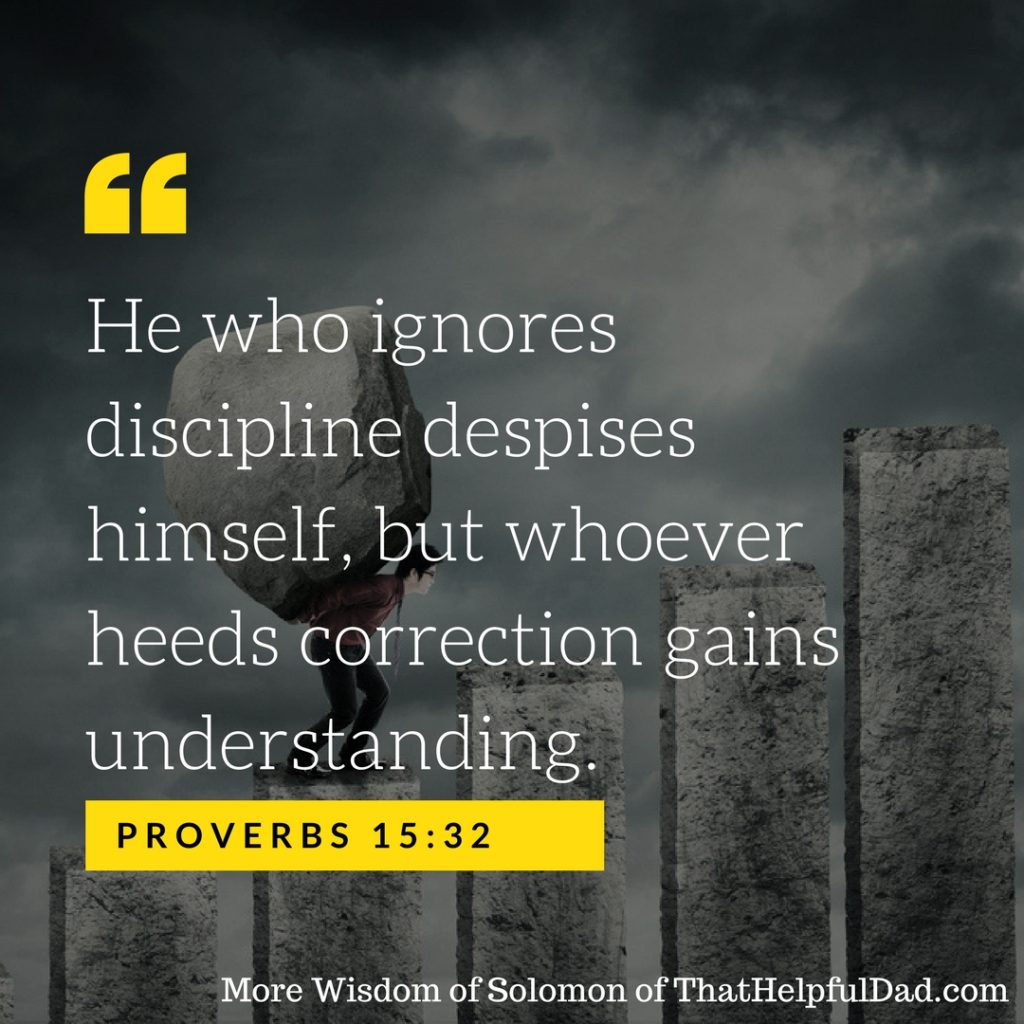
Proverbs 15:32

Proverbs 15:32 “He who ignores discipline despises himself, but whoever heeds correction gains understanding.”

Read more: https://thathelpfuldad.com/being-disciplined-now-can-lead-to-good-things-later-if-you-learn-from-it/

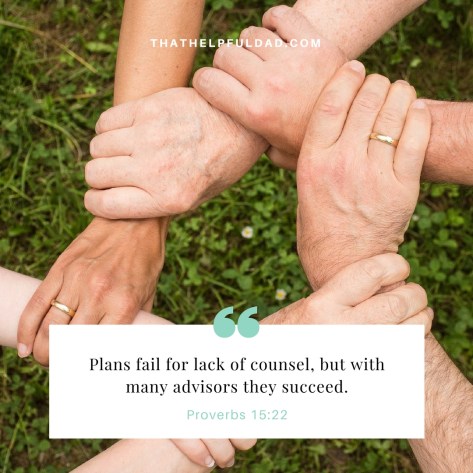
Proverbs 15:22

Proverbs 15:22 “Plans fail for lack of counsel, but with many advisors they succeed.”

Read more: https://thathelpfuldad.com/the-value-of-advice/

Proverbs 16:9

Proverbs 16:9 “In his heart a man plans his course, but the Lord determines his steps.”

zeal without knowledge

Proverbs 19:2 “It is not good to have zeal without knowledge, nor to be hasty and miss the way.”

Read more: https://thathelpfuldad.com/you-cant-rush-greatness/


Do you Enjoy the Wisdom of Solomon?

Click this pic to see all my feature articles based on the wisdom of Solomon…

Solomon's Wisdom


Proverbs 12:11

Proverbs 12:11 “He who works his land will have abundant food, but he who chases fantasies lack judgement.”

Better to be a nobody with a servant

Proverbs 12:9 “Better to be a nobody with a servant than pretend to be somebody and have nothing.”

Read more: https://thathelpfuldad.com/king-solomons-tips-on-money-management-part-1/

pride goes before a fall

Proverbs 16:18 “Pride goes before destruction, a haughty spirit before a fall.”

Proverbs 9:9

Proverbs 9:9 “Instruct a wise man and he will be wiser still.”

Read more: https://thathelpfuldad.com/where-do-you-find-wisdom/

Proverbs 17:17

Proverbs 17:17 “A friend loves at all times, and a brother is born for adversity.”

Read more: https://thathelpfuldad.com/how-to-make-more-friends/

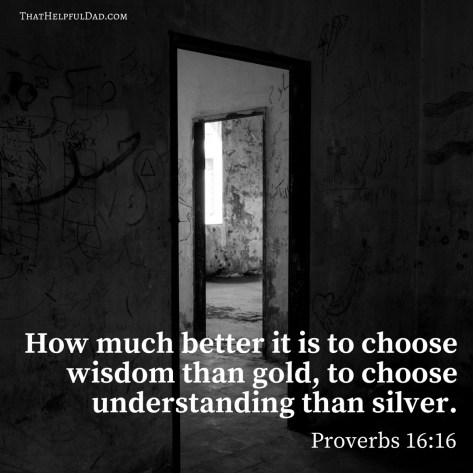
Proverbs 16:16

Proverbs 16:16 “How much better it is to choose wisdom than gold, to choose understanding than silver.”

Read More: https://thathelpfuldad.com/get-wisdom-get-wealth-the-solomon-series/

Proverbs 18:2

Proverbs 18:2 “A fool finds no pleasure in understanding, but delights in airing his own opinion.”


More about Proverbs and the Wisdom of Solomon

https://thathelpfuldad.com/the-purpose-of-proverbs-to-help-you-make-the-world-a-better-place/

Enjoy This Wisdom?

How to Use Google Flights – Cool Features vs Other Travel Sites

Google Flights – What is it?

Google Flights is a travel booking service like Expedia, Kayak, etc but Google Flights has some cool features that make it convenient to use. In this video I will show you how to use Google Flights and discuss the bonus features Google Flights offers that make booking your travel more convenient with Google Flights.

Google Flights – Screenshot Samples

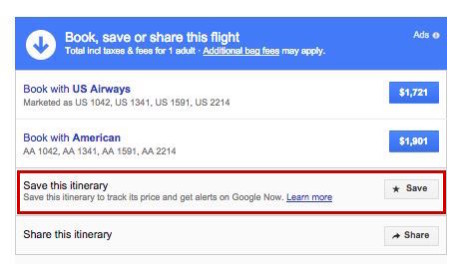
Google Flights Save Itinerary
You can save your search for later
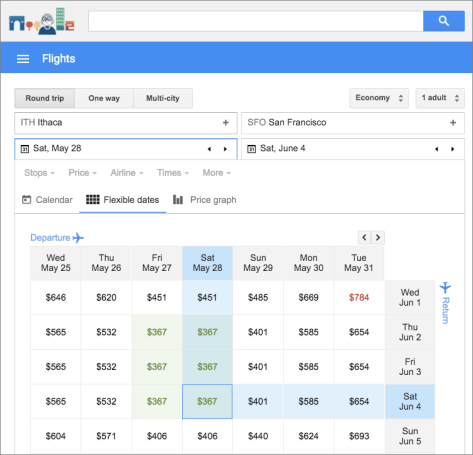
Cool Feature – see alternate prices on different dates
Flexible Dates vs Price View

Google Flights – What’s the bottom line?

Google Flights is my new go-to travel booking site. It has lots of great features, is easy to use, and offers me numerous ways to find the best price for my travel options – especially if my dates are flexible. Give Google Flights a try and let me know what you think.


Want more Quick Tips?

https://thathelpfuldad.com/google-rewards-money/

https://thathelpfuldad.com/quick-tips-google-keep-speech-text-tool-youve-looking/

https://thathelpfuldad.com/product/google-wifi/

How to Create Your Child’s Dream Book

Does your child have a Dream Book?

One of the things that is so magical about children is their sense of adventure and imagination; their imagination is without limitations. They come up with the wildest and spirited dreams and goals for themselves. Highlight their sense of adventure in this fun, literary, and historical activity by helping them create their own Dream Book.

Creating a Dream Book is a great way to spend some quality time with your child. For more fun and engaging reading and writing activities, visit my friends at Education.com who submitted this idea to us.

How to Create a Dream Book

Creating a Dream Book  – What You Need:

  1. Paper
  2. Pencil
  3. Stapler

That’s it? Yup, nobody said it had to be hard. Gather your supplies and let’s focus on building that Dream Book.

Creating a Dream Book – What To Do:

The process of building a Dream Book is not hard. It starts with getting your child talking – once they begin to open up, their dreams will emerge. Here are some ideas to get the conversation started…

  • Talk with your student about her values. Which values does she treasure the most? Loyalty? Caring for others? Intelligence? Generosity?
  • What would she like to see in the world in the future (specifically, non-materialistic things)? World peace? People caring for one another? Different people having fun together?

Have her write down her answers to create a book of her dreams for her future. This is the core of the Dream Book process and capturing her dreams on paper will not only create a keepsake that you will both treasure, but it’s the first step to empowering your child to turn her dreams into reality.

Dream Book Ideas


Dream Book Discussion Starter Example

Discussion: Talk about Martin Luther King Jr.’s “I Have a Dream” speech.

  • What was it about?
  • Are there any things your student’s dreams have in common with the speech?
  • Why was it important?
  • How did Martin Luther King Jr. turn his dreams into a reality. How can your child do the same?

Dream Book Enrichment/Variations/Modifications:

Your child’s Dream Book is only limited by their imagination – which means it has NO limits. But if you need a bit of help, consider the following ideas…

  • Talk about different dreams (goals and achievements) that people have. What do those dreams tell you about what kinds of values they treasure? What does your child treasure?

The possibilities are endless. But what isn’t endless is time – so don’t wait, get started on helping your child create their own Dream Book today!


A Message from That Helpful Dad

This article is from my friend’s at Education.com. As you know I’ve written multiple articles about the importance of having a plan to help you reach your dreams and spend more time on your Legacy Life goals. Since this article focuses on helping your child identify and achieve their dreams, I’m pleased to share it with you because it fits well with the goals of our website – it’s a great example of a practical solution to one of life’s little problems.

More about Today’s Contributor:
Education.com aims to empower parents, teachers, and homeschoolers to help their children build essential skills and excel. With over 12 million members, Education.com provides educators of all kinds with high-quality learning resources, including worksheets, lesson plans, digital games, an online guided learning platform, and more.

That Helpful Dad’s favorite things about Education.com:
We enjoy the interactive stories and activity sections. What do you like best?

How to download KINDLE notes and highlights to PDF or Print (2019)

Download Kindle Notes Article Summary

In this article I’ll show you how find your Kindle Notes, Highlights and Bookmarks and then how to download Kindle notes and highlights for each book in your Kindle book library to your computer. It’s quick. It’s easy. It works. After you download your Kindle notes and highlights, then you can print them or save them as PDF.

[lwptoc]
Download Kindle Notes

IMPORTANT: Save This Link!

By far the easiest way to export, download, and print your Kindle notes is by using a direct link to YOUR personal notes and highlights.

You can use this link to access your notes via your desktop or mobile device WITHOUT having to connect your Kindle.

Here is how to get YOUR link to download Kindle Notes (be sure you are signed in to Amazon)…

https://read.amazon.com/notebook

How to Download & Print Kindle Notes – The Video

So now that you have the link to download Kindle Notes, what do you do with it?

The easiest way for me to show you how to download and print your Kindle notes and highlights is actually with a video so check out this helpful video from our YouTube Channel…

If you watched the video you should now know how to easily export, download or print your Kindle notes. But if you want to know more about Kindle Notes and Highlights, keep reading…

What are Kindle Notes and Highlights?

If you need a basic refresher on Kindle Notes and Highlights these tips can help you.

First off, did you know Amazon has a great resource page to learn more on this topic?

Did you also know? You can add or remove bookmarks, highlights, and notes at any location in a Kindle book or personal document. Here’s how…

How to Manage Kindle Bookmarks

1. How to add a Kindle Bookmark:
Tap the top-right corner of the screen to show the Bookmark icon, and then tap + in the dialog box that appears. The Bookmark icon turns black when the page has been bookmarked.

2. How to view your Kindle bookmarks:
Tap the top-right corner of the screen to show the Bookmark icon. Tap a bookmark from the list to see a preview of that location in the book. You can tap the preview window to go to that location in the book.
Remove a bookmark: Tap the top-right corner of the screen to show the Bookmark icon, select the desired bookmark, and then tap x to remove the bookmark.

How to manage Kindle Highlights

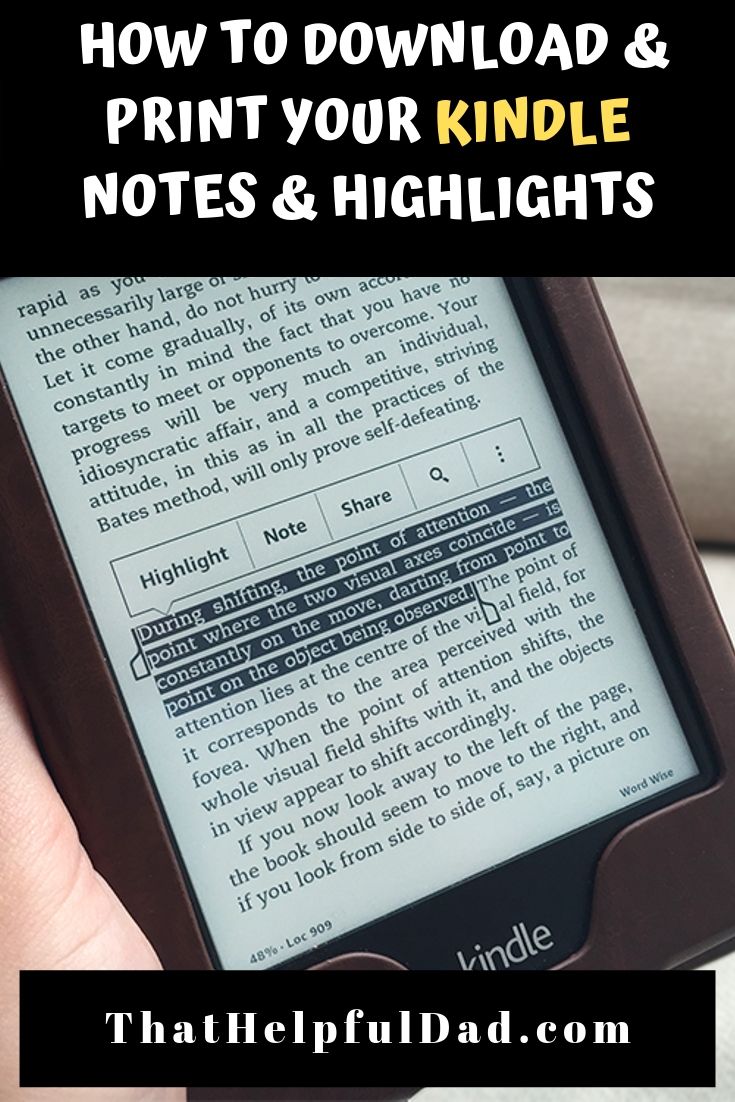
Kindle Note

1. How to add a Kindle highlight:
Press and drag to highlight the desired text, and then tap Highlight. To highlight multiple pages, press and drag the desired text to the bottom-right corner of the screen and the page will turn. The highlight will automatically continue to the first period on the next page.

Pro Tip: You can drag the handles at the start or end of the highlighted text to edit your selection before you tap Highlight. Handles only appear when you have selected two or more words for most device languages.

2. How to remove a Kindle highlight:
Press and hold a word in the highlighted area, tap More, and then tap Delete.

3. How to view your Kindle highlights:
Tap the top of the screen to show the reading toolbar, tap Go To, and then tap the Notes tab.
Tap the Yours tab to view notes and highlights that you created. Tap a note or highlight to go to that location in the book.

How to Manage Kindle Notes

You can add, view, edit or remove notes at any location in a Kindle book or personal document.

1. How to add a Kindle Note:
Press and hold a word or press and drag to highlight the desired text. If you selected a word, tap More, tap Add Note, and then type your desired text. If you selected a phrase, tap Add Note, and then type your desired text. Tap Save to create your note.

2. How to edit a Kindle Note:
Tap the number where the note appears, and then tap Edit Note.
Make your desired changes, and then tap Save.

3. How to remove a Kindle Note:
Tap the number where the note appears, and then tap More.
Tap Delete Note.

4. How to view Kindle Notes:
Tap the top of the screen to show the reading toolbar, tap the Menu icon, and then tap Notes. Tap Yours to view the notes and highlights that you created. You can type a note or highlight to go to that location in the book.

How to see Popular Highlights from Other People

Did you know? Amazon displays Popular Highlights and Public Notes by combining highlights and notes of all Kindle customers and identifying passages with the most highlights and notes.

1. How to turn on Popular Highlights or Public Notes:
Tap the Menu menu icon and then tap Settings.
Tap Reading Options and then tap Notes & About This Book.
Next to Popular Highlights or Public Notes, tap Off. The switch will moves to the On position.
When reading, highlights people have frequently selected will appear.

2. How to view a list of Popular Highlights or Public notes:
While reading, tap the top of your screen to show the reading toolbar.
Tap Go To, and then tap the Notes tab.
Tap the Popular tab to view Popular Highlights or tap the Public tab to view Public Notes.


How to find YOUR Kindle Notes and Highlights

Remember, use this link to find YOUR personal Kindle Notes and Highlights:

https://read.amazon.com/notebook 

My Favorite Kindle and Accessories

In order to download Kindle Notes you first have to actually have a Kindle! 🙂

I have multiple Kindles, my favorites are the Kindle Paperwhite and the basic Kindle. I’m also including some recommended covers and power adapters. Here are the current links and prices for all of them…

[amazon bestseller=”kindle e-reader” items=”3″]

[amazon bestseller=”Kindle Covers” items=”3″][amazon bestseller=”Kindle Power Adapters” items=”3″]

More Helpful Tips