Tag Archives: microsoft

How to use an AI “Alert” Agent to Stay Up to Date on your Market Intelligence

We can leverage the Google ecosystem – specifically Google Alerts and Gemini AI – to build your own “Market Intelligence Gathering Agent” for staying informed about the market we are interested in – in this example pharma sales.

The Goal: To establish a system using Google tools to monitor and summarize publicly available information relevant to your market, delivering key insights, with automation where possible.

Step-by-Step Guide Using Google Alerts and Gemini:

  1. Define Your Intelligence Needs: Identify the key areas you need to monitor:
    • Competitor Activities
    • Policy Updates
    • Market Trends
  2. Set Up Google Alerts for Automated Monitoring: Google Alerts allows you to receive email notifications whenever new results match your search queries. This introduces a level of automation.
    • Go to https://www.google.com/alerts.
    • Create alerts for your key intelligence areas. Use specific keywords. Examples:
      • Competitor Activities: "PharmaCorp" AND "Xylo" AND (clinical trial OR approval OR marketing)
      • Policy Updates: reimbursement "rheumatoid arthritis", "FDA" AND "guidance" AND [Therapeutic Area]
      • Market Trends: "emerging trends" AND "[Therapeutic Area]", "KOL insights" AND "[Therapeutic Area]"
    • Configure the alerts to your desired frequency (e.g., “as-it-happens,” “daily,” “weekly”), sources, and delivery method (your Gmail).
  3. Leveraging Gemini for Summarization (When Alerts Arrive): When you receive a Google Alert email with relevant articles, you can use Gemini to quickly summarize the key information.
    • Open Gemini (https://gemini.google.com/).
    • You have a couple of options:
    • Use prompts like:
      • “Summarize the key takeaways from this article regarding [topic].”
      • “What are the implications of this policy update for the market of [Therapeutic Area]?”
      • “Extract the main points about [Competitor Product]’s latest clinical trial results from this text.”
  4. Share Insights via Google Workspace (Gmail, Google Chat): Once Gemini provides a summary, you can easily share it with your team using Gmail or Google Chat.
    • Gmail: Forward the Google Alert email with your Gemini summary or key takeaways.
    • Google Chat: Paste the summary into a relevant team chat room with your analysis.

Example Workflow:

  1. You set up a Google Alert for "New Phase III results" AND "NovoCure" AND "glioblastoma".
  2. You receive an email alert with a link to a press release about NovoCure’s latest trial data.
  3. You copy the text of the press release and paste it into Gemini with the prompt: “Summarize the key findings of this press release regarding NovoCure’s Phase III trial in glioblastoma.”
  4. Gemini provides a concise summary of the trial results.
  5. You share this summary with your neurology sales team via Google Chat, adding your perspective on its potential impact.

Comparing Google vs Microsoft for automation

With Google Alerts, the system proactively sends you information based on your defined keywords, rather than you having to manually initiate a search each time with Microsoft Copilot.

However, the summarization and sharing steps still involve some manual interaction with Gemini and Google Workspace tools.

Limitations and Advantages (Google):

  • Advantage: Automated Information Gathering: Google Alerts provides a continuous stream of potentially relevant information without manual prompting.
  • Limitation: You still need to manually review alerts and use Gemini for summarization.
  • Advantage: Gemini is specifically designed for conversational AI and text summarization, potentially offering more nuanced summaries than a general-purpose AI in a search context.
  • Advantage: Seamless integration with the Google Workspace ecosystem for sharing.

Getting Started:

  1. Identify your key market intelligence areas.
  2. Set up relevant Google Alerts. Experiment with different keywords and alert settings.
  3. Familiarize yourself with using Gemini for summarizing text.
  4. Establish a communication channel in Google Chat or a distribution list in Gmail for sharing market intelligence.

By combining the proactive monitoring of Google Alerts with the summarization power of Gemini, you can build a robust market intelligence gathering system within the Google ecosystem.

What market intelligence area will you set up a Google Alert for today?
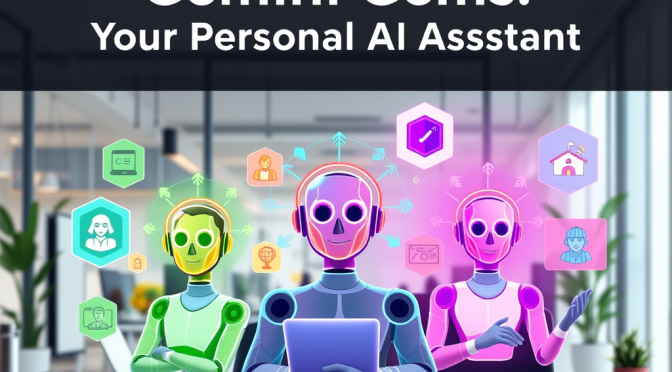
Gemini Gems: Your Personal AI Assistant – How It Stacks Up Against ChatGPT & Copilot

Introduction

Artificial intelligence is evolving rapidly, and Google’s Gemini has introduced a powerful new feature called “Gems”—customizable AI agents designed to assist with specific tasks. But what exactly are Gems, and how do they compare to other AI agents like ChatGPT’s GPTs or Microsoft Copilot’s plugins?

In this guide, we’ll break down:
What Gemini Gems are and how they work.
How Gems compare to other AI assistants.
Pros & cons of using Gems vs. alternatives.
How to use a Gem (even if you’re not tech-savvy).
3 real-world use cases for everyday users.

Let’s dive in!


What Are Gemini Gems?

Gemini Gems are specialized AI agents within Google’s Gemini (formerly Bard) that can be tailored for different roles—like a personal tutor, fitness coach, or travel planner. Think of them as mini AI assistants that focus on one job exceptionally well.

How Do Gems Compare to Other AI Agents?

FeatureGemini GemsChatGPT’s GPTsMicrosoft Copilot Plugins
CustomizationPre-set roles (limited user tweaking).Fully customizable (users can build GPTs).Limited (mostly Microsoft app integrations).
Ease of UseSimple, no coding required.Requires some setup for custom GPTs.Plugins work automatically in Microsoft apps.
IntegrationWorks best with Google apps (Docs, Gmail).Connects with third-party tools via API.Deep Microsoft 365 integration.
CostFree (for now, may change).Free & paid (GPT-4 Turbo required for best results).Free with Microsoft account.

Pros & Cons of Gemini Gems

Pros:

  • Super simple to use—just pick a Gem and go.
  • Optimized for Google Workspace (Docs, Sheets, Gmail).
  • Free (unlike some advanced ChatGPT features).

Cons:

  • Less customizable than ChatGPT’s GPTs.
  • No third-party plugin support (yet).
  • Still in early stages (fewer Gems available).

How to Use a Gemini Gem (Step-by-Step)

  1. Go to Gemini’s website (sign in with Google).
  2. Click on “Gems” in the sidebar.
  3. Choose a pre-built Gem (e.g., “Writing Assistant,” “Fitness Coach”).
  4. Start chatting! The Gem will adapt to your needs.

(No coding or setup required—perfect for non-techies!)


3 Practical Use Cases for Gemini Gems

1. Writing & Editing Assistant

📌 Use Case: Need help drafting an email, blog post, or resume? The “Writing Gem” can refine your text, suggest improvements, and even adjust tone (professional, casual, etc.).

🔗 Try it: Gemini Writing Assistant

2. Fitness & Meal Planning

📌 Use Case: Want a personalized workout or diet plan? The “Fitness Gem” can generate exercise routines, healthy recipes, and even track progress.

🔗 Try it: Gemini Fitness Coach

3. Travel Planner

📌 Use Case: Planning a trip? The “Travel Gem” can suggest destinations, book flights (via Google Flights), and create itineraries.

🔗 Try it: Gemini Travel Planner


Final Verdict: Are Gemini Gems Worth It?

Best for: Google power users who want quick, no-fuss AI help.
Not ideal for: Developers or those needing deep customization.

👉 Prefer more control? Try ChatGPT’s GPTs.
👉 A Microsoft fan? Use Copilot in Office apps.


What’s Next for Gemini Gems?

Google is likely to expand Gems with more customization and third-party integrations. For now, they’re a simple, free alternative to pricier AI tools.

Have you tried Gemini Gems? Share your experience in the comments! 🚀

🔗 Learn more:


Liked this article? Subscribe for more AI insights! 📩

(Let us know which AI assistant you prefer—Gemini, ChatGPT, or Copilot!)

AI Agents Explained: Your Personal Digital Assistants – What They Are & Why You Should Use One

Introduction

Imagine having a 24/7 assistant that can draft emails, plan vacations, analyze data, or even tutor your kids—all without needing a coffee break. That’s the power of AI agents, the next big leap in artificial intelligence.

But what exactly are AI agents? Are they just for tech experts, or can everyday people use them too? In this guide, we’ll break down:
What AI agents are and how they work.
Why people use them (hint: they save tons of time).
Whether non-techies can benefit (spoiler: yes!).
How hard they are to set up.
The best AI agents right now (and why they stand out).
Real-world use cases for work and life.

Let’s dive in!


What Are AI Agents?

An AI agent is a program that can autonomously perform tasks based on goals, data, and user input. Unlike basic chatbots (which just answer questions), AI agents can:
Take actions (e.g., book flights, send emails).
Learn from interactions (improving over time).
Work across apps (like a human assistant).

Types of AI Agents

TypeWhat It DoesExample
Simple ChatbotsAnswers questions, no actions.Basic ChatGPT (GPT-3.5).
Task-Specific AgentsHandles one job (e.g., scheduling).Google’s Gemini Gems.
Autonomous AgentsMulti-step workflows (e.g., research).AutoGPT, BabyAGI.
Enterprise AgentsBusiness automation (data, CRM).Microsoft Copilot for Sales.

Why Do People Use AI Agents?

  1. Save Time – Automate repetitive tasks (emails, data entry).
  2. Boost Productivity – Get instant research, coding help, or content ideas.
  3. Personalization – Agents adapt to your needs (e.g., fitness plans).
  4. Cost-Effective – Cheaper than hiring human assistants.

Example: A real estate agent uses an AI to draft property listings, schedule showings, and answer client FAQs—freeing up hours every week.


Can Non-Techies Use AI Agents?

Yes! Many modern AI agents are designed for easy, no-code setups.

How Complicated Is Setup?

Agent TypeDifficultyNotes
Pre-built (e.g., Gemini Gems, ChatGPT GPTs)⭐ (Easy)Just click and use.
Customizable (e.g., AutoGPT)⭐⭐⭐ (Advanced)Requires some tech know-how.
Enterprise (e.g., Salesforce AI)⭐⭐ (Moderate)Needs initial setup by IT.

For beginners, tools like Google’s Gems or ChatGPT’s GPT Store are the best starting point—no coding needed.


Top AI Agents Right Now (And Why They Stand Out)

1. ChatGPT’s GPTs (OpenAI)

🔹 Best for: Custom AI assistants.
🔹 Why? Lets users build their own agents (e.g., a “Marketing Coach” or “Travel Planner”).
🔹 Try it: OpenAI GPT Store

2. Gemini Gems (Google)

🔹 Best for: Google Workspace users.
🔹 Why? Seamlessly integrates with Gmail, Docs, and Drive.
🔹 Try it: Gemini Advanced

3. Microsoft Copilot (with Plugins)

🔹 Best for: Microsoft 365/Windows users.
🔹 Why? Automates tasks in Word, Excel, and Teams.
🔹 Try it: Microsoft Copilot

4. AutoGPT (Open-Source)

🔹 Best for: Developers & advanced users.
🔹 Why? Runs multi-step tasks (e.g., market research).
🔹 Learn more: AutoGitHub

5. Inflection’s Pi

🔹 Best for: Emotional support & casual chats.
🔹 Why? Acts like a friendly, empathetic AI companion.
🔹 Try it: Pi by Inflection


3 Real-World Use Cases for AI Agents

1. Personal Assistant (For Busy Professionals)

📌 Agent Used: ChatGPT’s “Email Responder” GPT.
📌 How It Helps: Scans your inbox, drafts replies, and schedules meetings.

2. Fitness & Health Coach

📌 Agent Used: Gemini’s “Fitness Gem”.
📌 How It Helps: Creates custom meal plans and workouts based on your goals.

3. Small Business Automation

📌 Agent Used: Microsoft Copilot for Sales.
📌 How It Helps: Auto-generates client reports, CRM updates, and follow-ups.


The Future of AI Agents

Expect smarter, more autonomous agents that:
🔸 Handle complex workflows (e.g., legal research, medical diagnostics).
🔸 Integrate with more apps (e.g., banking, smart homes).
🔸 Become even easier to use (voice commands, predictive actions).


Final Thoughts: Should You Use an AI Agent?

For non-techies: Start with Gemini Gems or ChatGPT GPTs.
For businesses: Try Copilot or enterprise AI tools.
For developers: Experiment with AutoGPT.

AI agents aren’t just a trend—they’re the future of productivity.

🔗 Want to learn more? Check out:


Which AI agent do you want to try? Let us know in the comments! 🚀

(Subscribe for more AI insights & tips!)