How to Cut the Cord and Ditch Cable for Good. Tips on online tv streaming providers like Direct TV Now, Fubo TV, Hulu Plus, PlayStation Vue, Philo, Sling TV, YouTube TV, and more
You want to learn how to watch tv online so you can cut the cord and get rid of cable tv, but you’re confused by all the options? I can help — in this video review from my YouTube Channel, I’ll give you HONEST reviews and Helpful Tips for all of the following: ATT TV Now, FuboTV, Hulu with Live TV, Philo, PlutoTV, Sling TV, Vidgo, & YouTube TV. PLUS we’ll talk about HD Antennas, LOCAST, Amazon Prime Video, Netflix and the Roku Channel.
Hi, I’m Mike, That Helpful Dad. I’m just an Average Joe who ditched cable a couple years ago and moved to watching TV online. I’ve learned a lot along the way and my reviews and tips may help YOU learn how to stream tv online and save a lot of money. Enjoy!
If you care (or don’t care) about Price, then I rank the best streaming tv providers as follows…
If you DO care about Price
Pluto TV (100% Free)
Philo TV
Sling TV
YouTube TV
Vidgo TV
Hulu Plus Live TV
ATT TV Now
Fubo TV
If you do NOT care about Price
ATT TV now (most flexibility + Locals too)
Sling TV (also very flexible, but limited locals)
YouTube TV
Fubo TV
Hulu Plus Live TV
Pluto TV (so much content)
Philo TV
Vidgo TV
Need More Help Cutting the Cord?
Visit my home page for more cord cutting tips. All subscribers to my free email list can get a FREE 35+ page Step-by-Step Guide on How to Watch TV Online and get rid of your high cable tv bills.
Did You Know?
If you enjoy reading That Helpful Dad’s articles, you may also like…
Are you considering buying a larger computer monitor? If so, you’re probably looking at Gaming Monitors of 24 Inches or more and perhaps you’re wondering – can I use a Gaming Monitor for work or is that overkill? If you find yourself in this situation, I’m here to help! In this article, I’ll tell you…
[lwptoc]
Mike
Hi, I’m Mike, That Helpful Dad and this website is all about providing practical solutions to real life problems. I hope you enjoy today’s wisdom – if you do be sure to visit my home page and sign up for my free weekly emails. You can also follow me on YouTube, Twitter, Facebook, and Pinterest. I’d love to hear from you so drop me a comment and let’s chat.
Best Gaming Monitor – TLDR
TLDR? In a hurry? Just want to know what Gaming Monitor I bought?
After all my research I chose the ASUS Rog Strix Curved 27″ Gaming Monitor – read the article to see what else I considered and why or check out my recommendation by clicking on the pic below…
Why Choose a Larger Computer Monitor?
When I decided I wanted to try a larger computer monitor I looked into moving from a standard size monitor (12-19 inches) to a larger monitor (24 inches or more). I did a bit of research on the pro’s and con’s of using a larger monitor (see links below) and continued to find myself with recommendations to buy a “Gaming Monitor” as the best option for my situation. Once I made the decision to go with a gaming monitor I considered a number of top-rated choices (all noted below).
Before we look at my list of the best gaming monitors, you may want to know the reasons why you’d want to upgrade to larger monitor in the first place, and then why you should choose a gaming monitor specifically.
The benefits of using a larger pc monitor (24 inches or more) are numerous, but the most cited reasons are:
Larger monitors provide more productivity;
Larger monitors are easier to view (less eye strain),
Larger monitors now have more affordable pricing so that more people can buy them without breaking the bank.
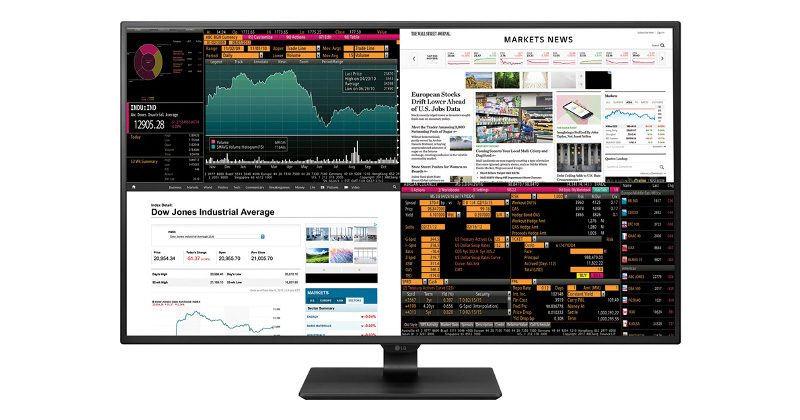
Personally, I work a lot with spreadsheets and multiple windows but standard size monitors (12-19 inches) just don’t provide enough screen space to do any meaningful work with multiple windows. A bigger monitor gives me more ‘screen real estate’ to work with.
Here are some examples.
The #1 benefit of having a larger monitor is the extra space results in greater productivity.
Don’t just take my word for it on why you might want a larger monitor. Here are some helpful articles I read that convinced me to move to a bigger screen…
So why choose a Gaming Monitor vs Regular Monitor?
There are lots of articles on the internet about the differences of gaming monitors vs regular monitors including excellent posts by GamingGeekInnovation.com, and NewEgg.com, and these talk about technical aspescts like Refresh Rates, Resolutions, Inputs, Connectivity, and yada, yada, yada.
If you’re an Average Joe like me, the main thing to know is that Gaming Monitors not only offer more space (like other larger computer monitors) but also offer fantastic picture quality for watching movies, doing your work, and well playing games too! Best of all, because technology has advanced so much and prices have come down with competition, we as the consumer can now get high-end gaming monitors for a low cost. So if you’re gonna buy a larger monitor, then you might as well get a gaming monitor because it gives you all the features you might want (and more).
Gaming Monitors offer the best value for your dollar in the Large Computer Monitor Category.
INVESTING: I can have multiple online trading windows open
PODCASTING: I can have a Google Docs script in one window, Audacity (recording) in another, Shotcut (editing) in another, and my podcasting site in another.
YOUTUBE Channel Work: Similar to the podcasting work, I can have multiple windows open whether the boys and I are recording/editing a new gaming vid or I’m working on my HelpfulDad YT Channel.
GAMING – it’s especially great if you are playing an immersive game or you want to do a Mod in Minecraft that requires some technical knowledge.
And More!!
Best Gaming Monitors to Consider
Now that you know you want a gaming monitor for work (and play), you’ll want to know which gaming monitor to buy, right?
I did lots of research on the best gaming monitors and read thru articles by TechRadar, PC Mag, WireCutter, Digital Trends, and more. Eventually I narrowed top gaming monitor choices down to 24-27″ range (given the size of my desk I felt this size was perfect) and the following categories
Best Full HD Gaming Monitors (1080P or better) 24-27 Inches AND under $500
Why did I choose the ASUS Rog Strix 27″ Curved Monitor?
Since this was my first larger monitor and I don’t do high-end gaming where ultra fast refresh rates are the difference between life and death, I didn’t necessarily wanna drop a grand on a gaming monitor just yet. When I did my research and really narrowed down what I wanted (the best combo of screen space for a reasonable amount of money) I came down to the Alienware 25 and the ASUS Rog Strix 27. In the end the ASUS Rog Strix 27 just felt right – it has more consistent reviews, I liked the curved option, and I liked the warranty.
I’ve owned the ASUS Rog Strix 27 Inch monitor for nearly a year now and it’s met all my expectations!
About the Asus Rog Strix 27″ Curved Gaming Monitor
ASUS ROG Strix 27″ Monitor Review by JP-Modified
Here are the primary features of the ASUS Rog Strix 27″ Monitor:
Size: 27”
Flat vs Curved: Curved to extendyour field of vision so you feel fully immersed in the game. This monitor lets you enjoy wide viewing angles with minimal distortion — so you get better visuals with games, movies, from almost any viewing angle!
Resolution: Full HD (1920 x 1080)
Refresh Rate: Its 144Hz refresh rate and Adaptive Sync/FreeSync paired with 1800R curvature provides smooth, immersive gaming experiences. Did you know? FreeSync Technology delivers the smoothest, fastest, and most breathtaking gaming visuals imaginable by eliminating screen tearing and choppy frame rates, and by minimizing display stutter and input lag.
Tilt/Swivel: Easily find your ideal viewing position with swivel, tilt and height adjustability.
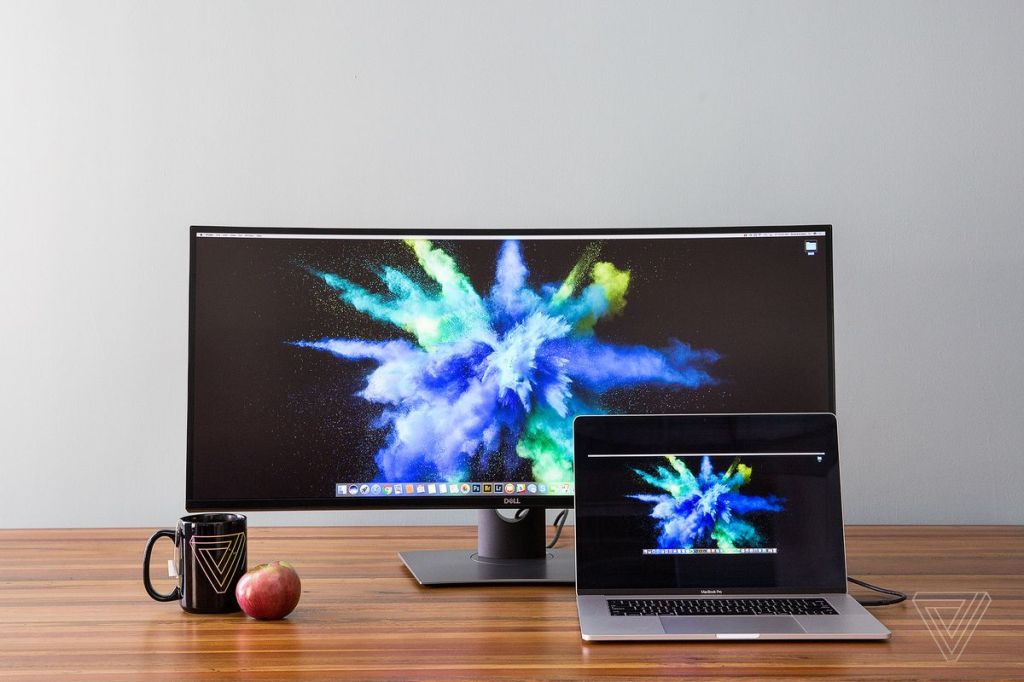
Combo multiple screens? Strix XG27VQ features a super narrow design, making it the ideal solution for almost-seamless multi-display setups for gaming, stock trading, and more.
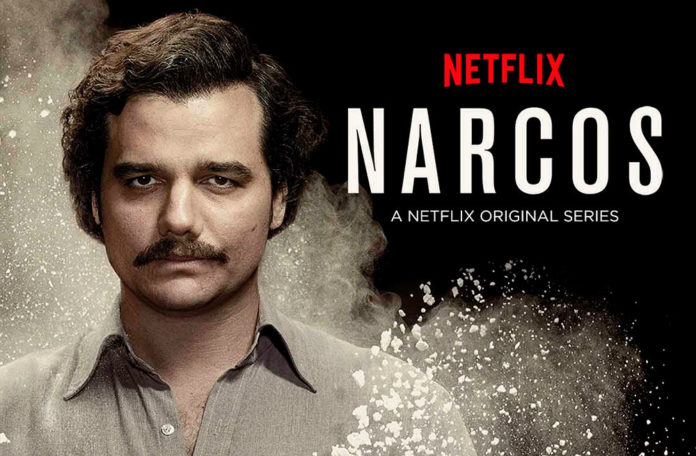
Narcos & Narcos Mexico are two super popular shows on Netflix, but what are they about and more importantly are they worth watching? In this article I’ll give you a brief review of Narcos and Narcos Mexico as well as updated release date info and how to watch them.
Warning – both of these series are crime-related dramas that have a RATING is “TV-MA” so they are obviously adult-only shows.
What’s Narcos About? Released in 2015, Narcos is a Netflix Original Drama that “chronicles the rise of the cocaine trade in Colombia and the gripping real-life stories of drug kingpins of the late ’80s in this raw, gritty original series. Also detailed are the actions taken by law enforcement as they battle in the war on drugs, targeting notorious and powerful figures that include drug lord Pablo Escobar. As efforts are made to control cocaine, one of the world’s most valuable commodities, the many entities involved — legal, political, police, military and civilian — find themselves in conflict.”
Who are the main stars of Narcos? Wagner Moura, Pedro Pascal, Boyd Holbrook
How many seasons of Narcos? 3 Seasons (Narcos is a complete series – 30 episodes in 3 seasons).
How to watch Narcos on Netflix?
Click the pic to watch Narcos on Netflix
About Narcos Mexico on Netflix
What’s Narcos Mexico about? After the popularity of the origional Narcos, Netflix released Narcos Mexico in 2018. Narcos Mexico is therefore a continuation of the Narcos universe and “explores the origins of the modern drug war by going back to its roots, starting at a time when the Mexican trafficking world was a loose, disorganized confederation of independent growers and dealers. It’s the 1980s, and Felix Gallardo takes the helm of the Guadalajara Cartel, unifying traffickers to build an empire. As DEA agent Kiki Camarena moves his wife and young son from California to Guadalajara to take on a new post, he learns his assignment is more challenging than he imagined. A tragic chain of events unfolds as Camarena gains intelligence on Gallardo and becomes more entangled in the mission.”
Who are the main stars of Narcos Mexico? Diego Luna, Michael Peña, Scoot McNairy
How Many Seasons of Narcos Mexico? 2 seasons (as of February 2020)
When is Narcos Mexico Season 2 release date? February 12, 2020
How Watch Narcos Mexico on Netflix?
Click the pic to watch Narcos Mexico on Netflix
What’s My Final Take on Narcos & Narcos Mexico?
If you like crime dramas (particularly of the cartel/gang-related motif) and you are ok with the inherent violence of these shows, then you’ll undoubtedly like BOTH Narcos and Narcos Mexico.
I give both shows a THUMBS UP and classify them both as BINGE-worthy shows.
One of the interesting things about both shows is that the creators attempt to let you ‘walk a mile’ in the shoes of the gangsters and you may sometimes find yourself caring for the criminals. (To be clear I’m NOT suggesting you are rooting for them or condoning their actions so please don’t read into this statement, I’m merely applauding the directors for their ability to help seemingly you get inside the minds of the villains and perhaps understand their motives). I believe this is especially true with the original Narcos series and the Pablo Escobar character.
Have YOU seen Narcos or Narcos Mexico? If so what’s YOUR take?
Share This Article
Share this image with a friend
Did You Know?
If you enjoy reading That Helpful Dad’s articles, you may also like…
Are you considering making a switch to cut the cord and use YouTube TV as your streaming service? If so, this article is for you. We’ll tell you the pro’s and con’s of using YouTube TV from a point of view of an actual user.
Great News: Because of it’s industry leading ease of use and great feature set, YouTube TV has earned our 2020 Helpful Dad Editor’s Choice Award as the Best Streaming Service!
[lwptoc]
Credibility Notice: I am an average consumer just like you. This is an honest review. I am a real life cord cutter and I’m happy to share my tips with you. Read all about my Cord Cutting experience and get loads of valuable tips.
It’s critically important to check if YouTube TV is available in your area because this tv streaming service is NOT currently available throughout the US. Use this link to check your area: https://support.google.com/youtubetv/answer/7068923
How Do I Watch YouTube TV?
Stream with Google Chromecast or download our app on Roku, Apple TV, Android TV, Xbox One and supported Samsung and LG TVs. More details here.
Great News – prior to 2019 the Google vs Amazon feud made it impossible to watch YouTube TV on an Amazon Firestick – but that is no longer the case. People like me who use an Amazon Firestick can now watch YouTube TV too. Can you say “Awesome?!””
BONUS – you can also watch YouTube while you’re traveling if you download the YouTube TV app on your mobile device.
Does YouTube TV offer Different Channel Packages? What Channels are on YouTube TV?
Similar to Hulu Plus, there is only ONE channel package on YouTube TV currently. For $40/month you get 60+ channels DEPENDING ON YOUR AREA.
Here is the current channel lineup for YouTube TV:
This lack of customization may or may not be a problem for you. If these channels are what you are looking for then YouTube TV is a great option. If you need to be able to customize your tv package then better options may be AT&T Now or Sling TV.
You can stream YouTube TV on up to 6 devices at the same time. This is far superior to other providers like DirecTV Now, Sling, and Hulu.
Does YouTube TV have a DVR?
Yes and it’s great!
The DVR on YouTube TV offers UNLIMITED Storage (which is far superior to most other providers) and will save recordings for up to 9 months (which is one of the longest options offered by any online streaming tv provider). You can also fast forward through commercials on your DVR recordings (other tv streaming providers do not always let you do this) – but see the On-Demand problem about this below. Additionally, you can watch your DVR content anywhere in the US.
Does YouTube TV offer On-Demand TV Shows and Movies?
Yes. The content library is ok. You can’t fast forward through on-demand commercials in most cases. And if there is a on-demand recording of a show you recorded on your DVR it will play over your recording which means you may NOT be able fast forward through commercials! This protects Google’s ad revenue which is the lifeblood of their business.
Does YouTube TV offer Local Channels and Regional Sports Networks?
In the past the major problem with YouTube TV was their local channel availability was not good BUT all that has changed for the better!
YouTube TV is now one of the best online streaming tv providers for LOCAL news, weather, and sports.
That being said, it is still very important to check the channels that are actually available in YOUR area before you sign up for YouTube TV and find yourself disappointed that your local channels are not there.
Does YouTube TV offer Add-on and Premium Channels like HBO and Showtime?
Currently YouTube TV only offers a few add-on or premium channels and HBO is NOT one of them.
Here is what YouTube TV offers for premium channel add-ons…
TIP: you can get HBO and other premiums as a stand-alone channels on Amazon Prime TV.
What is the User Interface like on YouTube TV? Does YouTube TV have a Channel Guide?
YouTube TV offers a traditional channel guide that most cable tv users will be used to. It is similar to ones offered by Direct TV Now and PlayStation Vue. Here are some screenshots…
Does YouTube TV Offer Promotions for New Subscribers?
You can try YouTube TV Free for 7-14 days on their website depending on their current specials.
TIP: YouTube TV offers lots of promotions tied in with the purchase of other Google products (Remember Google owns YouTube). Here’s an example of a 2-MONTH Free Trial! https://tv.youtube.com/learn/verizon/
What’s the difference between YouTube TV and YouTube Red?
YouTube TV is a live TV streaming service with major broadcast and popular cable networks. YouTube Red gives you a premium music experience and uninterrupted YouTube—ad free, offline, and in the background.
Both memberships give you access to YouTube Red Originals, but YouTube Red isn’t included in your YouTube TV membership. However, if you are a YouTube Red member, you can watch the YouTube content on YouTube TV without ads.
III. YouTube TV vs Other Streaming TV Options
Are Looking for Comparisons of YouTube vs Sling, ATT Now, Hulu Plus, and other online streaming tv providers?
A year ago we said that YouTube TV was still too raw for most cord cutters in my opinion, however all that has changed. Because of the updates to their local coverage and all the many benefits that YouTube TV offers like their amazing DVR, great user interface, 6 user accounts, and ease of you, we now that that…
YouTube TV is one of the BEST options for online tv streaming. It should be a TOP CHOICE for people looking to cut the cord and ditch cable tv.
Pluto TV – in this article we’ll review Pluto TV – talking about what Pluto TV is, how to download the Pluto TV app, what channels are on Pluto TV, how to activate your Pluto TV account, and much more.
[lwptoc]
Mike, That Helpful Dad
Editor’s Note: I’m Mike, AKA “That Helpful Dad” and this website is all about providing practical solutions to real life problems. I hope you enjoy today’s wisdom – if you do be sure to visit my home page and sign up for my free weekly emails. You can also follow me on YouTube, Twitter, Facebook, and Pinterest. I’d love to hear from you so drop me a comment and let’s chat.
Why You Should Care about Pluto TV
If you want to ditch cable tv and watch tv online? Pluto TV can help you.
As you’ll see in the video review below Pluto TV is am amazing streaming tv app that features TONS of popular content, niche channels, kids programming, video gamer shows, and even streaming music channels. The content offered by Pluto has something for everyone and best of all it’s all FREE!
Pluto TV – Video Review
In this video we review Pluto TV and tell you why this FREE is a must-have in your streaming tv lineup…
This article is part of a series devoted to helping people learn how to stream tv online. If you want to see a review of all the major streaming tv providers and know which services I recommend, then be sure to watch this vid…
YouTube TV vs Sling TV Reviews – which streaming tv service is best for your family? If you’re looking to get rid of cable and switch to watching live tv online with a streaming provider like YouTube TV or Sling, this video review is for you.
We’ll compare YouTube TV and Sling TV in terms of price, channel packages, DVR, # of Streams, Local News & Sports, Kids Programming, International Programming, Premiums like HBO, Showtime, and much more.
Mike, That Helpful Dad
Editor’s Note: I’m Mike, AKA “That Helpful Dad” and this website is all about providing practical solutions to real life problems. I hope you enjoy today’s wisdom – if you do be sure to visit my home page and sign up for my free weekly emails. You can also follow me on YouTube, Twitter, Facebook, and Pinterest. I’d love to hear from you so drop me a comment and let’s chat.
Let’s compare YouTube TV and Sling TV in terms of price, channel packages, DVR, # of Streams, Local News & Sports, Kids Programming, International Programming, Premiums like HBO, Showtime, and much more. Watch this video to see my full review of both services…
YouTube TV vs Sling TV Comparison
Notes about this video:
You can get a copy of the SPREADSHEETS shown in the video by visiting my home page and signing up for the free weekly email tips at the top of the page.
YouTube TV is best for people who want to get rid of cable and have one main service that provides an experience similar to cable – that means a service that includes Live LOCAL tv as part of the streaming service.
Sling TV is best for people who want to get rid of cable tv and save a lot of money BUT who don’t mind using an HD antennae to pick up live local tv and/or who don’t care about live local tv.
Sling TV is also best for people who want to be able to customize their streaming tv package.
If Sling offered better local channels, Sling would be the streaming tv provider I chose, but as of yet you’ll need an HD antennae to watch all the local channels with Sling and I don’t want to mess with that.
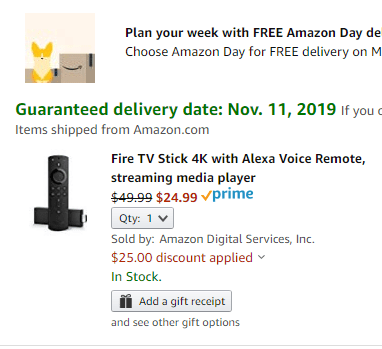
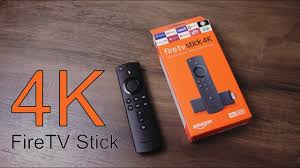
Amazon Fire TV Stick 4k Sale – There is an unadvertised 50% Off Sale on Amazon Firestick 4k that is running until Dec 31, 2019 or while supplies last.
If you read my blog you know that the Amazon Fire TV Stick 4k is the #1 product I recommend for people who are trying to get rid of cable and learn how to stream tv online. I’ve written tons of articles about the Amazon Fire TV Stick and how I use it to watch tv online. This is a great sale because you can save 50% off the cost HOWEVER you have to use the PROMO CODE “4KFIRETV” to get the discount.
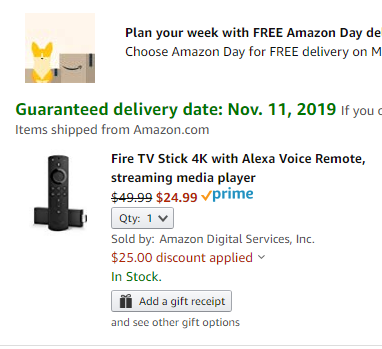
You must use Promo Code “4KFIRETV” at in the PAYMENT PROMOTION CODE area at CHECKOUT to reduce price. The price will then reduce from $49.99 to $24.99
Successful use of the promo code will look like this:
Price with Promo Code
Nov 14 update to this article: Since the publication of this story on my site and others, there’s been reports of difficulties from people trying to get the discount. The problem appears to be on the Amazon side – although the code worked for me and numerous others, you can also see comments on Amazon that many others are having problems. The problem appears to be related to unclear ‘eligibility’ rules – you have to be a prime member, you can only buy 1, etc, however the “learn more” link from Amazon is no longer working to explain the rules. Doh!
Not sure why this has been so difficult, however I would keep a eye out on this deal – after all this is one of the premier deals on Black Friday and it’s actually supposed to run thru Dec 31 so surely Amazon will resolve this soon.
Are you considering signing up for ATT Now as your Streaming TV Provider? If so, this article is for you. We’ll tell you the pro’s and con’s of using AT&T Now from a point of view of an actual consumer.
[lwptoc]
Editor’s Note: This article is part of a series devoted to helping people learn how to stream tv online. If you want to see a review of all the major streaming tv providers and know which services I recommend (hint: it’s NOT ATT Now), then be sure to watch this vid…
What is AT&T Now?
AT&T Now is a Streaming TV App that will allow you to enjoy a tv viewing experience similar to having cable tv.
Is AT&T Now the same as DirecTV Now?
I get it, not everyone has heard of “AT&T Now” and a lot of people are confused. This streaming service used to be called “DirecTV Now”. In 2019, AT&T changed the name of “DirecTV Now” to “AT&T Now”.
You can watch AT&T Now on pretty much every streaming device (Apple TV, Roku, Amazon Fire, Chromecast, etc), as well as on tablets/phones and computers.
Bonus – You can watch it anywhere, not just in your house.
Does AT&T Now Have Different Channel Packages?
Yes, and this is the #1 best thing about AT&T Now.
If you want a service that offers the most customization options, AT&T Now and Sling TV are your best choices.
The problem is that in 2019 AT&T made some major changes to the DirecTV Now channel packages when they rebranded the service as AT&T Now. Prior to 2019, DirecTV Now used to have 4 plans to choose from that ranged from $35-70/month. It used to look like this…
Sadly that is not the case any longer.
In 2019 AT&T changed the name and jacked up the prices AND drastically reduced the channels available in the lower priced tiers.
Now there are two options they promote:
By the time you read this article, the prices will probably have been increased again. At the time of this writing, the lowest priced option was $50 and it only included 40 channels – but they give you HBO. Just to be clear, for that same $50 you used to get 80+ channels with DirecTV Now.
As you can see, AT&T Now costs more money for LESS content.
To be fair, there are still other options, if you don’t mind paying more, you can choose from their other options:
See that Choice Plan for $110? That’s the one that most compares to the old “Just Right” Plan that used to be $50. Ouch – talk about price gouging!
Fair Balance: if price is not an issue and you want to be able to customize your package, I will say again that AT&T Now is still one of the best options for streaming tv online.
Does AT&T Now Limit the Number of Screens I Can Watch on?
Yes, you can only watch AT&T Now on 2 screens (AKA streams) at the same time.
If you are willing to pay an additional $5/month and then you can watch it on 3.
On the surface this screen limit seems kind of sucky, and it isn’t good compared to other services like YouTube TV or PlayStation Vue, but remember this only applies to your ATT Now viewing so if you have Amazon Prime TV and/or Netflix and/or Amazon Channels and/or you wanna watch YouTube, none of those count as ‘streams’ against your ATT Now screen limit so in reality it may not be that bad unless you have a big family.
Does ATT Now have a DVR?
Finally the answer is YES. It’s been a loooong wait for DirecTV Now to get a DVR but at last they have one and AT&T Now has continued to offer a DVR.
As for the DVR itself, the free version gives you 20 hours of recordings and you can save them for 30 days. You can pay an extra $10/month and get up to 100 hours with 90 days storage.
To be honest with you the ATT Now DVR sucks – compared to other online streaming tv providers the ATT Now DVR is far behind. YouTube TV, Sling TV, and PlayStation Vue all have better DVR options.
I used to be willing to live with the ATT Now DVR but after the price increases, etc I can no longer overlook the fact that it sucks.
DVR Warning – you may or may not be able to skip through commercials – according to the Direct TV Rep I talked to it depends on the network and the show.
Does ATT Now have On-Demand TV Shows and Movies?
Yes, besides their ’72-hour’ rewind feature on most networks, ATT Now’s on-demand service offers mostly tv shows from the current seasons and some movie content.
Warning – depending on the network and show, you may or may not be able to skip through commercials and you may not even be able to rewind or fast-forward. Lest you think this isn’t important see my “important consideration #4” in my “Essential Guide to Cord Cutting” article for my story about watching Anthony Bourdain with no less than 7 required commercial breaks of 7 commercials each!
Does ATT Now offer Local Channels and Regional Sports Networks?
It depends on where you live. In my area they offer a lot and this is another feature in the cap of ATT Now.
One of the main reasons we previously chose ATT Now as our (former) cord cutting streaming provider was because it offered the best selection of local channels and regional sports networks.
Basically we used to be able to get every local channel we want with DirecTV Now, however AT&T Now no longers offers all the locals in my area and there are other better options for us (namely YouTube TV).
To see the local channels available from ATT Now in YOUR area use this link:
Does DirecTV Now offer Premium Channels like HBO and Showtime?
Yes they do – in fact for the 2 mains packages they promote (Plus and Max plans), HBO is included. If you don’t choose the Plus or Max plan, you can add HBO separately and/or you could add another premium network like Showtime, Cinemax, etc.
What Promotions does ATT Now offer to New Subscribers?
There is usually always a promotion offered from ATT Now for new subscribers. Besides a 7-day free trial, ATT Now usually has some pretty sweet promotions, sometimes giving away an Apple TV, Roku devices, etc.
Visit their site to see their current offers or better yet (TIP) use their chat feature and see what kind of deals a ATT Rep will make you. I was offered multiple months at 50% off and additional credits when I spoke with them. Good luck getting thru to the right dept with ATT’s Help Desk though.
What is the ATT Now User Interface (UI) and TV Guide like?
The user interface and channel guides are really important in my opinion and can make or break the experience for people who are switching from cable tv to streaming services. For example, Hulu with Live TV has a great product, but their UI is so bad (they basically don’t even have a channel guide!) that the service doesn’t work for us because we can’t find a way to easily navigate to find out what’s on.
Thankfully ATT Now recently updated their UI and it’s pretty good. Here are some screenshots:
AT&T Now – My Video Review
As I mentioned above, my family used to use DirecTV Now as our streaming tv provider, however we ditched the service in 2019 for the reasons I explain in this vid…
ATT Now vs Other Streaming TV Providers
If you’re looking for a comparison of ATT Now vs Sling TV vs Hulu Plus Live TV vs YouTube TV and other streaming tv providers then you’ll find all that and more on our main page: Best Streaming TV Providers.
As I said, I used to recommend AT&T Now as my #1 streaming tv provider and I was a long-time customer HOWEVER AT&T has basically ruined the service – higher prices, less channels for lower-priced tiers, a DVR that sucks compared to other providers, and only 2 streams make ATT Now a poor choice for most people looking to stream tv online AND save money.
That said, if money is not an issue and you want a service that provides the most customization options AND gives you access to most/all local channels then ATT Now may still be a viable option for you.
It’s just a shame that what could have been an awesome service for most Americans to use to get rid of cable tv has basically been turned into an online version of cable – complete with the high prices and poor service.
Which Streaming TV Providers do I recommend now?
If you don’t need local tv (either because you have an HD Antennae or you don’t care about locals), then I recommend SLING TV or Philo TV. And of course Pluto TV is a MUST have because it’s a FREE streaming tv app.
If you DO want local tv (for news, weather, and local sports teams) then I recommend…
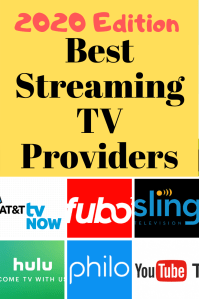
Which Streaming TV Provider is the best? We compare AT&T TV Now, Fubo TV, Hulu with Live TV, Philo TV, Pluto TV, Sling TV, YouTube TV, Amazon, & Netflix.
UPDATE: since this article was published there have been changes in the streaming tv app world so we have recorded a new video – you can watch the NEW VIDEO here or continue reading this article (the info is still valuable but may not be as current what’s in the new article).
Original Article…
Want to ditch cable tv and watch tv online? This article and video will help you. We’ll compare all the major streaming tv providers and talk about questions like:
What channel packages are available?
Is there a DVR?
Do they offer a Free Trial?
How many streams can you watch at once?
Do they have local news and sports?
Can you add on premium channels like HBO, Showtime, etc?
What about International programming?
We talk about all this and more!
That Helpful Dad
I can Help You… Hi, I’m Mike, That Helpful Dad. I ditched cable a couple years ago and moved to watching TV online. My reviews and tips will help YOU learn how to stream tv online and save a lot of money. Enjoy!
Best Streaming TV Providers 2019-2020 Video
SKIP AHEAD in this video using this Table of contents:
01:00 Website link for in-depth reviews of individual streaming apps: ThatHelpfulDad.com
02:00 Article: Step-by-Step Guide to Watching TV Online WITHOUT Cable
02:40 AT&T TV Now Review
07:30 FuboTV Review
10:30 Hulu with Live TV Review
13:11 Article: 10 Questions to Ask BEFORE You Cut The Cord
Visit my home page for more vids about Netflix, streaming tv apps, and cord cutting tips. All subscribers can get a FREE 35+ page Step-by-Step Guide on How to Watch TV Online and get rid of your high cable tv bills.
Daylio App – have you heard of the DAYLIO Micro Diary and Mood Tracker app? I’m in love with this little app – and you should be too. In this article I tell you what Daylio is and how I use it to improve my life. My goal in doing so is to introduce you what I believe is a great product (and best of all it’s FREE) – my hope is that Daylio can make a real difference in your life too.
Daylio App
What is Daylio?
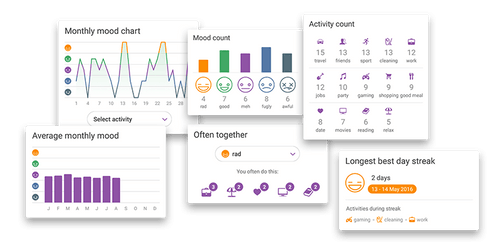
Daylio is an easy to use mobile app that allows you to track your moods and daily activities. With regular use (as little as 5 days) you’ll start getting feedback reports that reveal trends.
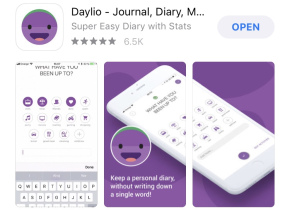
Daylio Screenshots
Daylio’s trends help you identify the connection between what activities you do when you feel great and what’s happening in your life when you have bad days.
What I love about Daylio is…
Daylio is one of my favorite apps because it’s easy to use, it’s free, and you can modify the activities to fit your needs.
What I love about this app is that is shows me trends – for the day, month, and even the year. This allows me to VISUALLY SEE if I am living a life that’s in balance or if I’m too heavy in one area vs another. I’ve used this app every single day for over 1000 days and the feedback it’s providing is invaluable!
Daylio makes it so easy to keep a mobile life journal because it takes just a few seconds to toggle on/off what you did that day and/or add/modify activities to suit your own system. Because Daylio is so easy/quick to use, it provides an efficient way for me to keep an on-the-go de facto daily journal about life. Add to that the fact that you can also include free text notes for each day (if you want to) and now you’re talking.
Here’s how I use Daylio
I’ve been using Daylio for over 1000 days continuously as you can see here…
I use the Daylio app to track my daily moods and activities. My goal in using the app is to have a quick and easy way to journal my life AND to be able to see trends in terms of what’s working well for me and what isn’t.
The knowledge I get from Daylio allows me to KNOW what I should be doing more of and what I should be nixing from my life.
Daylio allows me to rate how I felt each day (awesome, good, average, not good, awful) AND it lets me get granular with specific activities – would you believe I’m currently tracking 80+ different daily activities? Ha, if you know me at all, this probably does’t surprise you.
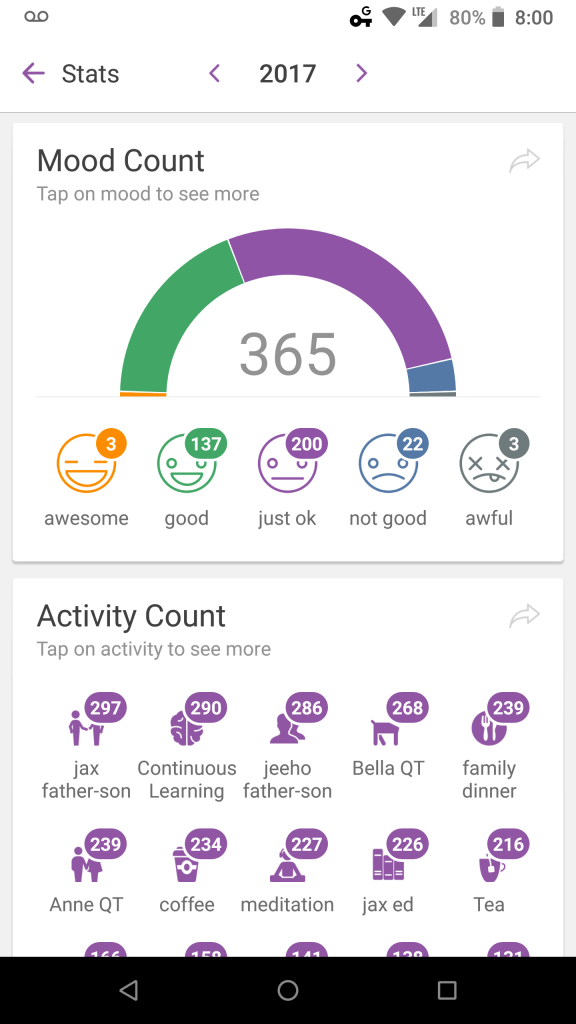
Here is are my mood charts and activity counts for the last 1000+ days. My goal is to have more Awesome + Good days than Just OK + Not Good/Awful Days.
Daylio 2017
Daylio 2018
Daylio 2019
As you can see I’ve been able to improve this over time and the reason WHY I’ve been able to do this is by using Daylio to help me identify the activities that help me achieve a Good Day or better.





























 That Helpful Dad